
Launch - Analytics Extension - How to use Multiple Report Suites with One Launch Container | For Multiple Website
So Recently I got a request to create a launch container for 7 websites.
The client wanted to use one Launch TMS to track data on the 7 different websites and send production data to one
Global report suite for all the sites.
Then For one site, lets name is example 1, we send data to its own unique report suite
To break it down we have
- One Global Report Suite - All websites data including example 1 above
- One individual report suite - Only example 1 data
Here is how I approached it and I hope it will help someone here!
STEP 1. I created a custom data element and named it config_RSID
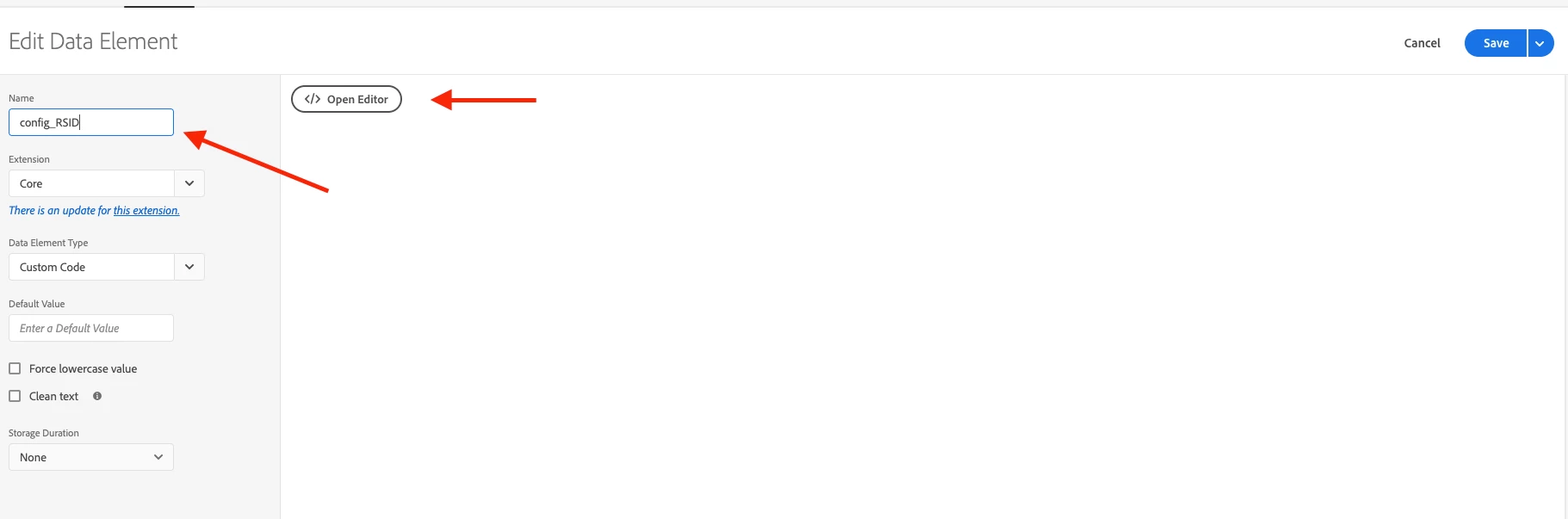
Within the custom code editor, I created an object with the following property data types
- Host -> clients domain hostname
- rsid -> clients report suites id
- note -> clients website name
The code example below:
In this example, I used 2 sites!
var my_rsid_config = [{
'host': 'www.example.com',
'rsid': 'exampleprod',
'note': 'Example Site'
},
{
'host': 'www.example.com',
'rsid': 'exampleprod1',
'note': 'Example Site1'
},
];

var my_new_config;
var sc_acc_modificaton = function(configSetup) {
this.rsid = '';
this.location = window.location.hostname;
this.locationwithPath = window.location.hostname + window.location.pathname;
this.config = configSetup;
this.init();
}
/*
* Find Match and return correct object
* It will set certain properties which can be use to overwrite scode config
*/
sc_acc_modificaton.prototype.init = function() {
var self = this;
var cfgHostDetails = '';
var cfgHostSplit = '';
for (var cidx = 0, clen = self.config.length; cidx < clen; cidx++) {
cfgHostDetails = self.config[cidx].host;
if (!self.config[cidx].hasOwnProperty('usepath') || (self.config[cidx].hasOwnProperty('usepath') && self.config[cidx].usepath === false)) {
if (cfgHostDetails.indexOf(self.location) === 0 || cfgHostDetails.indexOf(',' + self.location) > 0) {
this.rsid = self.config[cidx].rsid;
break
}
} else if (self.config[cidx].hasOwnProperty('usepath') && self.config[cidx].usepath === true) {
cfgHostSplit = cfgHostDetails.split(',');
for (var i = 0, len = cfgHostSplit.length; i < len; i++) {
if (self.locationwithPath.indexOf(cfgHostSplit[i]) === 0) {
this.rsid = self.config[cidx].rsid;
break;
}
}
//if we have an rsid stop the main parent loop
if (this.rsid) {
break;
}
}
}
}
my_new_config = new sc_acc_modificaton(my_rsid_config);
return my_new_config;
Save this and go on to
STEP 2 - Configuring the Analytics tool with your desired changes.
In your launch container go under the extensions tab on the navigation ribbon, click configure, in the Analytics tool navigate down to
CONFIGURE TRACKER USING CUSTOM CODE and start editing under the editor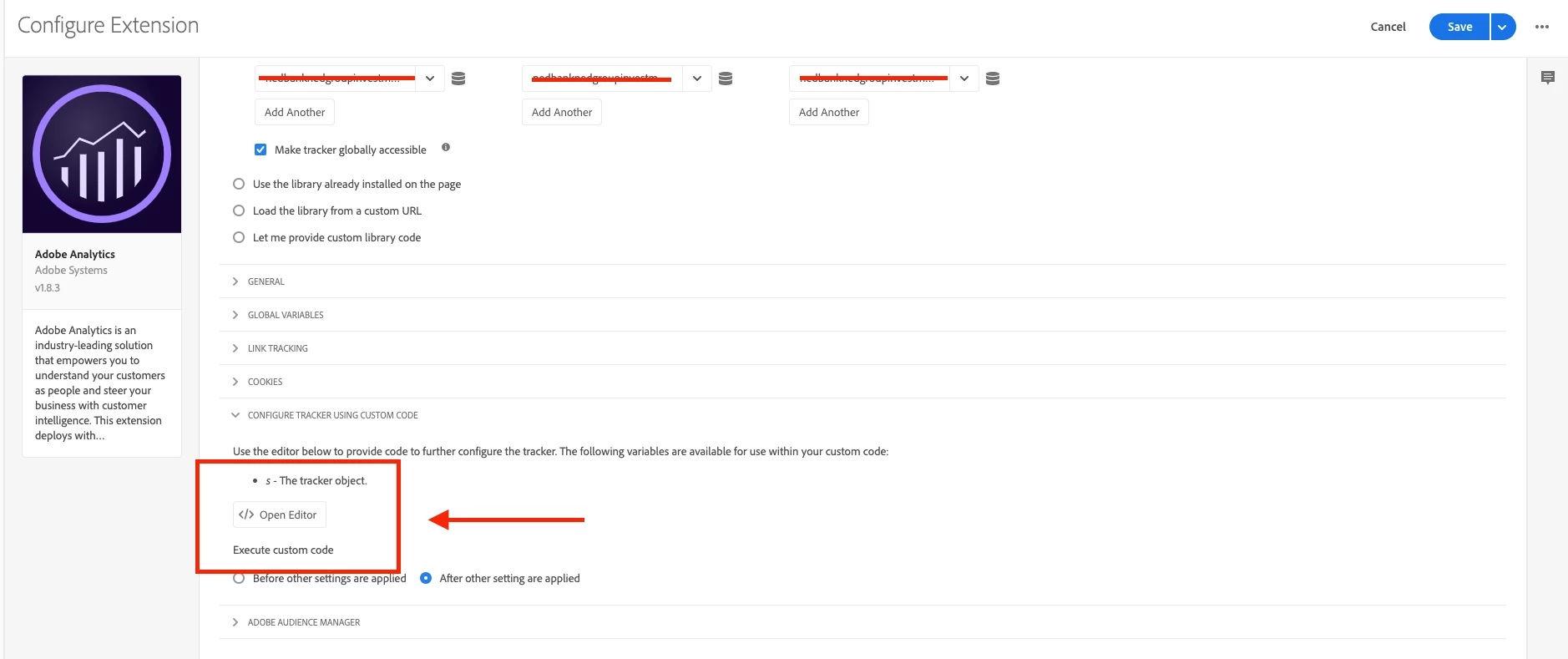 NOTE: in this example, I have stretched out my report suite names
inside the code editor, you can do the following
var cur_site_rsid_config = _satellite.getVar('config_RSID');
var curHostName = window.location.hostname;
var environment = _satellite.buildInfo.environment

/* **in this example I specified one domain and one environment as this was the client's request, however, you can adjust this to fit your own requirements*/

if(curHostName === 'www.example.com' && environment == "production"){

    s.sa('exampleglobalprod, ' + cur_site_rsid_config.rsid);

 }
I hope you will find this example useful thanks!