Solved
Last Month to Date metric not working
I have a report that includes the "Last Month to Date" metric. That date range is currently pulling as "Mar 1, 2024 - Feb 29, 2024" and resulting in "zeros".
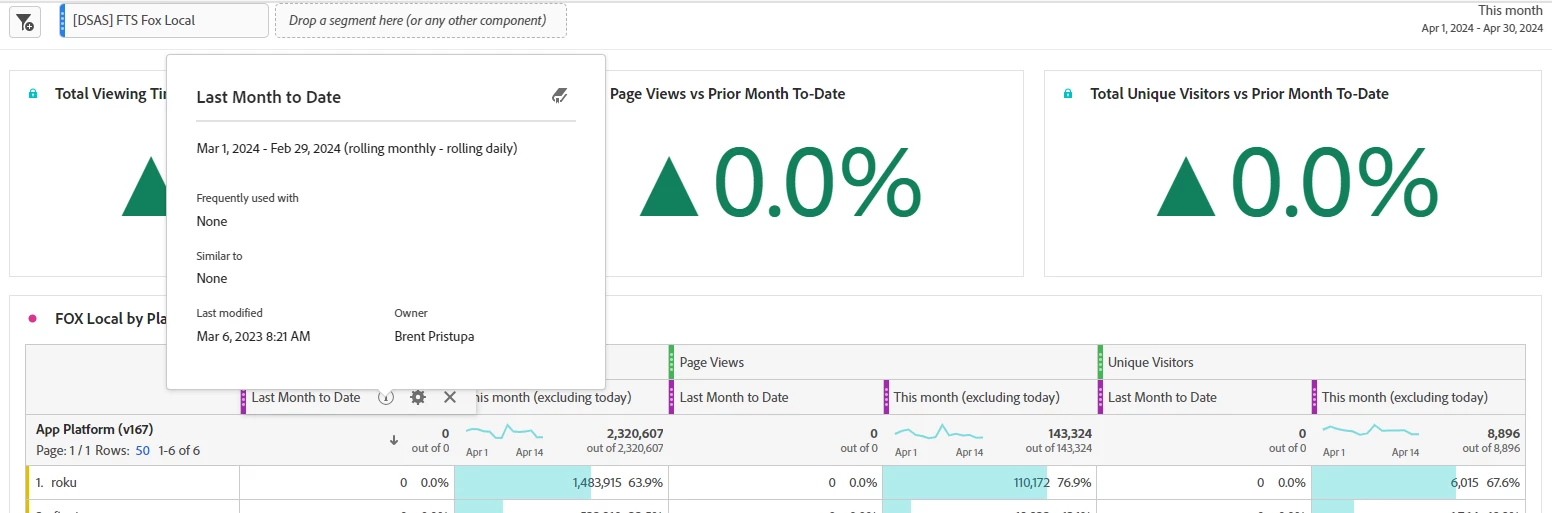
I have a report that includes the "Last Month to Date" metric. That date range is currently pulling as "Mar 1, 2024 - Feb 29, 2024" and resulting in "zeros".
Yes, as of Friday, Adobe is building comparison date ranges incorrectly. This is a recent bug introduced sometime last Friday.
"Prior month to this date range" is working, "This Month last year to this date range" is not.
When my panel is set to "Last Month" and I use "This Month last year to this date range", the date range gets built as:
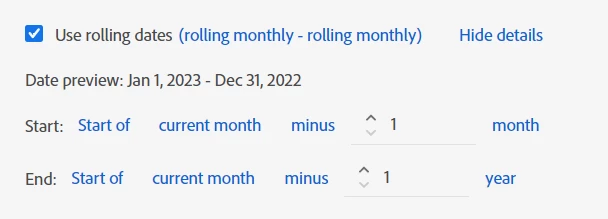
This is very much incorrect.
"This month last year" (based off of the panel being "last month", should return Mar 1, 2023 - March 31, 2023.... not Jan 1, 2023 - Dec 31, 2022
Start: "Start of Current Month minus 1 month" doesn't even make sense here, as that should return March, 1, 2024 (not Jan 1, 2023)...
End: "Start of Current month minus 1 year" should return Mar 1, 2023 (not Dec 31, 2022)
It's not just the automatically selected values in the definition that's the issue, the calculation of date ranges is not properly working.
Now, as I mentioned, this range can be fixed by doing:
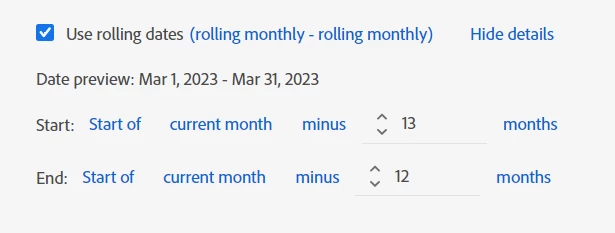
But it's also possible that depending on the needs, not all date ranges can be properly selected and calculated properly at this time.
BTW, if I were to manually set the date range as Adobe set it, I don't even get the same results.... the Start date now matches the expected calculation, but the end date is still messed up:
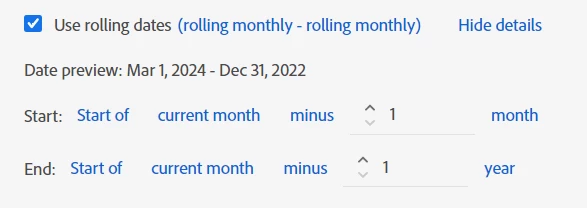
Enter your E-mail address. We'll send you an e-mail with instructions to reset your password.