Is it possible to upload data files and use this data in Adobe Analytics? | Community
Skip to main content
KiriHong
Level 2
January 14, 2025
Solved

Is it possible to upload data files and use this data in Adobe Analytics?

  • January 14, 2025
  • 2 replies
  • 979 views

Hi there,


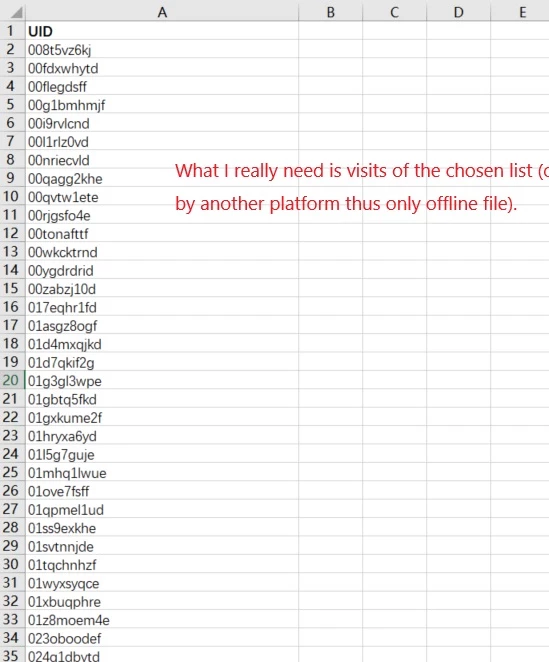
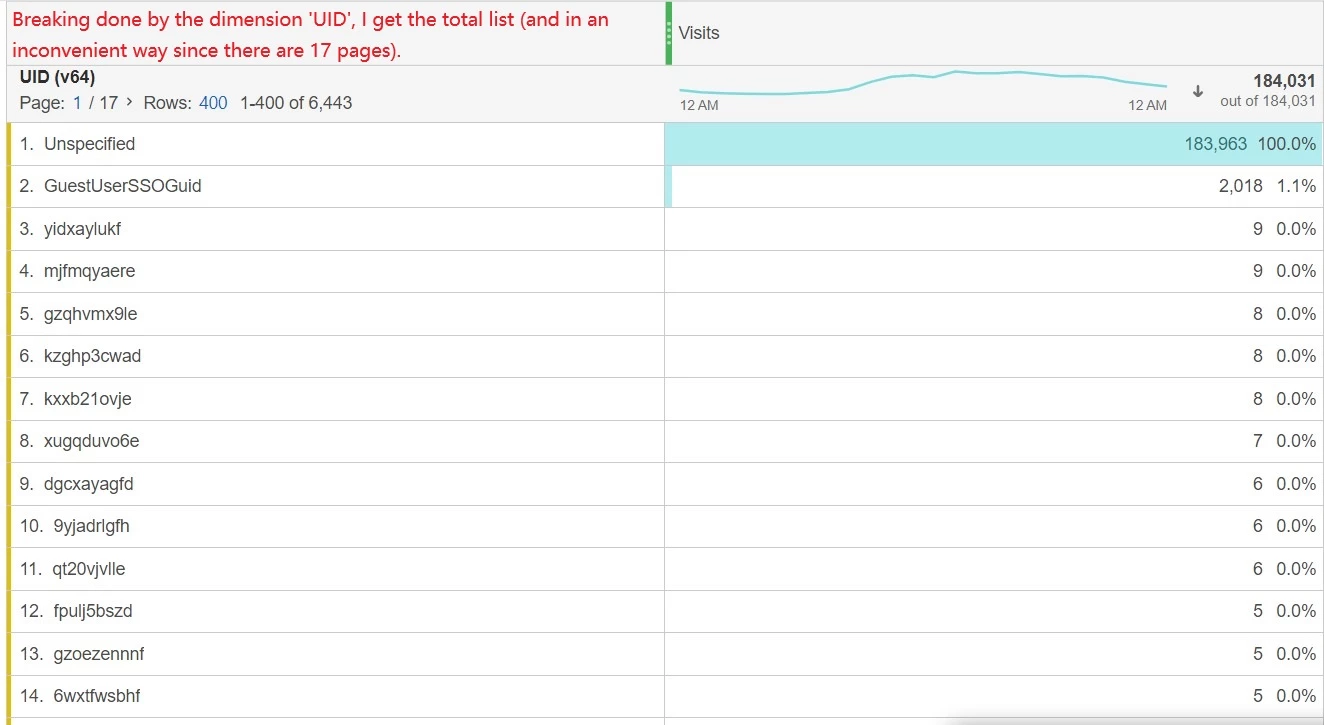
I'm now confronted with the situation that, I want to know the exact visits of a certain group of users. However, due to the number of users I choose is so great, I cannot just do it simply by search or filter in dimensions. Is there a method to upload the offline data list file, to connect and compare this data file with online data, then give the results only restricted to the group chosen.

e.g.
 

Best regards,

Kiri


Best answer by MandyGeorge

My suggestion would be to make a classification. It looks like you have the UID in evar64, create a classification based off of that evar. Give the classification a name related to what those users are, and then for the value in the field, you could use a yes/no, true/false, etc to identify who is and who isn't a part of the group. By having the same value for all the people in the group, then you just need to bring in the one item and you can see the whole group together. 

Use the classification importer (depending on how many items need to be updated you can use the browser import or you might need to use an FTP import). Use your UID value as the key, and then just put "true" or "yes" or some other value for all the rows so that you can easily identify them using the classification field.

The classification will let you see all of them as a single group, but if you still need to see them individually too, just break it down by the original v64 values.

2 replies

juliusonyancha
Level 4
January 14, 2025

Hi @kirihong have you considered extracting all the UID with corresponding visits from Adobe Analytics and then using a lookup function in Excel, map to those that exist in the offline file?

MandyGeorge
Community Advisor and Adobe Champion
MandyGeorgeCommunity Advisor and Adobe ChampionAccepted solution
Community Advisor and Adobe Champion
January 14, 2025

My suggestion would be to make a classification. It looks like you have the UID in evar64, create a classification based off of that evar. Give the classification a name related to what those users are, and then for the value in the field, you could use a yes/no, true/false, etc to identify who is and who isn't a part of the group. By having the same value for all the people in the group, then you just need to bring in the one item and you can see the whole group together. 

Use the classification importer (depending on how many items need to be updated you can use the browser import or you might need to use an FTP import). Use your UID value as the key, and then just put "true" or "yes" or some other value for all the rows so that you can easily identify them using the classification field.

The classification will let you see all of them as a single group, but if you still need to see them individually too, just break it down by the original v64 values.

Jennifer_Dungan
Community Advisor and Adobe Champion
January 14, 2025

Yes, if you have data that clearly identifies those UIDs into a few usable groups, Classifications would be a great solution.


The best part of classifications is that it can change retroactively... so if you make a mistake, or you need to re-classify a value as something else, you can do so.


Here is more information about classifications

https://experienceleague.adobe.com/en/docs/analytics/components/classifications/c-classifications


And specifically for the Classification Importer:

https://experienceleague.adobe.com/en/docs/analytics/components/classifications/classifications-importer/c-working-with-saint


There are both Classification Rules (good for values that you can map based on regex rules, or simply need to convert a set list of items from one value to another), whereas the Classification importer can import large mapping files that can map each uid to a value, such as "sfxfsetgx" to "premium customer" and "w42rftrret" to "basic customer" or whatever groups you need. Given your list, the importer would work best for you.


You could also of course use Report Builder or Data Warehouse extraction to get the list into Excel and then use Excel functions to map... but then you can only access those outside of Adobe..  Classifications will allow you to use these groupings as you would any other dimension.


One caveat though, classifications aren't done live... they run in batches every 4-6 hours, so you might want to avoid looking at data from "today" and stick to fully processed days.

KiriHong
KiriHongAuthor
Level 2
January 16, 2025

Hi @mandygeorge & @jennifer_dungan,

Thanks so much for your detailed reply! Classifications sounds wonderful and  I'll try it first 🙂