How to Leverage Adobe Analytics' Attribution IQ? | Community
Skip to main content
Hemang35
Level 5
April 13, 2023
Solved

How to Leverage Adobe Analytics' Attribution IQ?

  • April 13, 2023
  • 3 replies
  • 1795 views

How can I leverage Adobe Analytics' Attribution IQ to compare different attribution models side by side, analyze credit assignment to various marketing channels based on the chosen model, and better understand the relative impact of different channels on my success metrics?

This post is no longer active and is closed to new replies. Need help? Start a new post to ask your question.
Best answer by Jennifer_Dungan

You can apply attribution models to your column metrics like so:


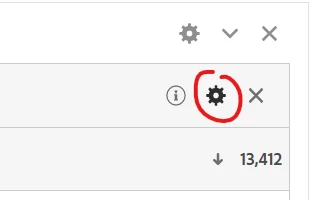
Click on the Gear of the metric
 

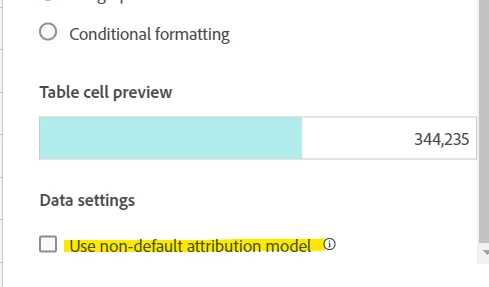
Then at the bottom, you should see "Use non-default attribution model"
 

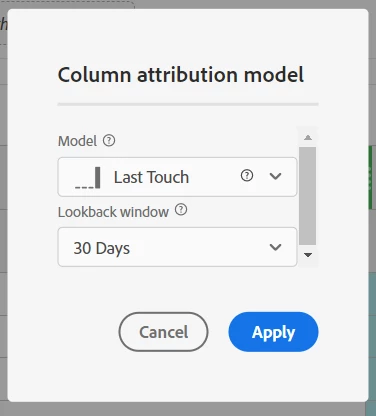
This will bring up a window that will allow you to choose a Model and lookback window:
 

You can create new columns using the same metric, but apply different models to see how the values change (You will also notice that additional text is added to the metric to indicate the model in use):
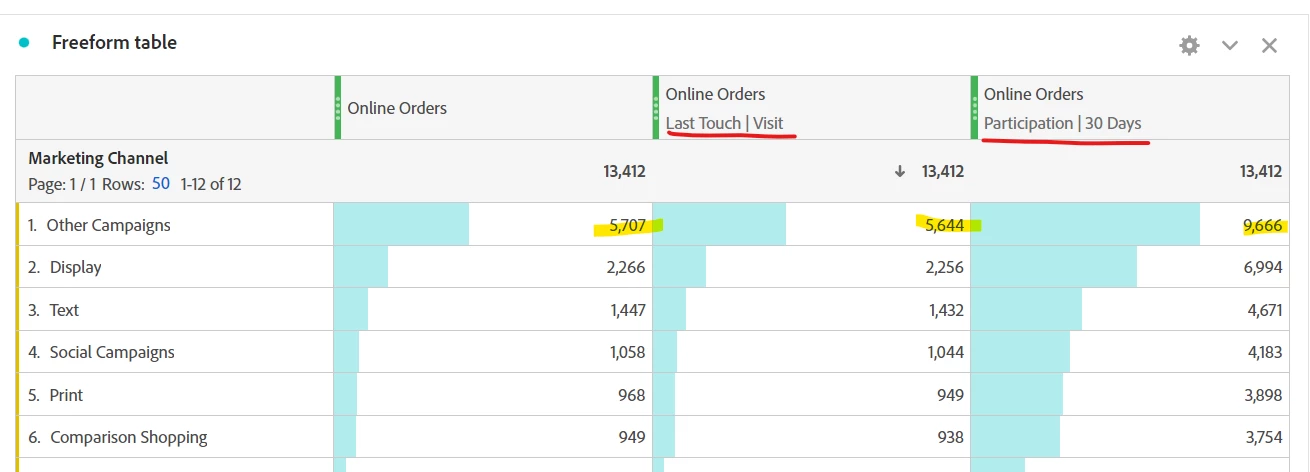
 

It should be noted that not all metrics can use custom attributions, Page Views, Visits, Unique Visitors, Occurrences, etc have this feature disabled.


But, if you need to use a custom attribution as part of a calculated metric (where maybe only the numerator or the denominator needs attribution applied (but not both), you can apply attribution inside the calculated metric builder, here is a video showing how to use that feature:


https://experienceleague.adobe.com/docs/analytics-learn/tutorials/analysis-workspace/attribution-iq/attribution-iq-in-calculated-metrics.html?lang=en


 

3 replies

Jennifer_Dungan
Community Advisor and Adobe Champion
Jennifer_DunganCommunity Advisor and Adobe ChampionAccepted solution
Community Advisor and Adobe Champion
April 14, 2023

You can apply attribution models to your column metrics like so:


Click on the Gear of the metric


Then at the bottom, you should see "Use non-default attribution model"


This will bring up a window that will allow you to choose a Model and lookback window:


You can create new columns using the same metric, but apply different models to see how the values change (You will also notice that additional text is added to the metric to indicate the model in use):


It should be noted that not all metrics can use custom attributions, Page Views, Visits, Unique Visitors, Occurrences, etc have this feature disabled.


But, if you need to use a custom attribution as part of a calculated metric (where maybe only the numerator or the denominator needs attribution applied (but not both), you can apply attribution inside the calculated metric builder, here is a video showing how to use that feature:


https://experienceleague.adobe.com/docs/analytics-learn/tutorials/analysis-workspace/attribution-iq/attribution-iq-in-calculated-metrics.html?lang=en


parthhetamsaria
Adobe Employee
Adobe Employee
April 14, 2023

You can follow below steps to get results:

  1. Choose the success metric you want to analyze.

  2. Select the attribution model you want to compare. Attribution IQ provides several attribution models, including first touch, last touch, linear, time decay, and custom models.

  3. Compare different attribution models side by side. Attribution IQ allows you to compare the results of different attribution models and see how each model assigns credit to different marketing channels.

  4. Analyze credit assignment to various marketing channels based on the chosen model. You can analyze the performance of individual channels and see how they contribute to your success metrics.

Josh__Stephens
Community Advisor
Community Advisor
April 14, 2023

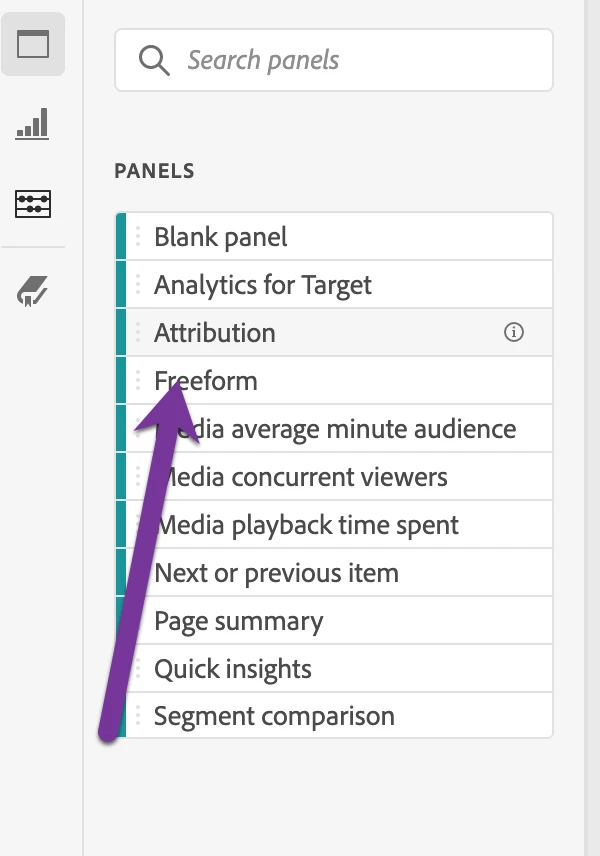
Hi Hemang35, there's an Attribution Panel that makes this a breeze.  


1. From the left rail pull in the attribution panel

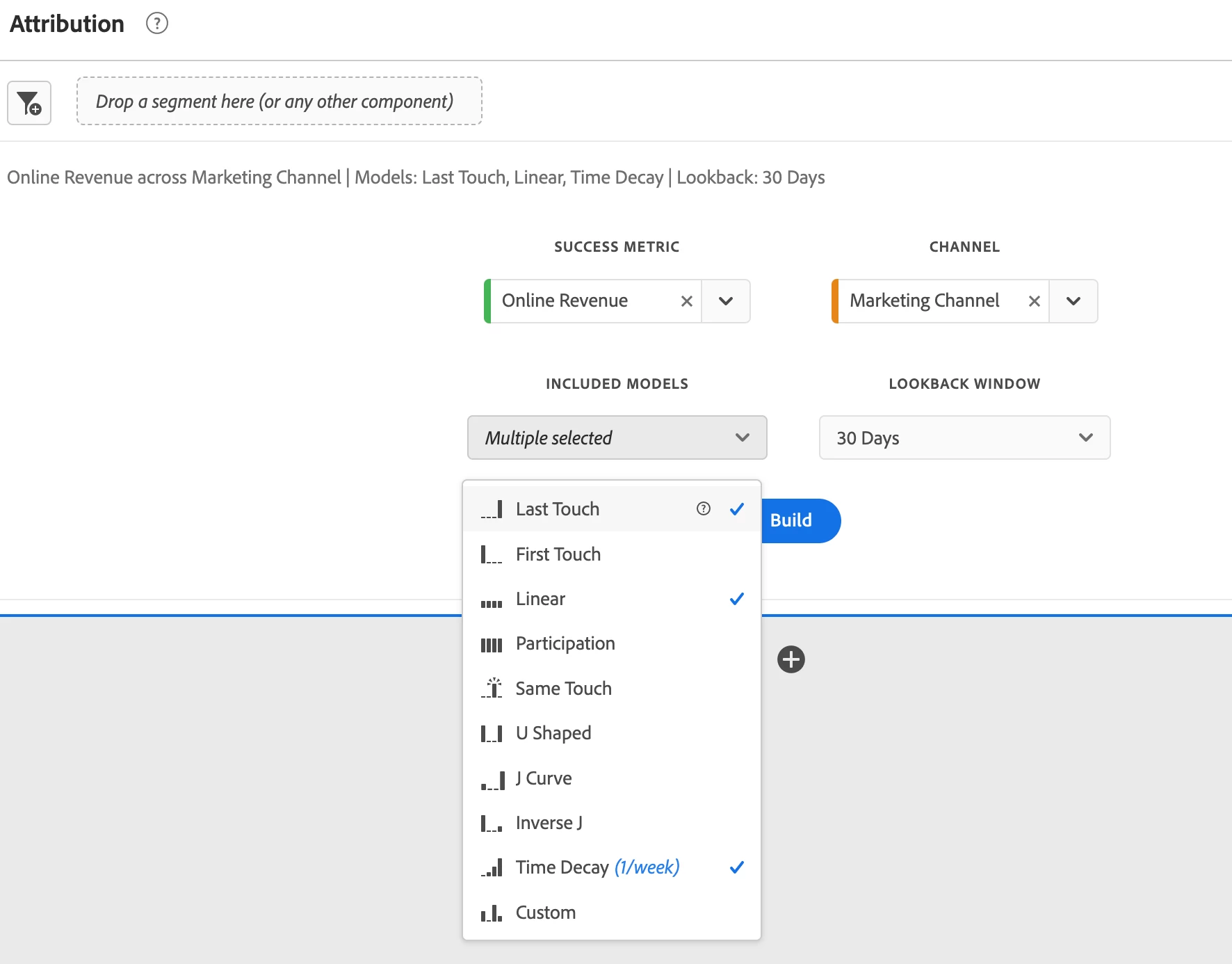
2. Select your metrics, dimension, models, and window.


3. Take a drink of your coffee while Workspace does it's magic

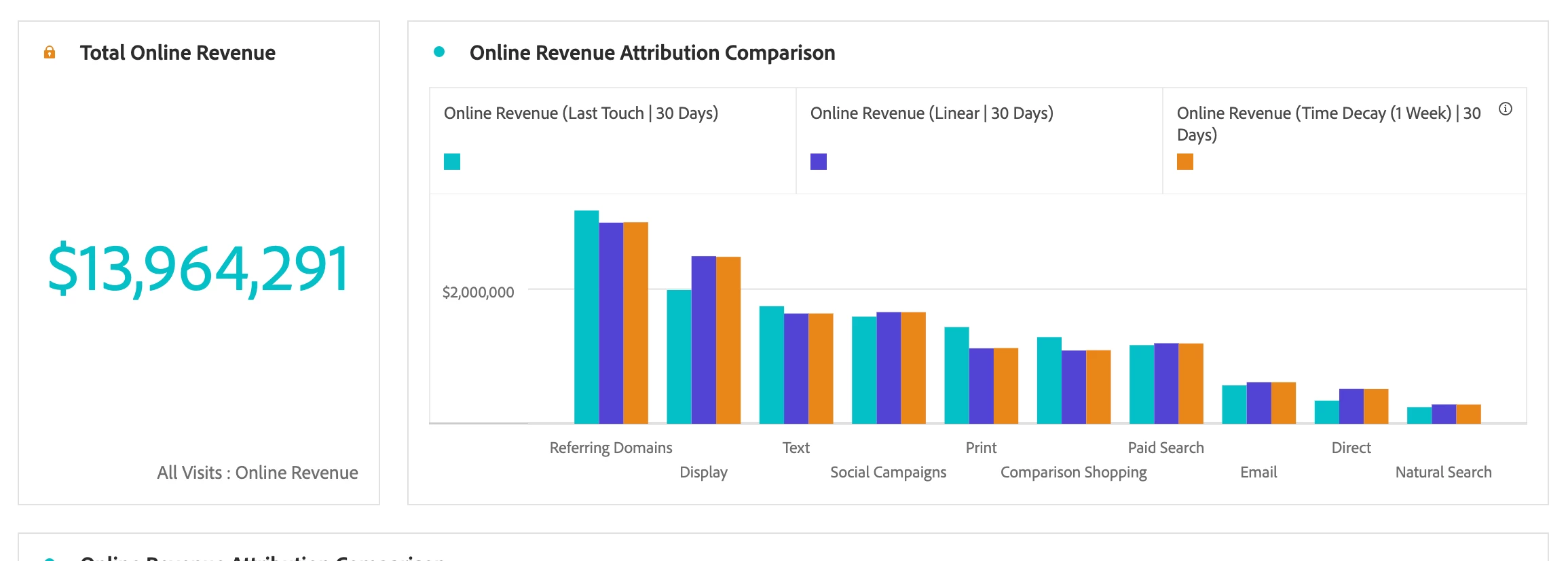
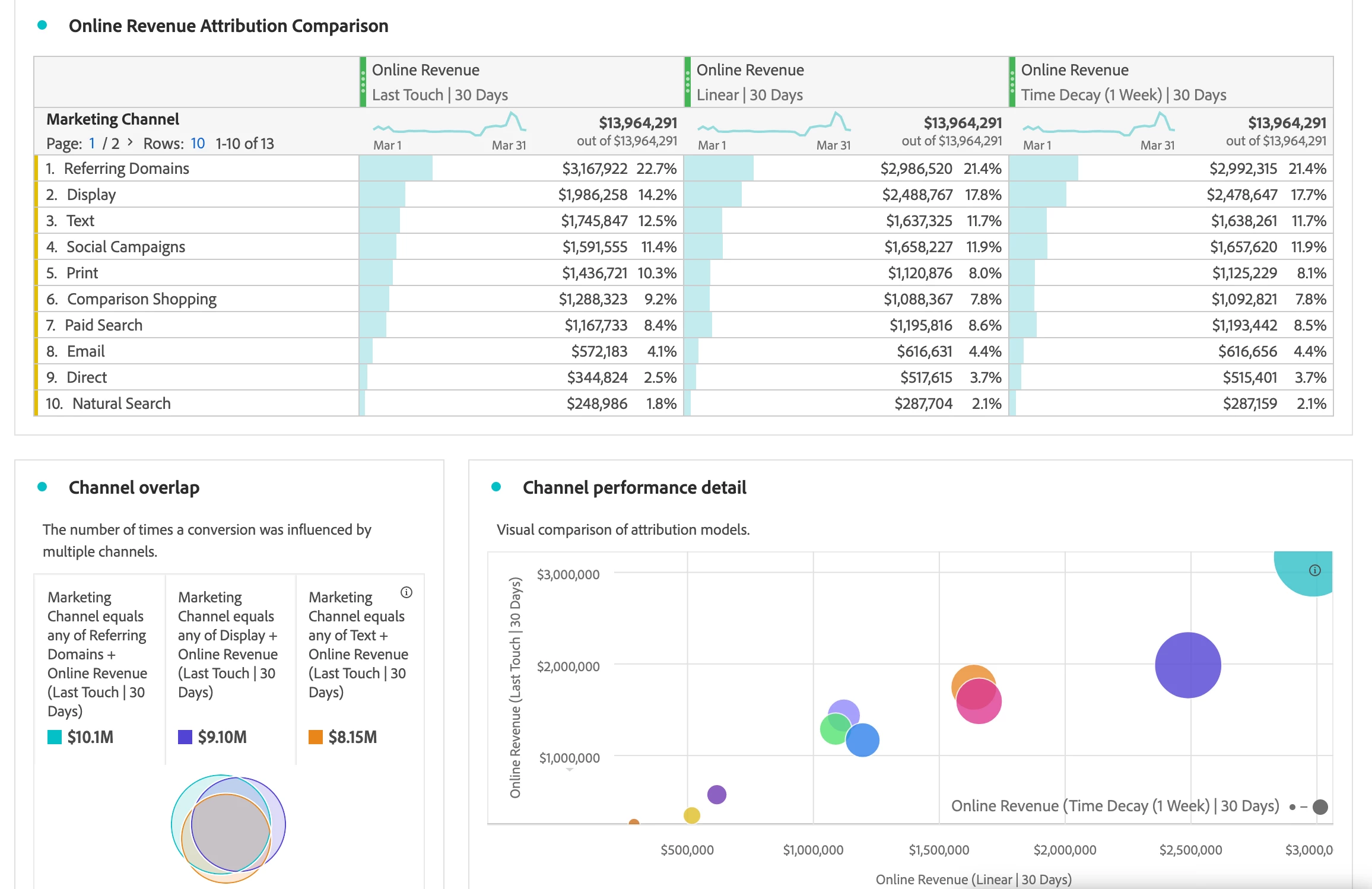
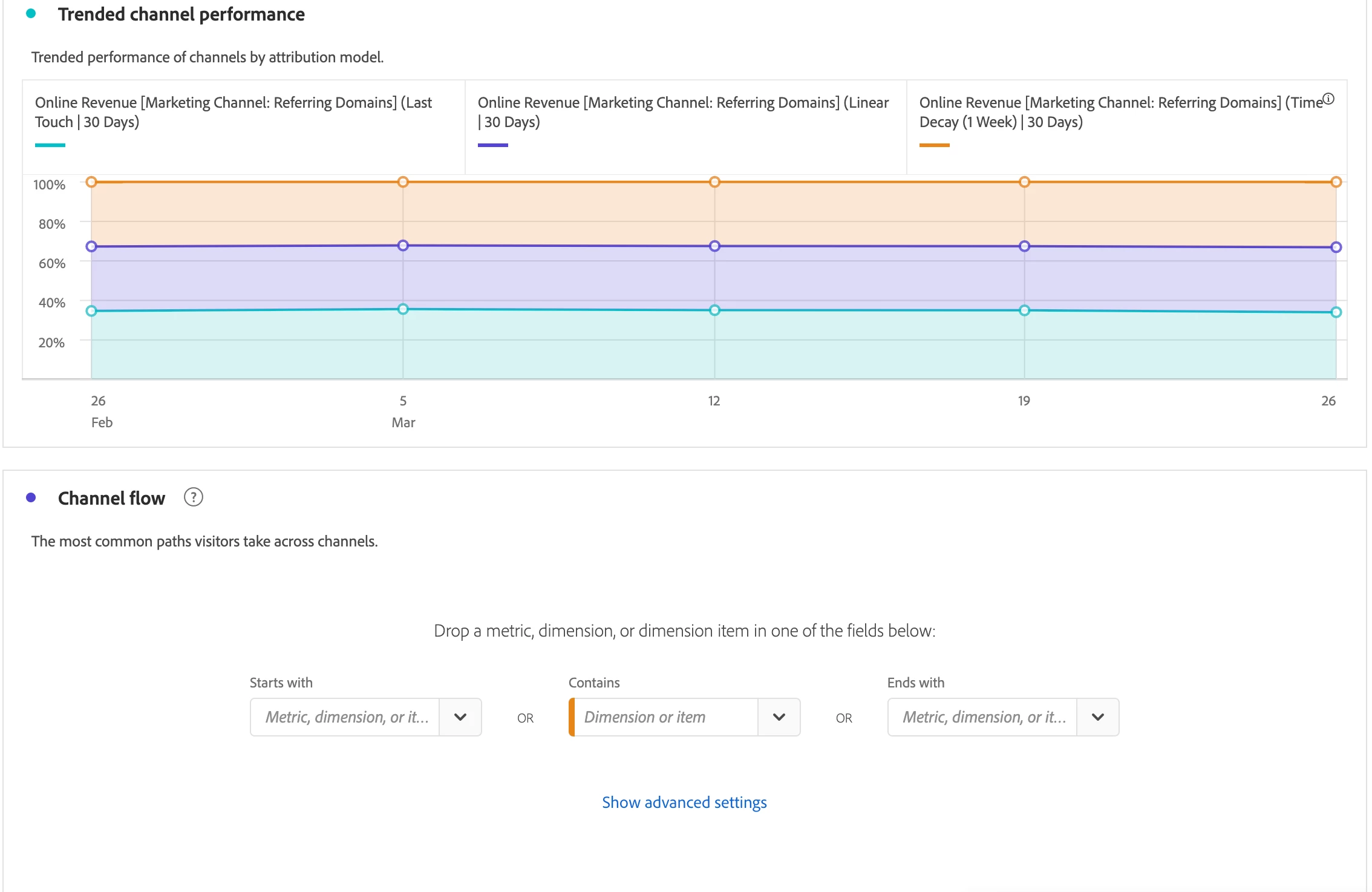
The resulting visualizations give you a wealth of information.  Here's samples using our Evolytic's sandbox demo data