There are three possible approaches I can think of off hand. Which you use depends on how many values you need to map, how often, and what your dev resources are.
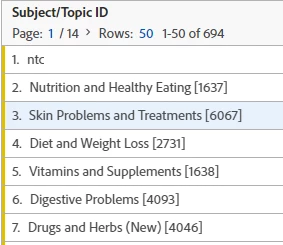
You can use the Classification importer. So for example you have a list of codes and you can upload a SAINT table to Adobe to that has the code as the key value and the english value in another column. These come out in a classification variable. Documentation: https://experienceleague.adobe.com/docs/analytics/components/classifications/classifications-importer/c-working-with-saint.html?lang=en. Here is an example from our site:
You could also do this using the Classification Rule Builder, which uses a menu driven approach (possibly using RegEx) for the same result. Documentation: https://experienceleague.adobe.com/docs/analytics/components/classifications/classifications-rulebuilder/classification-rule-builder.html?lang=en.
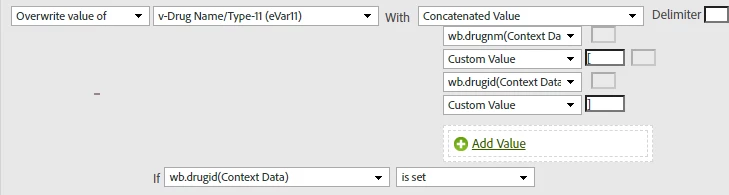
Or you could pass the ID and English values into separate context variables and concatenate them using processing rules. Documentation: https://experienceleague.adobe.com/docs/analytics/admin/admin-tools/manage-report-suites/edit-report-suite/report-suite-general/c-processing-rules/processing-rules.html?lang=en. Here is an example processing rule that provides a format similar to the Workspace screenshot above.:
The Classification Rule Builder is the easiest, least technical approach. The Classification Importer requires you to create a table and upload it, but is more useful if there are a lot of values or it you need to automate the upload. The processing rules require dev to populate the context variables and then you need the permissions to create the processing rule.
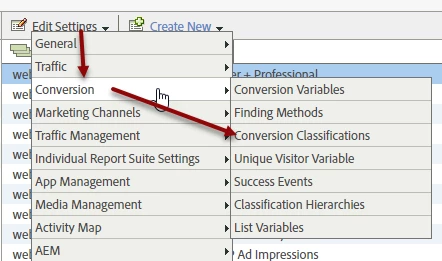
In all three cases you or someone with the appropriate permissions will need to create the classification on the variable. This is done in the Admin > Report Suites section. For example: