How do I filter to the None channel in my Marketing Channel filters? | Community
Skip to main content
JayGr
Level 3
May 15, 2024
Solved

How do I filter to the None channel in my Marketing Channel filters?

  • May 15, 2024
  • 3 replies
  • 1992 views

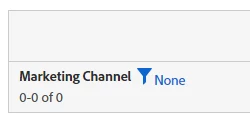
In my marketing channel reporting, I have the default channel labeled None (essentially everything that doesn't meet any of my processing rules). However, when I create a segment/filter on None, I don't get the None channel. I get literally nothing. How can I actually filter to None?
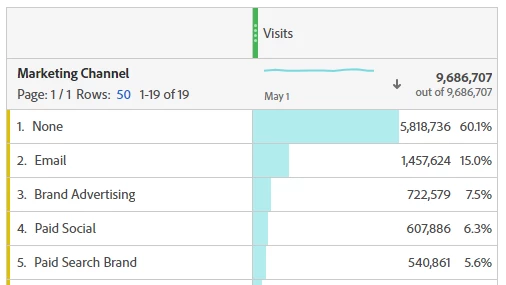


Best answer by kenmckell

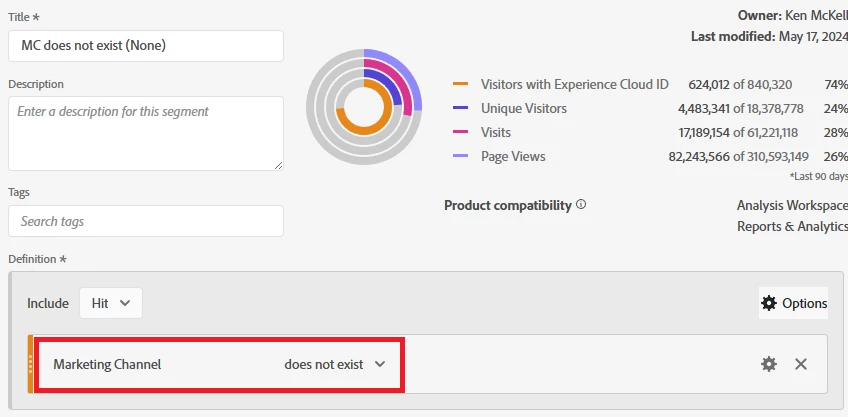
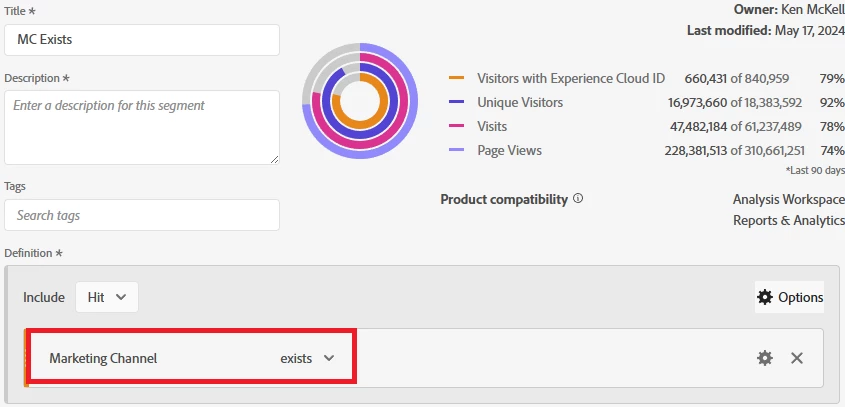
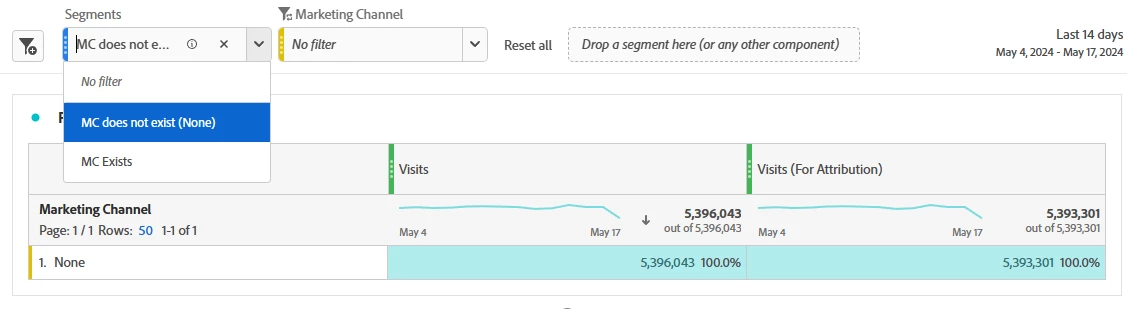
Somebody else here at Adobe (above my paygrade) will have to figure out why the "None" value in the filter produces nothing.  In the meantime, you can create a separate dropdown with two other segments to get what you're looking at.  Not ideal, I know, but it's the only thing I can think of.   See the attached screenshots.  

Segment #1:


Segment #2:


Using the second dropdown:


3 replies

bjoern__koth
Community Advisor and Adobe Champion
May 15, 2024

HI @jaygr 

can you post a screenshot of the filter overlay please? Any other value like "Email" shows data?

I wonder if your None in some way collides with the checkbox for "Include unspecified (none)"


Have you tried pulling your marketing channels in the segment bar at the top of your Panel (whilst keeping shift pressed to create a dropdown with your Marketing Channel values).

Does segmentation through that work?


Cheers

Cheers from Switzerland!
JayGr
JayGrAuthor
Level 3
May 15, 2024

Well it appears I don't see None in Marketing Channel segmentation at all. So that could be an indicator of the problem as I'm trying to create segments based on None. But Adobe's consultants advised us to remove Direct as a channel and instead use None as "Direct" because apparently Direct screws up the data somehow they didn't really explain, but made it sound very serious that it was the right way to do it.


My original question (though I assume related) centered more around the filters:


bjoern__koth
Community Advisor and Adobe Champion
May 16, 2024

Hmm and if you try the segment approach I mentioned? Just to validate whether this would work

Cheers from Switzerland!
pradnya_balvir
Community Advisor
Community Advisor
May 16, 2024

Its strange. It should work in segmentation/filter. 

As @bjoern__koth  said, you can apply that segment at the top of your Panel as a filter.


Hit level Segment

Marketing Channel equals None.


JayGr
JayGrAuthor
Level 3
May 16, 2024

That's what I'm saying. That doesn't work. It gives me nothing and not None.


bjoern__koth
Community Advisor and Adobe Champion
May 16, 2024

Hey @jaygr 

I would open a ticket at Adobe support. This looks really strange. Maybe they can shed some more light on the issue.

Would be great to share their feedback here.


Thx

Cheers from Switzerland!
kenmckell
Adobe Employee
kenmckellAdobe EmployeeAccepted solution
Adobe Employee
May 17, 2024

Somebody else here at Adobe (above my paygrade) will have to figure out why the "None" value in the filter produces nothing.  In the meantime, you can create a separate dropdown with two other segments to get what you're looking at.  Not ideal, I know, but it's the only thing I can think of.   See the attached screenshots.  

Segment #1:


Segment #2:


Using the second dropdown: