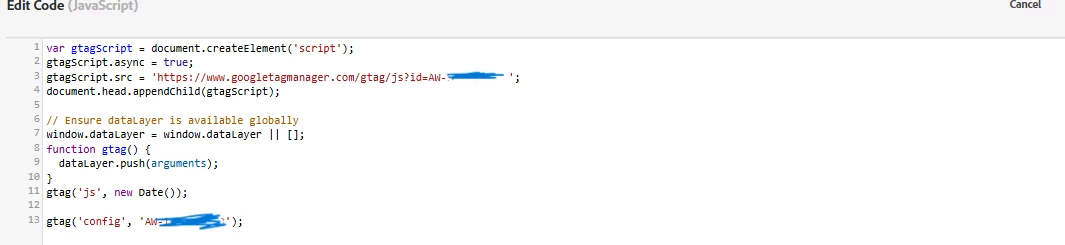
Hi @rajeshma4 , I am aligned with @jennifer_dungan . Since you're manually defining gtag in the code block, and not relying on external loading from GTM or gtag.js asynchronously, there should be no race condition in theory. This makes it even more likely that the issue is with Adobe Launch rule conditions or firing logic, not script order.
Enable Debugging in Console:
_satellite.setDebug(true);
Reload English Page
Watch the console. You should see something like:
SATELLITE: Rule "Your GTAG Load Rule Name" fired.
Check If You See This Rule Name Fire
If it doesn't fire, here's what to check:
Does the GTAG rule have page path conditions?
Check rule firing events
-
Is the rule firing on DOM Ready or Page Load?
-
If your conversion fires on Window Loaded but gtag is fired on DOM Ready, they could get misaligned.
Check if gtag is defined globally
Open your browser console and run:
console.log(typeof gtag); // Should say "function"
console.log(window.gtag); // Should show a function definition
If it's undefined, the rule isn’t firing.
Fix your Adobe Launch rule conditions to make sure the gtag load rule runs on all pages, especially English ones.
You can also split the gtag loader into a global rule that always runs, and then have separate rules for conversions.