Freeform Table values differ when swapping axes for Date Range and Dimension Selections | Community
Skip to main content
January 4, 2023
Solved

Freeform Table values differ when swapping axes for Date Range and Dimension Selections

  • January 4, 2023
  • 1 reply
  • 1556 views

Hi,


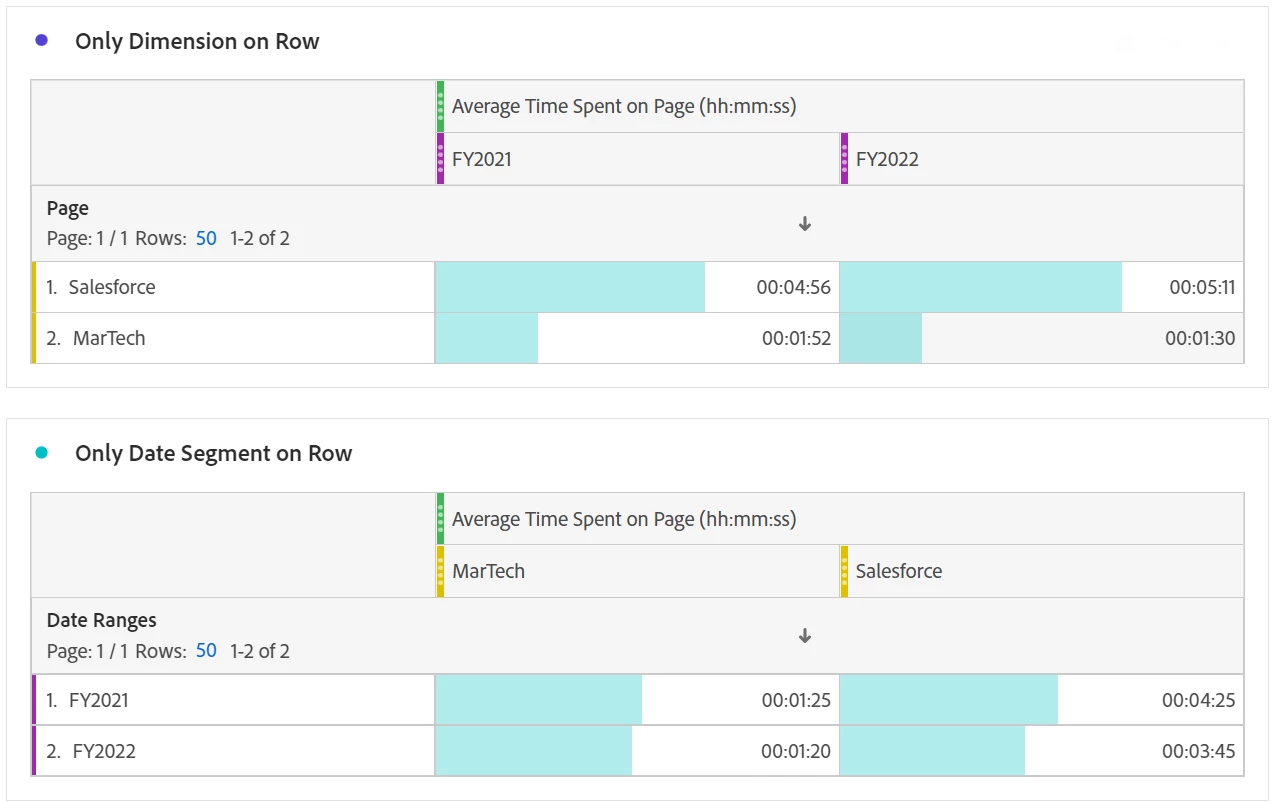
I was exploring in Analytics Workspace and noticed that the below tables produce different values when I put date ranges on rows than they do when I put dimension selection on rows. This surprised me and I don't know how to interpret the difference. Can anybody explain this to me? Thank you!

 

This post is no longer active and is closed to new replies. Need help? Start a new post to ask your question.
Best answer by PratheepArunRaj

Dear bhutton,

Average time spent on a page is a deprecated metric, so try to use 'Average time spent on site' for the dimension (Here, page) and see if it is matching.

However, the way the average is calculated is always tricky because of the sequence of the dimension you add. So, try to add Year as a dimension rather than Time Period to validate as well.

Let me know the output after you try both options, if it is still not matching, let us take it forward.

Thank You, Pratheep Arun Raj B (Arun) | NextRow DigitalTerryn Winter Analytics


1 reply

PratheepArunRaj
Community Advisor and Adobe Champion
PratheepArunRajCommunity Advisor and Adobe ChampionAccepted solution
Community Advisor and Adobe Champion
January 5, 2023

Dear bhutton,

Average time spent on a page is a deprecated metric, so try to use 'Average time spent on site' for the dimension (Here, page) and see if it is matching.

However, the way the average is calculated is always tricky because of the sequence of the dimension you add. So, try to add Year as a dimension rather than Time Period to validate as well.

Let me know the output after you try both options, if it is still not matching, let us take it forward.

Thank You, Pratheep Arun Raj B (Arun) | NextRow DigitalTerryn Winter Analytics


bhuttonAuthor
January 5, 2023

Hi Arun,


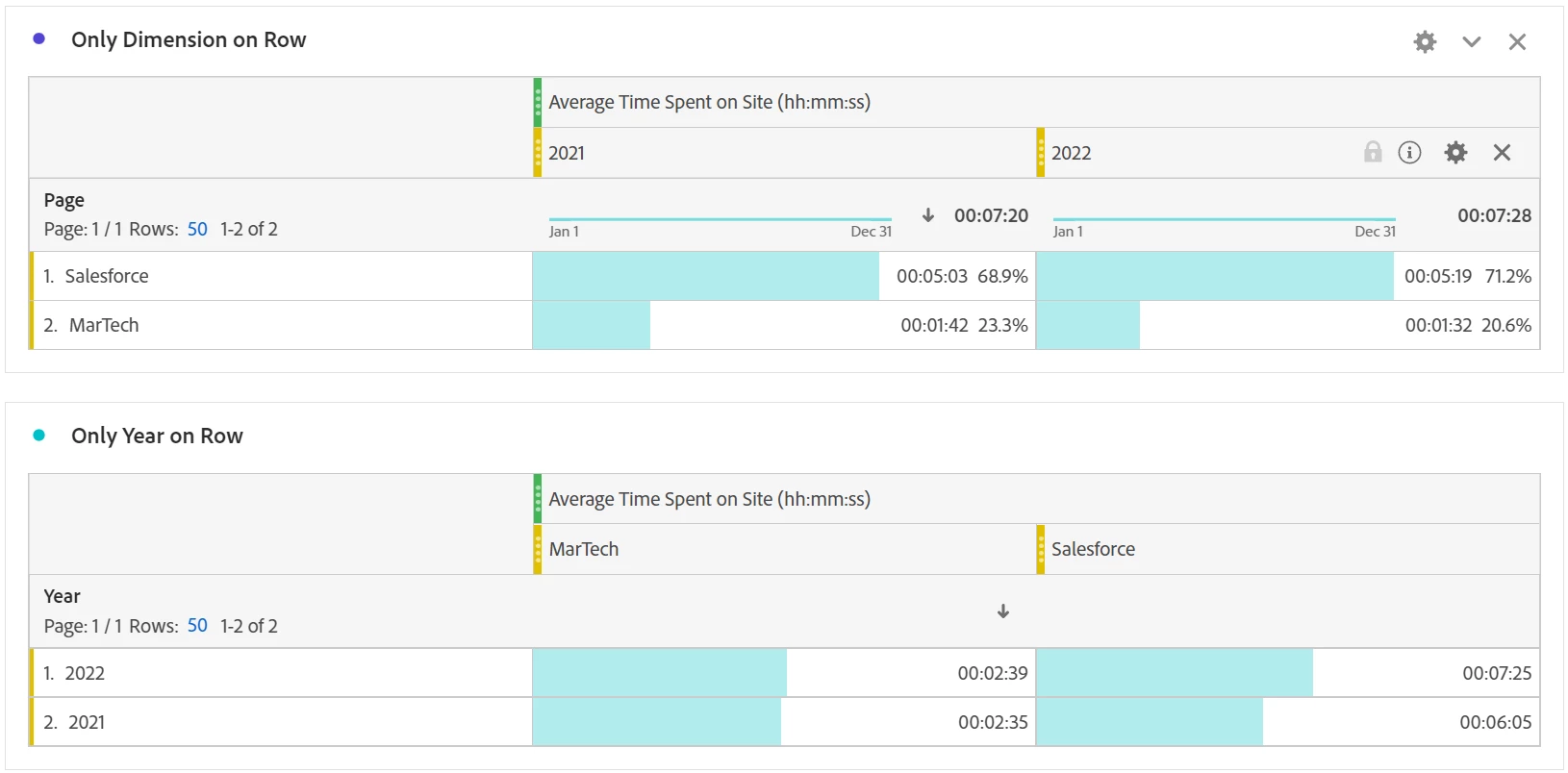
Thank you for your suggestions. Unfortunately, the tables still do not match (see below).

*note: Values are different from earlier screenshot due in part to the fact that 'Year' does not capture the fiscal years that I was originally working with.


It is good to know that I can use Avg Time on Site instead of Avg Time on Page going forward, though.


Thanks again,

Ben


PratheepArunRaj
Community Advisor and Adobe Champion
January 6, 2023

Dear Ben,

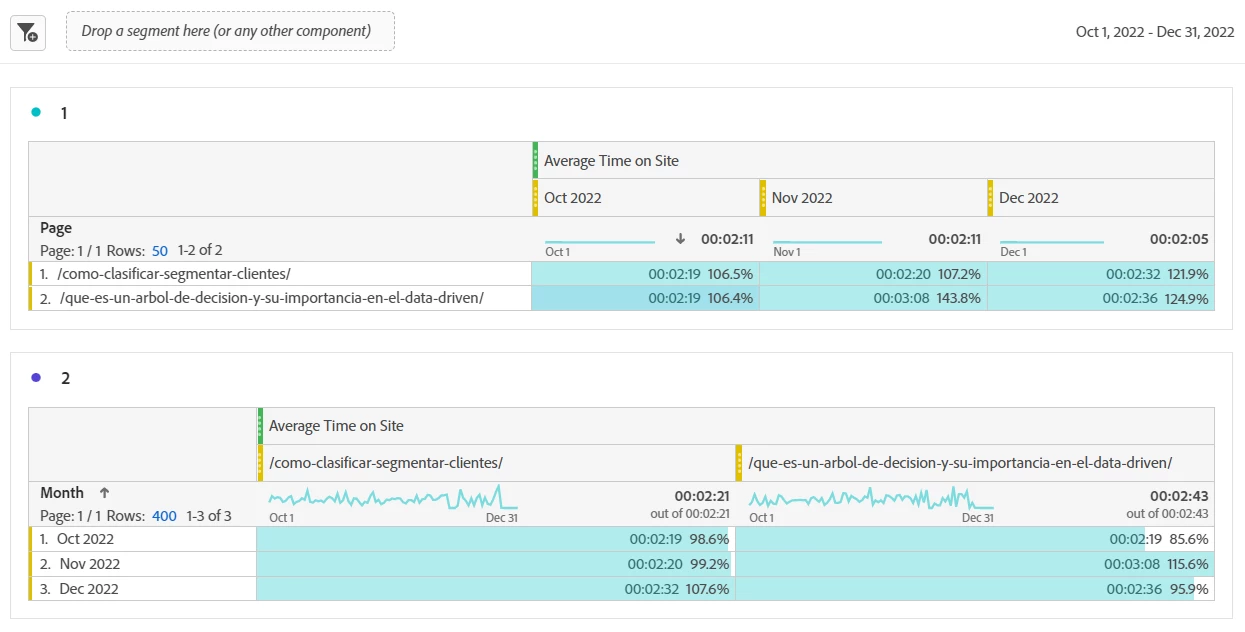
I am doing the same, but the numbers are matching for me.

Thank You, Pratheep Arun Raj B (Arun) | NextRow DigitalTerryn Winter Analytics