First Touch/Last Touch reporting and date range impacts | Community
Skip to main content
July 30, 2020
Solved

First Touch/Last Touch reporting and date range impacts

  • July 30, 2020
  • 2 replies
  • 966 views

Hello,

I've been exploring ways to view First Touch/Last Touch marketing channel data, and how the selected date range impacts these reports.  I've explored this three different ways so far with reference to one of our custom events, e131: 1) Visitor-level segmentation, 2) Visitor-level Fallout and 3) First Touch/Last touch reporting matrix. 


Below, you'll see that the counts between report #2 and report #3 for the month of March 2020 are nearly identical at 536 and 541 counts, respectively.  Regarding the report #1 reporting a higher 675 count...I believe this is possibly attributed to the Visitor-level segment, by its nature, having a more broad definition.
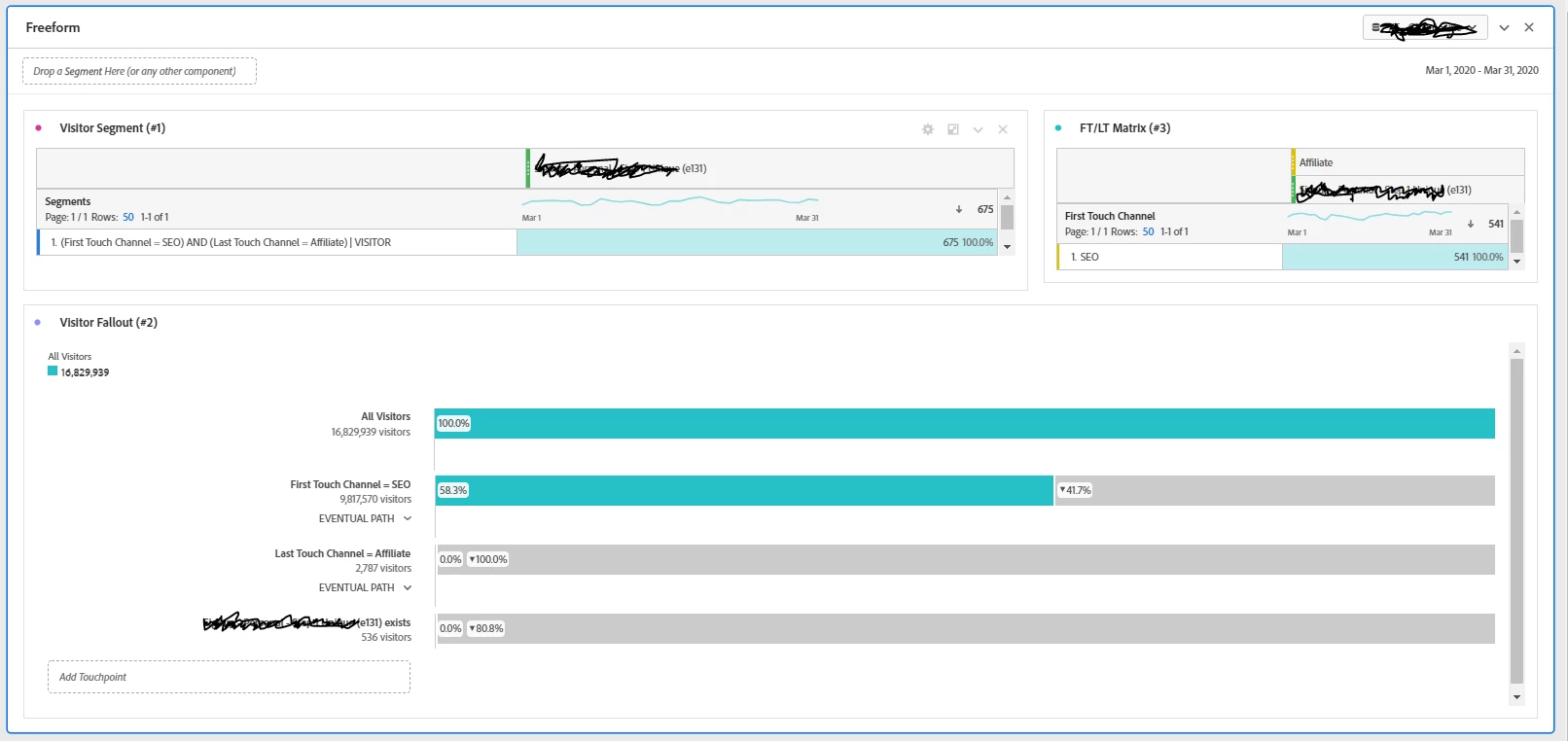


So far so good...


However, when I modify the date range to Last 90 days, the variance widens significantly for these three reports, particularly for #2 (1715 counts) and #3 (1480 counts).
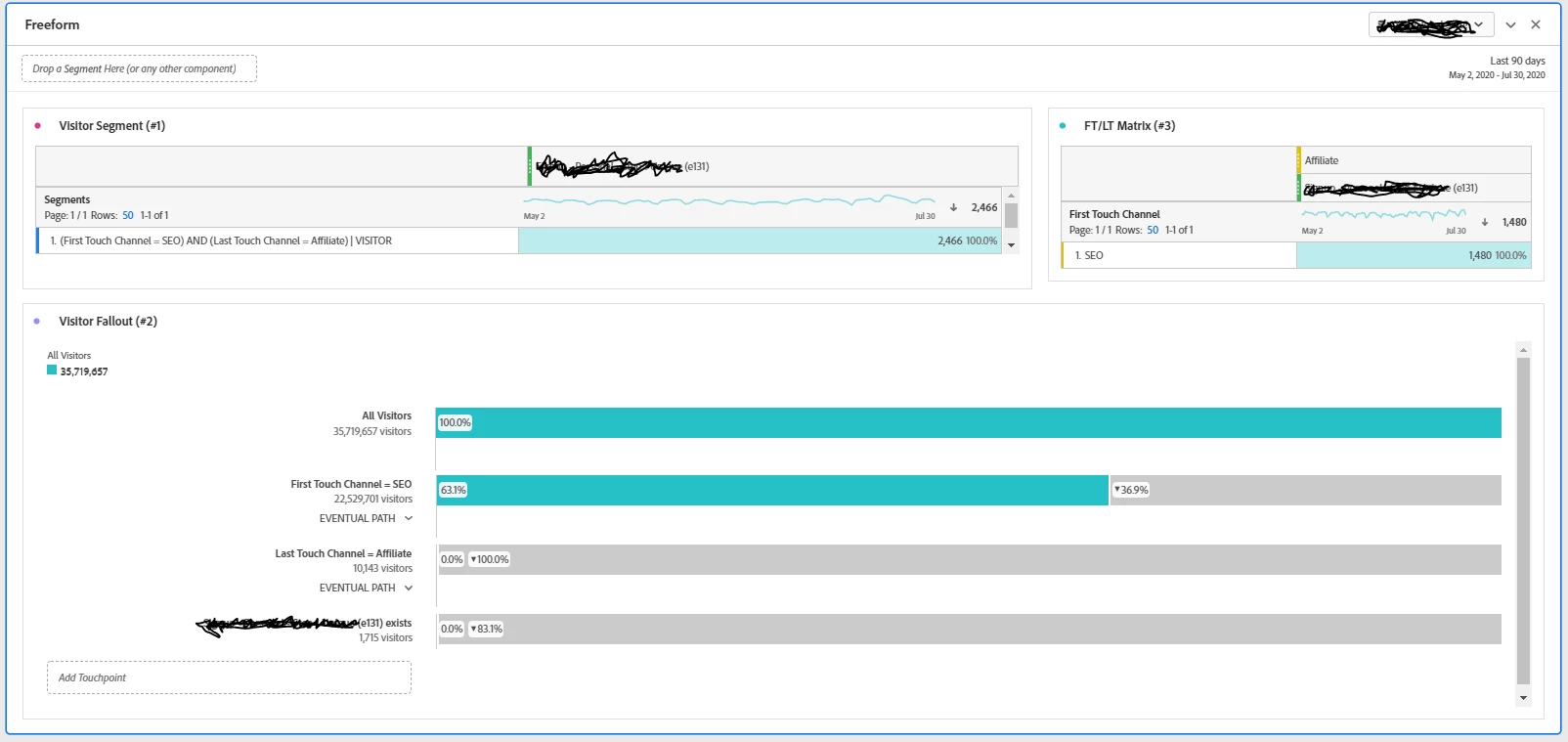


Is there an explanation on why simply changing the date range creates such a large variance?

This post is no longer active and is closed to new replies. Need help? Start a new post to ask your question.
Best answer by vidurb80577666

The freeform table (report #3) is working on Hit with AND operator means Hit contains "First touch as SEO" AND "event 131 exist" Then "Last touch as Affiliate". 

But the fallout (report #2) you created is working on Visitor level with Then condition means User has "First touch as SEO" Then "event 131 exist" Then "Last touch as Affiliate". 

They both are not the same report. You would need to drag and drop the event 131 and last touch condition with First touch condition in Fallout report to get the same or close result like report #3

2 replies

vidurb80577666Adobe EmployeeAccepted solution
Adobe Employee
August 12, 2020

The freeform table (report #3) is working on Hit with AND operator means Hit contains "First touch as SEO" AND "event 131 exist" Then "Last touch as Affiliate". 

But the fallout (report #2) you created is working on Visitor level with Then condition means User has "First touch as SEO" Then "event 131 exist" Then "Last touch as Affiliate". 

They both are not the same report. You would need to drag and drop the event 131 and last touch condition with First touch condition in Fallout report to get the same or close result like report #3

Adobe Employee
August 12, 2020

If it is still not clear please open a ticket with clientcare