Find the most recent value of an evar/prop
Hi,
I received this question: 'We have clients using our App and we want to know what is most recent version used, so we know what can be decommissioned'
In the tagging of our App, we capture the App version in each call send.
And it look like this:
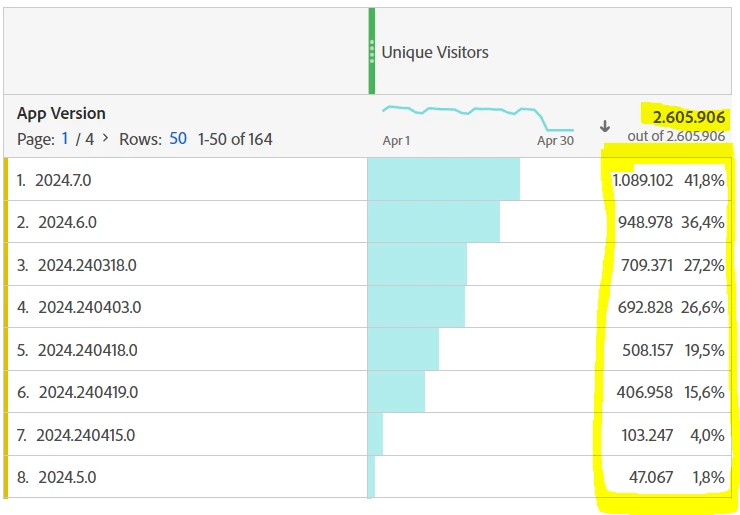
The total of unique visitors is ok but with a breakdown on App version, the sum exceeds the total because a visitor can have multiple App version due to historical total.
So how to find the most recent ones?
I think I found a way by creating a segment to filter the data (based on this doc: https://experienceleague.adobe.com/en/docs/analytics/components/segmentation/segmentation-workflow/seg-sequential-build Part about 'Only Before Sequence and Only After Sequence') for which I'd like to have your advice.
So example of the data I can have about a visitor:

But as I don't know in advance what will be the value of the dimension App version, I will play with 'App Version exists' to have a common value.
So the data will be interpreted like this:

And what I want to have is the last info of my session 3.
So by creating a segment with the condition App version exists and playing with the info After/Before sequence, it's something that seems feasible.
Ex:
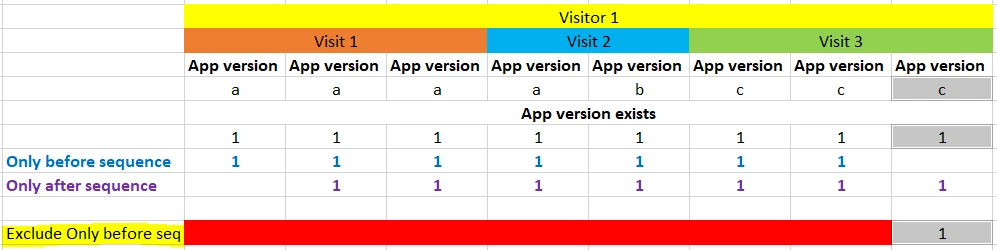
As 'Only before sequence' is doing the opposite of what I want, I can invert it with an exclusion to isolate the value I want (in grey above).
So the segment will look like this:
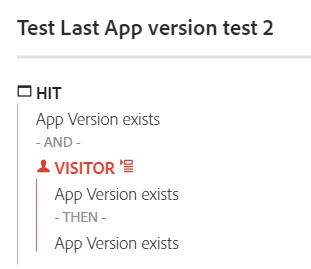
By looking to a specific visitor (here the marketing cloud ID), it seems to work: only the most recent occurence of the most recent session (visit number) is part of the segment:
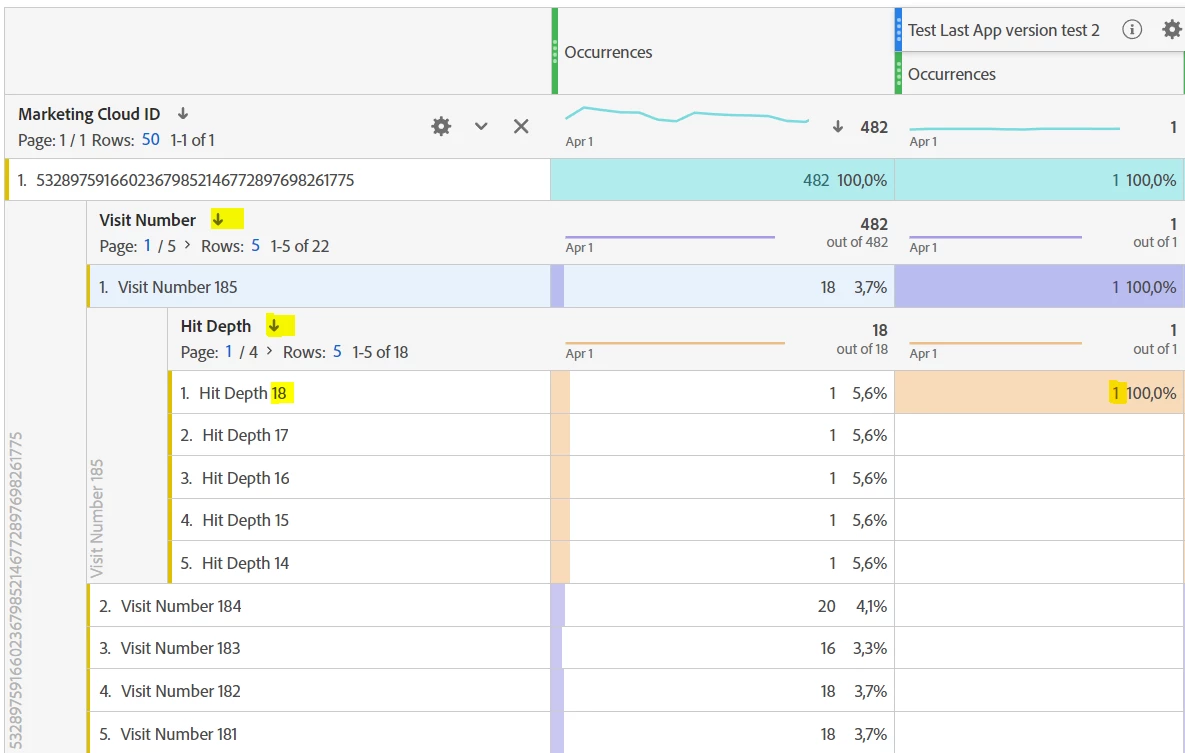
And so, only the most recent 'App version' info:
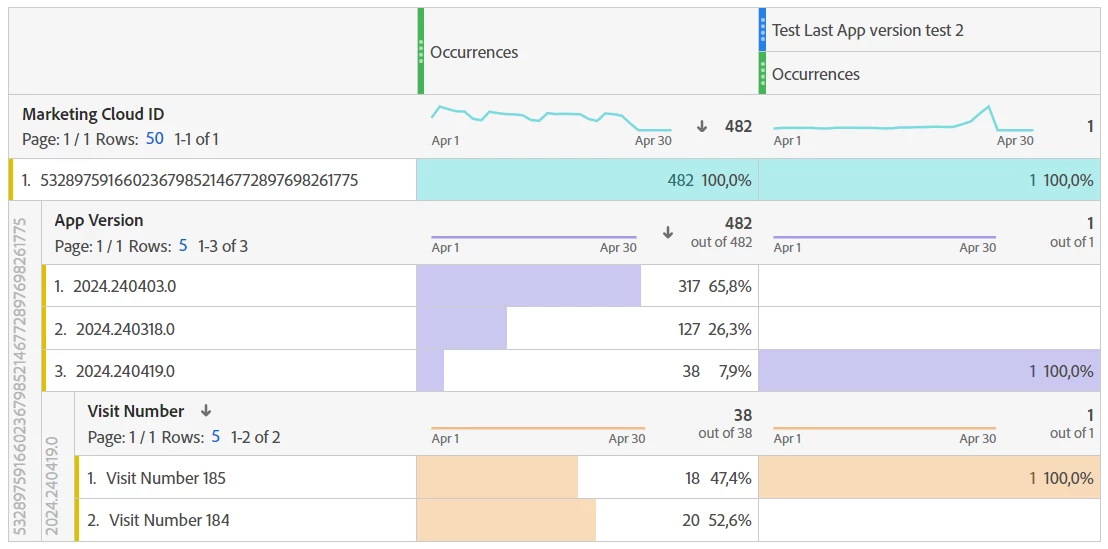
And the final result:
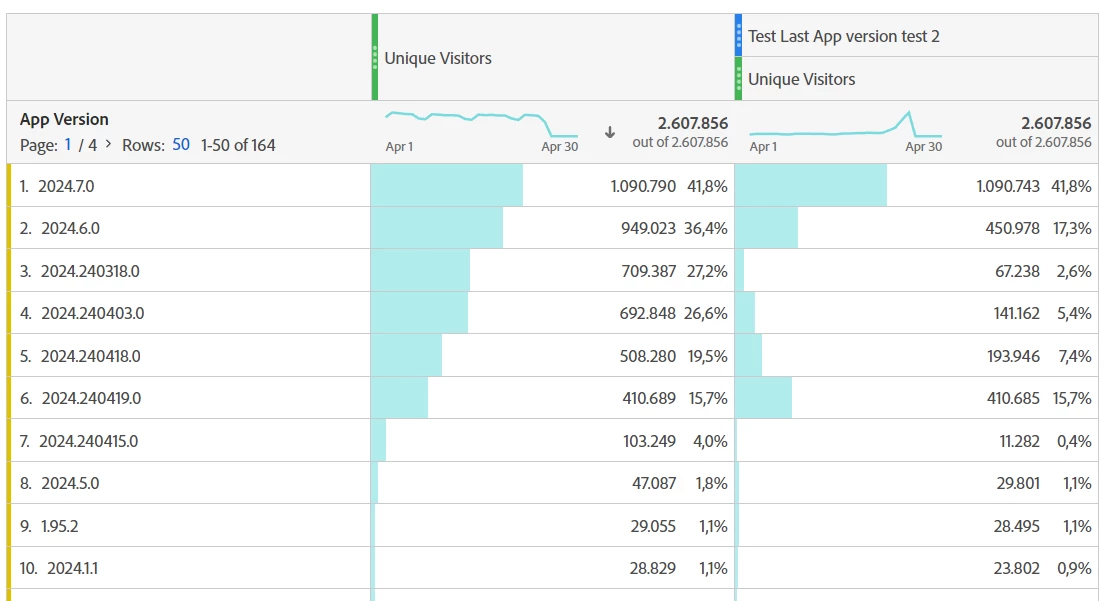
Same total amount but with different figures in the breakdown.
Does it sounds logical to you ?
If yes, I hope it can help others.
If not, please shoot to help.
Thanks for your help.
Robin