eVar filled on Omnibug, but getting "Unspecified" on Analytics | Community
Skip to main content
Level 2
December 7, 2022
Solved

eVar filled on Omnibug, but getting "Unspecified" on Analytics

  • December 7, 2022
  • 1 reply
  • 2158 views

Hi, Adobe Analytics begginer here.

I am trying to create a conversion variable from a dataLayer object on my site. It looks like this:
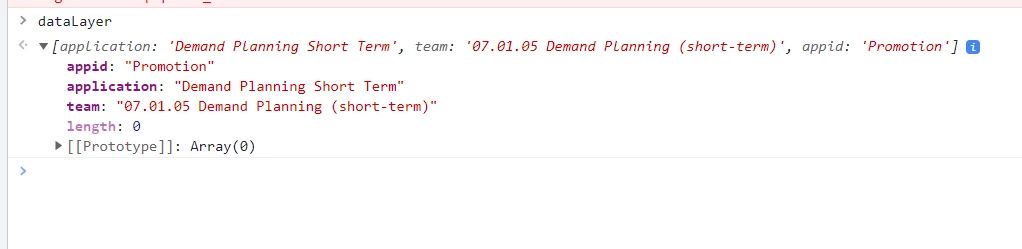
I can see both the "application" and "team" on Adobe Analytics as they are text strings, but not the "appid" one (this one changes as the user switches from one app inside the website from the other).


I checked Omnibug and I can see the corresponding eVars with the data coming from these:
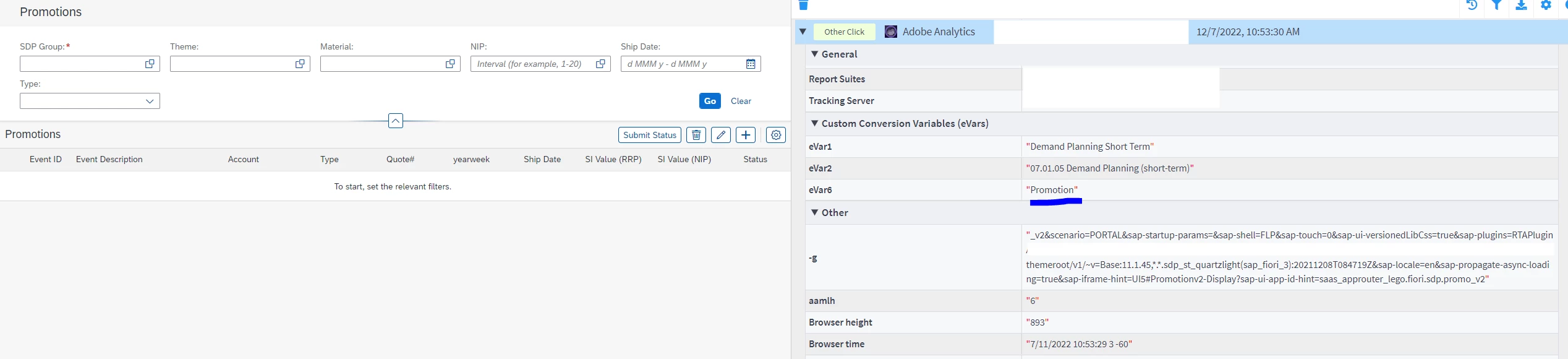
 

The data element is quite simple:
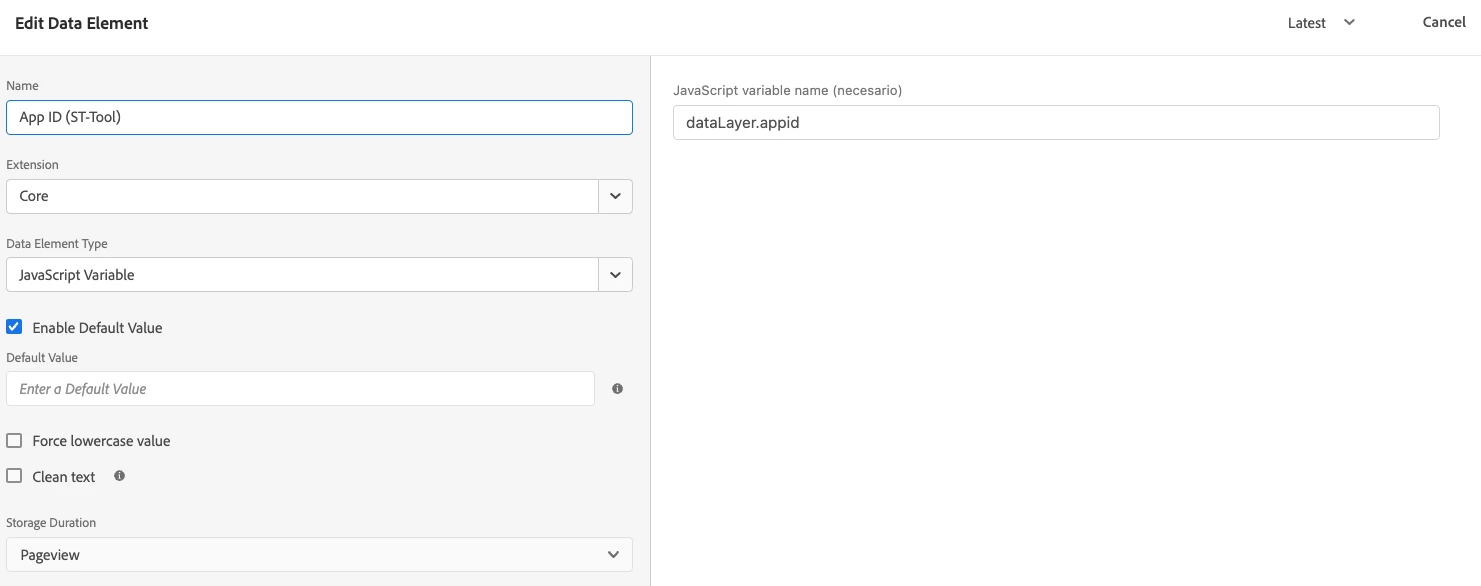
 

And so does the rule:
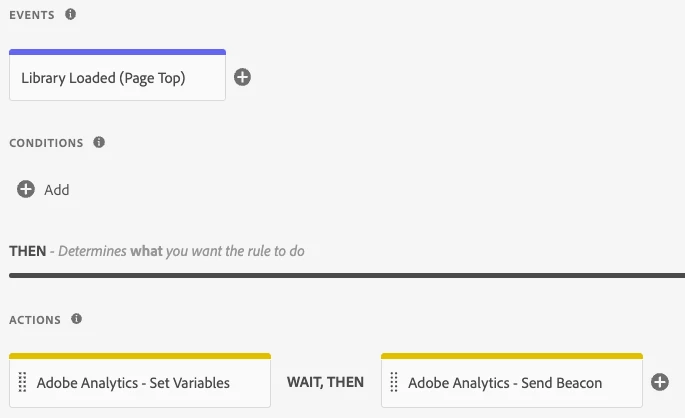
 

The eVar is set as the data element:

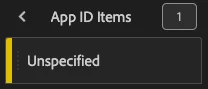
But on Analytics, the App ID variable is "Unspecified":
 

Any ideas?

Thanks!

Best answer by Jennifer_Dungan

Hmm, next few things to check:

1 reply

Jennifer_Dungan
Community Advisor and Adobe Champion
December 7, 2022

Are you sure you are looking at the correct "App ID"... Adobe has a reserved dimension with that exact name for Mobile App Version ID.... Make sure you are checking "App ID (eVar6)" and not just "App ID" in your reports?


There should be no conflict in Adobe between the 2, since you could in theory name all your props and eVars "Page" if you wanted to (though no one trying to use your analytics would be impressed if you did that....), and since the underlying element would still have it's unique identifier you would see all the items come up in your Workspace.... I think this is partially why the "(eVarX)" or "(propY)" is added to the name in grey text, if you have the same or similarly named items you can tell them apart.

Level 2
December 8, 2022

Hi Jennifer, and thank you for your answer! 


I looked at your observation in my setup, and I have chosen the right eVar. For a better use case, I renamed this one to differentiate from the rest. Either way, I can't still see anything besides "Unspecified" on the eVar, even though I can see it through Omnibug.

Jennifer_Dungan
Community Advisor and Adobe Champion
January 25, 2023

Thanks for your reply. Apparently a previous user had tagged things as Merchandising eVar and caused this situation. It is solved.

Thank you!!!


I'm glad that helped 🙂


Funny what a little setting can do... and frustrating if you aren't aware of it.