Edit access on Workspace | Community
Skip to main content
adamg45362724
Level 2
June 27, 2017
Solved

Edit access on Workspace

  • June 27, 2017
  • 1 reply
  • 2226 views

I am an admin on the system, anytime I make a dashboard on Workspace and share it, the recipients aren't able to edit that version and click save. They are able to click save as and create a copy.  How do I allow them to edit the existing dashboard?

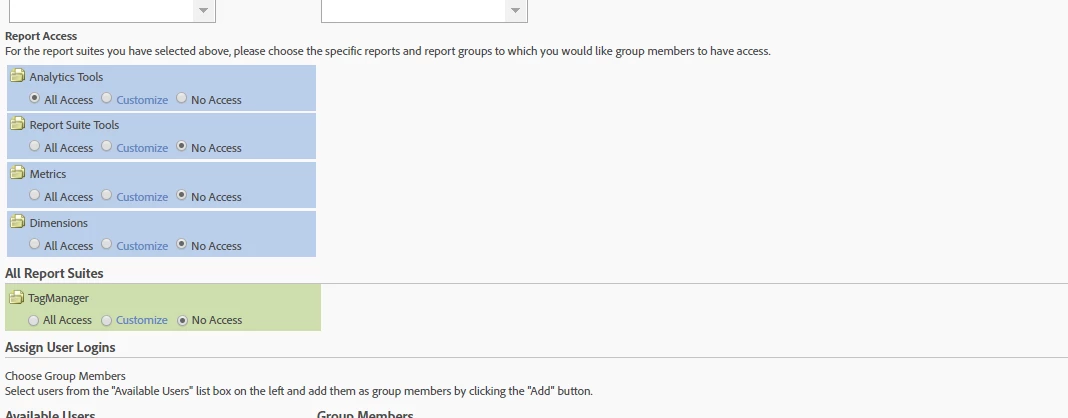
I went into the group settings and it says all groups should have all access, here is a screen shot.

This post is no longer active and is closed to new replies. Need help? Start a new post to ask your question.
Best answer by WhoaShekhar

Hi Adam,

Thank you for posting your question on the community.

Unfortunately, only the admins can edit and save a dashboard shared with them. Looks like, in your case the recipients aren't an admin. If you want someone particular to make changes and save the dashboard so that the changes are visible to everyone who can see the dashboard, then you shall make that person an admin.

Hope this helps!

Shekhar

1 reply

WhoaShekhar
WhoaShekharAccepted solution
Level 10
June 28, 2017

Hi Adam,

Thank you for posting your question on the community.

Unfortunately, only the admins can edit and save a dashboard shared with them. Looks like, in your case the recipients aren't an admin. If you want someone particular to make changes and save the dashboard so that the changes are visible to everyone who can see the dashboard, then you shall make that person an admin.

Hope this helps!

Shekhar