Hi @emailmkarthik
in general, no you don't need to tag every single button on your page.
You have different options
1. Use a generic click rule in your tag manager that captures button clicks
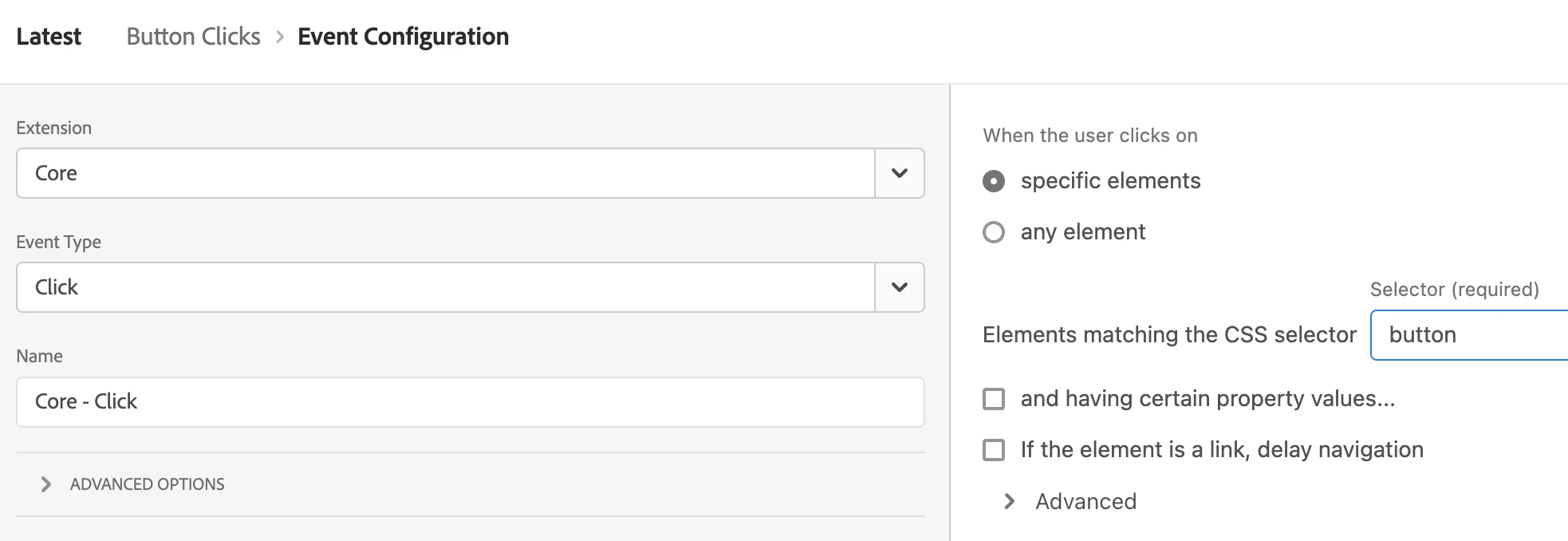
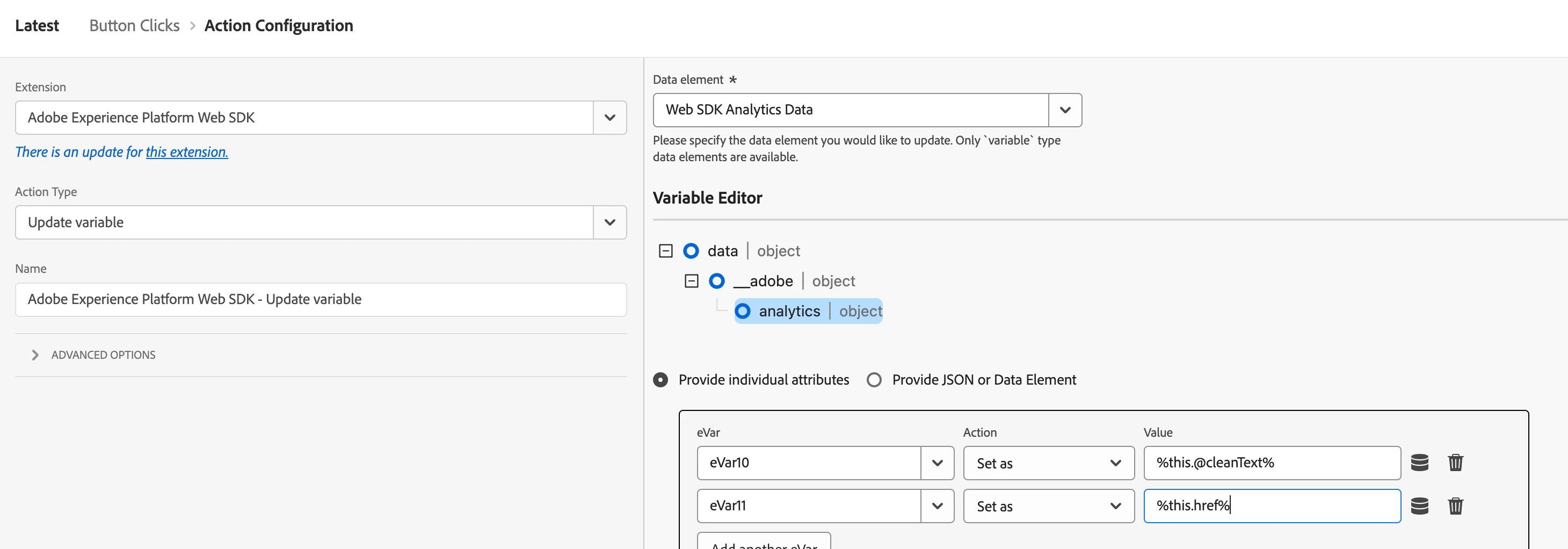
and apply your business logic to map your tracking call's props and eVars.
(hint: have a look at this cheat sheet by Jim Gordon which logic I apply in the screenshot below)
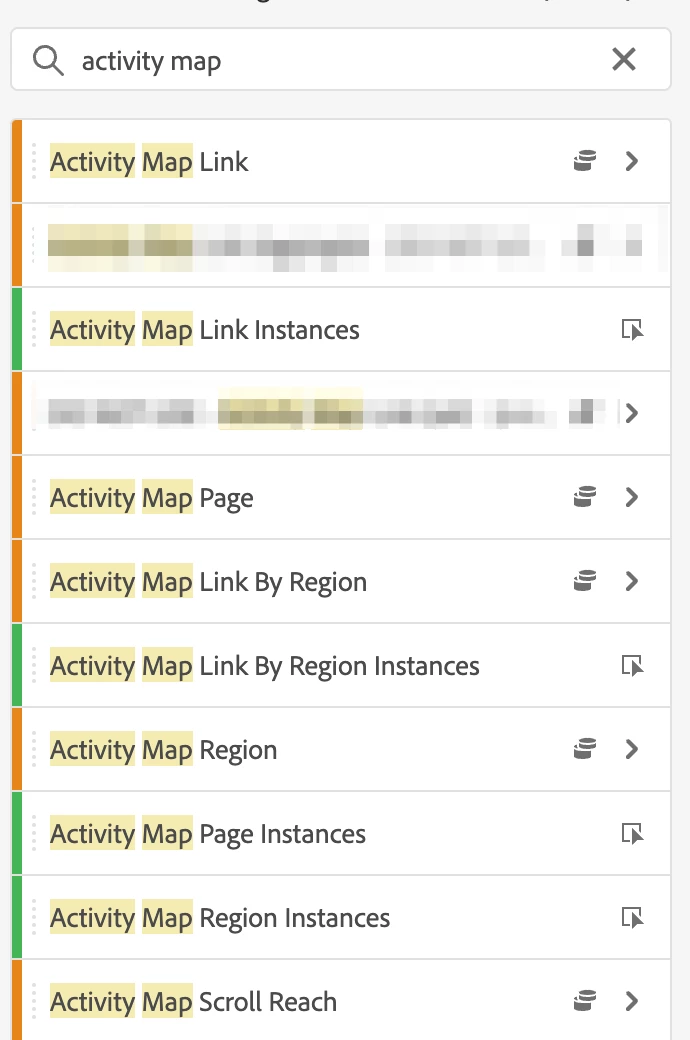
2. you can enable Activity Map to automatically capture clicks "a bunch of UX elements" in the out of the box Activity Map dimensions and metrics in Analysis workspace.
(this is actually meant to populate click data for the Activity Map v3 browser extension but can be used in dashboarding as well)
I am deliberately saying "a bunch of UX elements", since they will need to match certain criteria (see screenshot).
https://experienceleague.adobe.com/en/docs/analytics/analyze/activity-map/faq
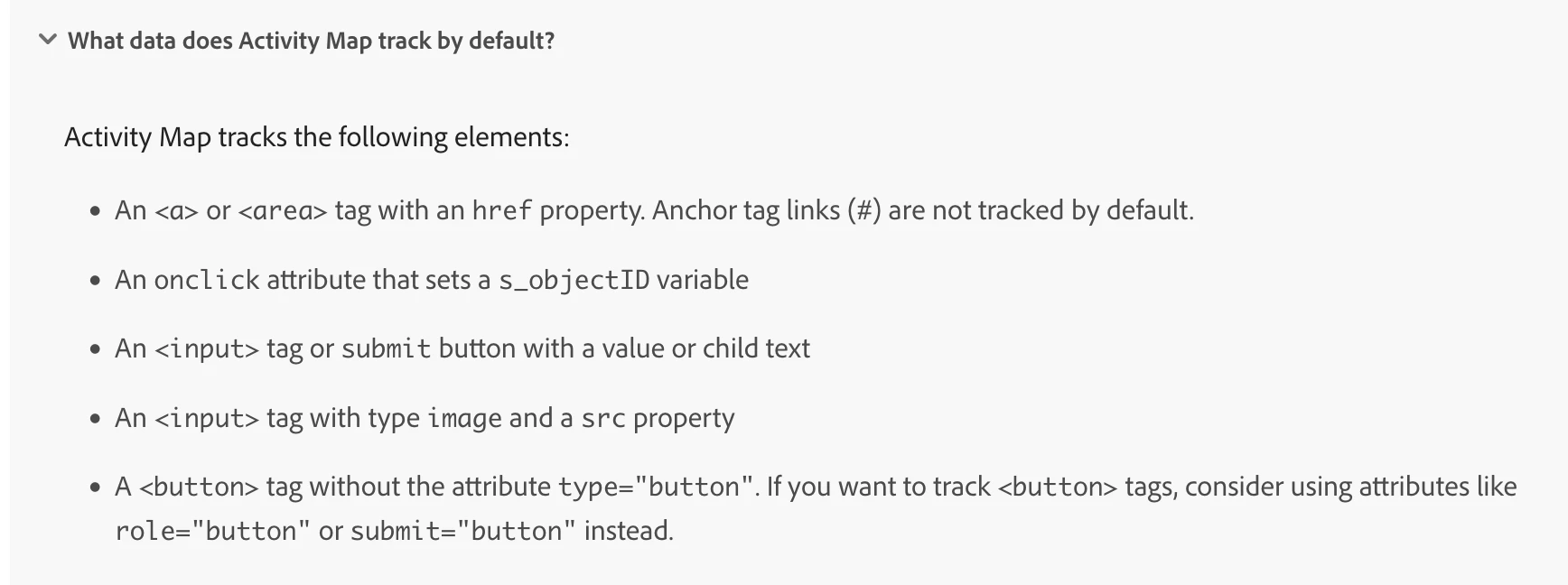
Once your markup matches these criterias, the functionality automatically captures link name, the region where it was in as well as the page name the element was on.
https://experienceleague.adobe.com/en/docs/analytics/analyze/activity-map/overview
You can also provide custom code that can rewrite / adjust these values as needed, to provide for instance a specific region name, should the given page markup not provide this information.