Delete old projects in Adobe Experience Workspace | Community
Skip to main content
March 25, 2025
Solved

Delete old projects in Adobe Experience Workspace

  • March 25, 2025
  • 1 reply
  • 534 views

Hello everyone,

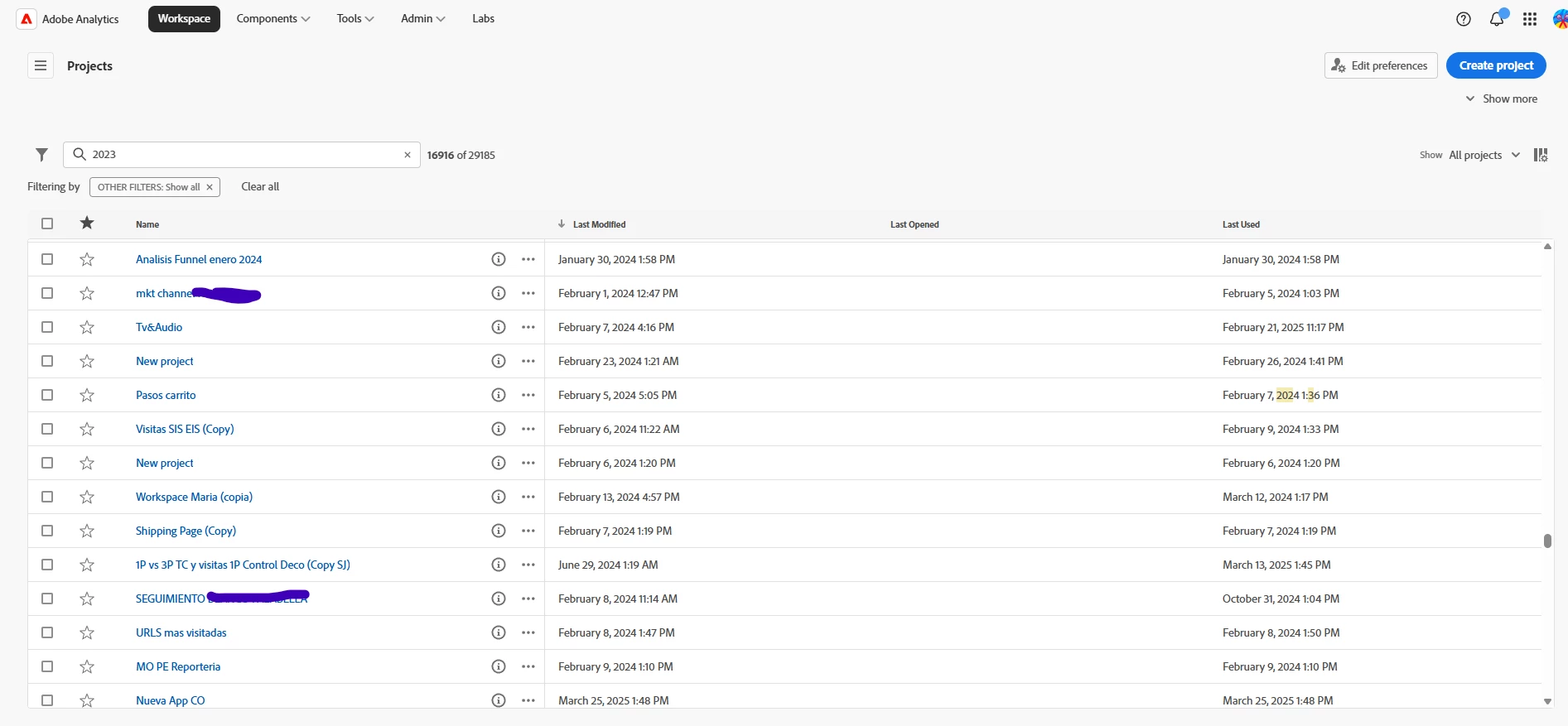
I am trying to delete all old projects in Adobe Workspace. I want to delete the ones last used in 2023, but I can't find how to filter correctly. The search engine won't let me use quotes and find exactly what says ‘2023’. I can't filter by column either. Does anyone know how I can do it? We have almost 30K reports in the company and 20K have not been opened in over a year.


This post is no longer active and is closed to new replies. Need help? Start a new post to ask your question.
Best answer by VishnuPriya98

Hi mkrisam,

Adobe Analytics does not provide a built-in bulk delete option for Workspace projects, even for Admin users. However, the following workarounds can help you efficiently manage and clean up old projects:

1. Sorting by 'Last Opened' Date
While there is no direct filter for inactive projects, you can sort the Workspace project list by the "Last Opened" column. This allows you to identify and manually delete projects that have not been accessed since 2023 or earlier.

2. Contact Adobe Support for Bulk Deletion
If you have a large number of projects , Adobe Customer Support may assist with bulk deletion. You can raise a support ticket, providing specific details such as project names, owners, or a date range for inactive projects.

Using Project Tags for Efficient Cleanup

Adobe Analytics allows you to assign tags to Workspace projects, enabling easier management and bulk deletion. This feature helps categorize projects based on relevance, owner, department, or status (e.g., "Cards Project," "2023 Cleanup," "Archived"). By systematically tagging projects, users can quickly filter, identify, and remove outdated or unnecessary reports, improving overall workspace organization. In the future, you can leverage the tag option for efficient project management and cleanup.


Thanks,
Vishnupriya R
1 reply

VishnuPriya98Accepted solution
Level 2
March 26, 2025

Hi mkrisam,

Adobe Analytics does not provide a built-in bulk delete option for Workspace projects, even for Admin users. However, the following workarounds can help you efficiently manage and clean up old projects:

1. Sorting by 'Last Opened' Date
While there is no direct filter for inactive projects, you can sort the Workspace project list by the "Last Opened" column. This allows you to identify and manually delete projects that have not been accessed since 2023 or earlier.

2. Contact Adobe Support for Bulk Deletion
If you have a large number of projects , Adobe Customer Support may assist with bulk deletion. You can raise a support ticket, providing specific details such as project names, owners, or a date range for inactive projects.

Using Project Tags for Efficient Cleanup

Adobe Analytics allows you to assign tags to Workspace projects, enabling easier management and bulk deletion. This feature helps categorize projects based on relevance, owner, department, or status (e.g., "Cards Project," "2023 Cleanup," "Archived"). By systematically tagging projects, users can quickly filter, identify, and remove outdated or unnecessary reports, improving overall workspace organization. In the future, you can leverage the tag option for efficient project management and cleanup.


Thanks,
Vishnupriya R

FarazHusain
Adobe Employee
Adobe Employee
March 27, 2025

@vishnupriya98 I don't think Adobe Support assists in such requests due to privacy concerns. I think 1st option would be the right approach, or one can utilize Analytics APIs.