Solved

Level 2
April 16, 2024
Hello,
Thanks for your message. It is hard to answer your question without any context.
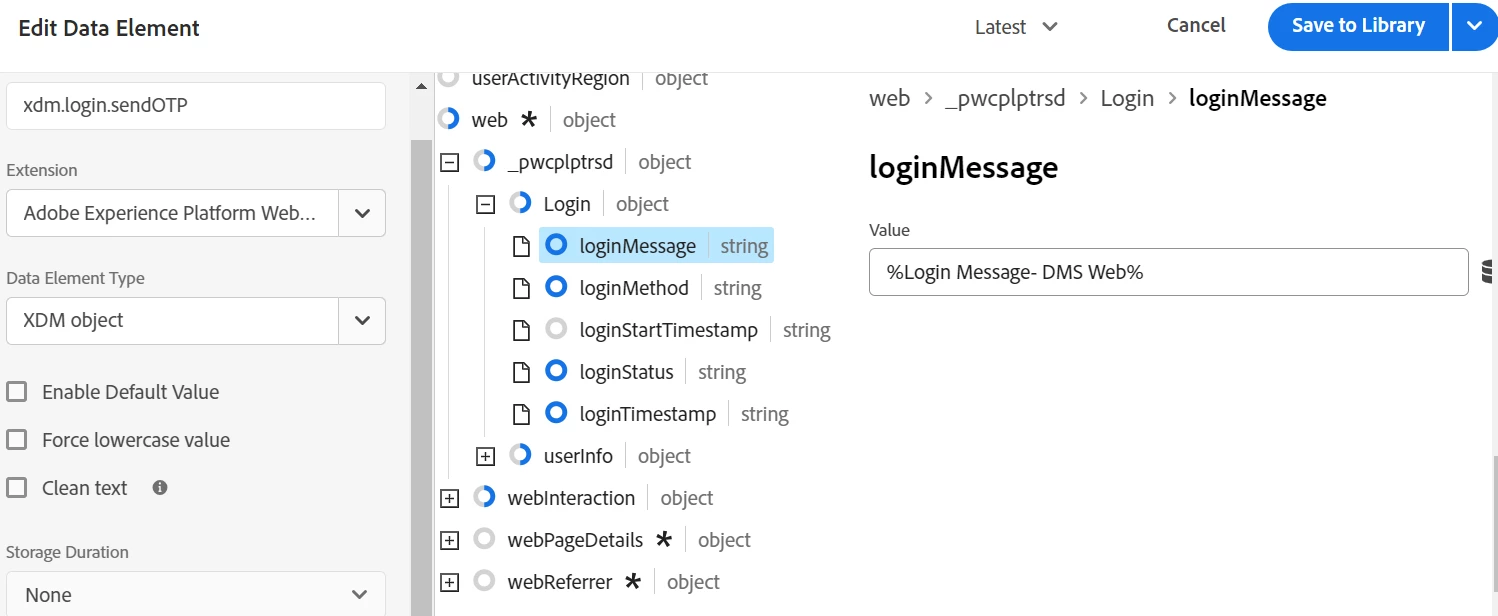
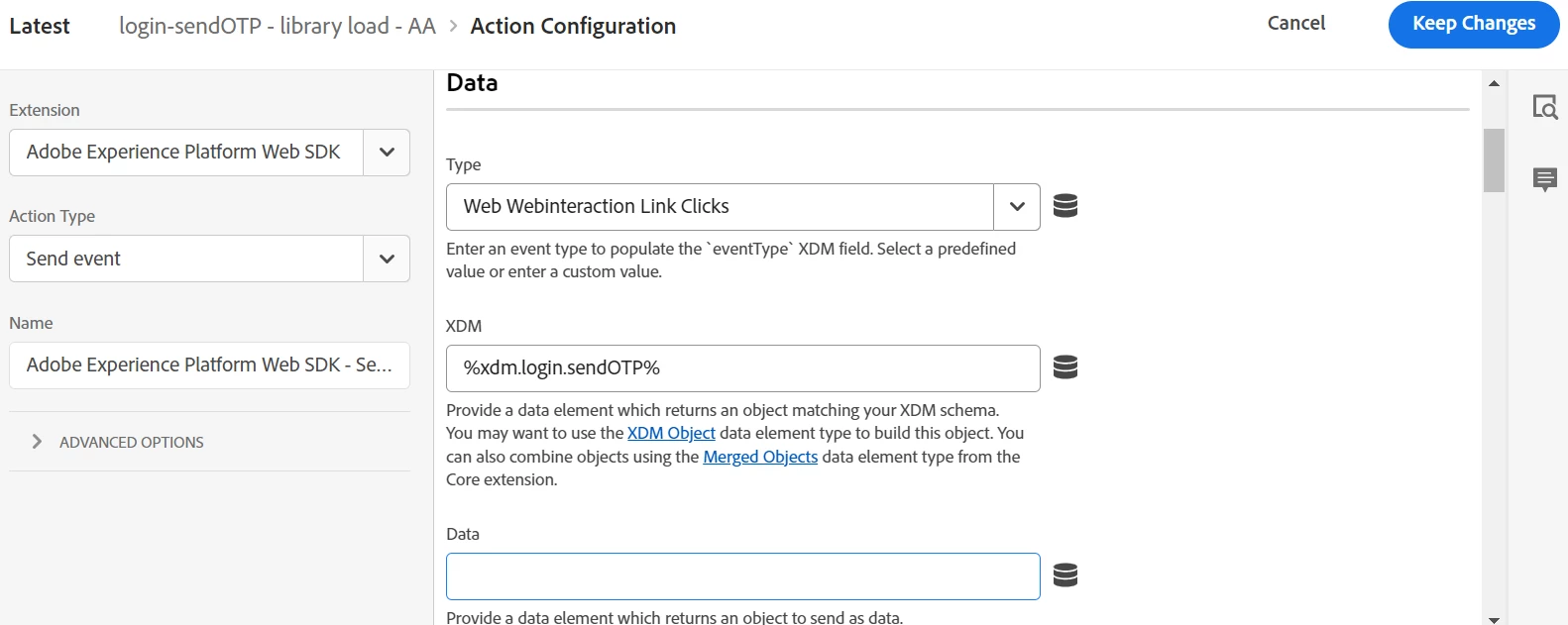
Can you describe the way you populate your XDM Schema ?
Best regards
In the same place that the satellite var was tested, you can also test the Data Layer...
console.log(adobeDataLayer);

// or

console.log(adobeDataLayer[0]);

// or

console.log(adobeDataLayer[0].data);

// or

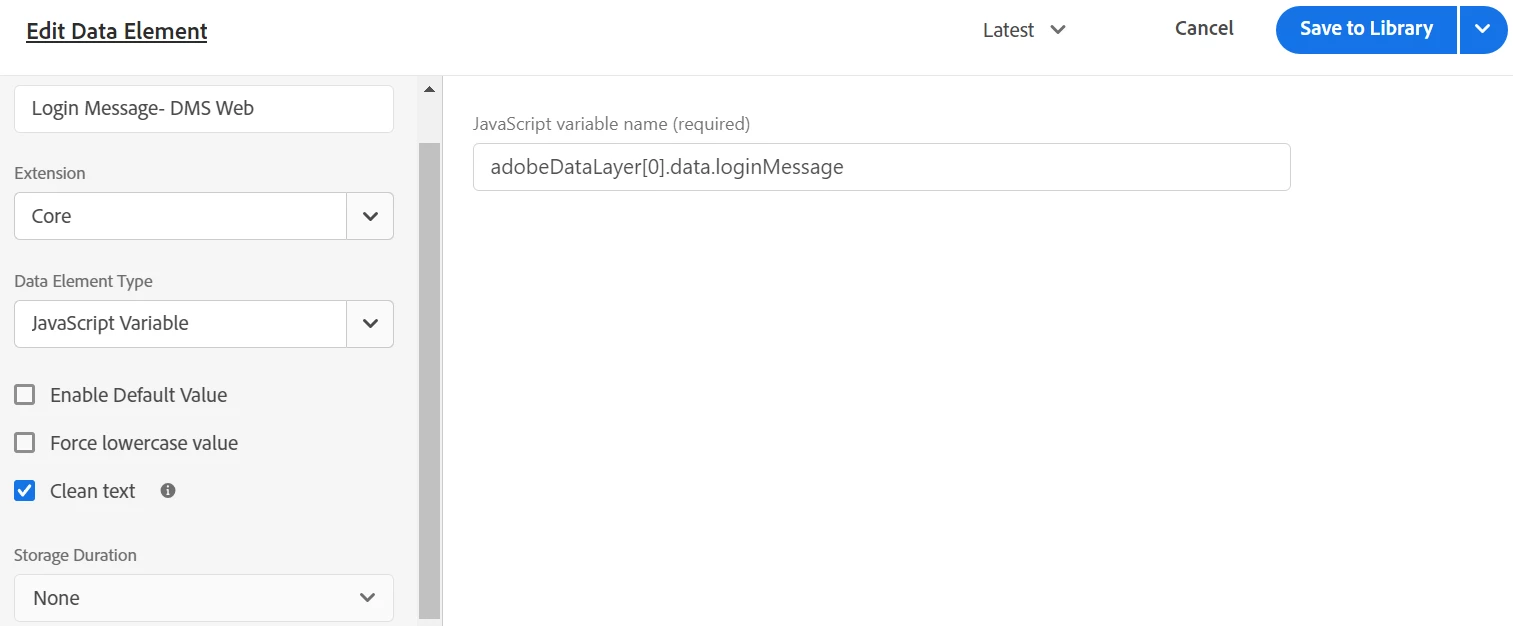
console.log(adobeDataLayer[0].data.loginMessage)
Basically, test at various levels your data layer and make sure that your reference is actually working....
in addition to what @jennifer_dungan wrote, it's maybe worthwhile testing this in your console.
adobeDataLayer.getState("data.loginMessage")
Should there have been any other previous push to the data layer, your access to index 0 will obviously not work.
However, since you do not seem to use an eventInfo subobject, the pushed data is aggregated into the so-called computed state (whereas anything pushed into an eventInfo sub-object would only be processable during this specific ACDL push event).
// push to computed state
adobeDataLayer.push({
  data: {
    loginMessage: "foo",
  }
});

// read from computed state
adobeDataLayer.getState("data.loginMessage"); // returns "foo"
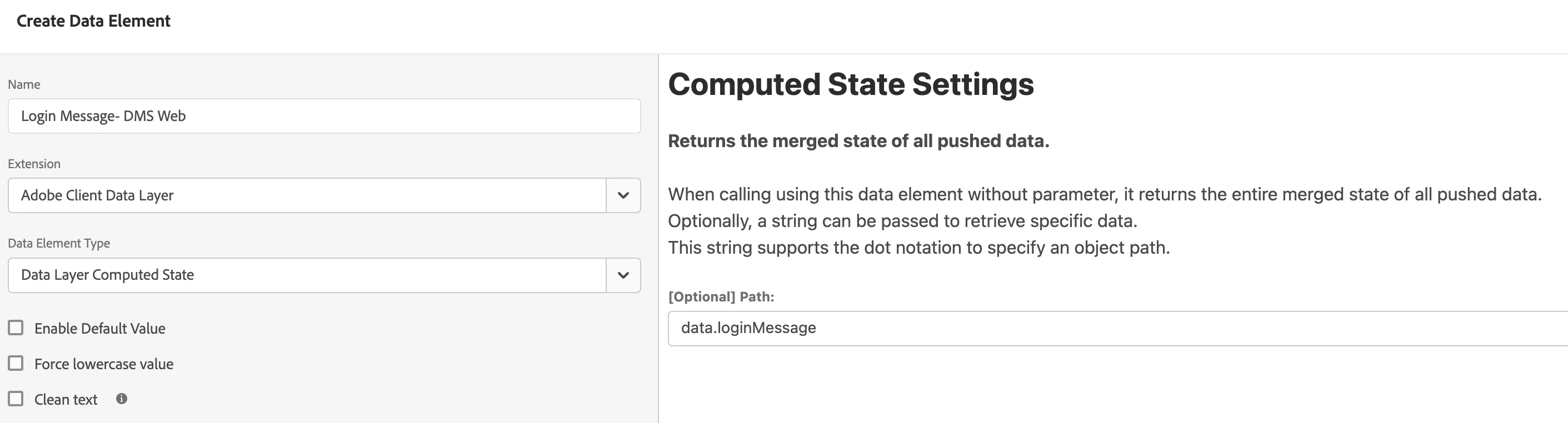
Should this work, I would suggest to change your data element "Login Message- DMS Web" from type "Javascript Variable" to the "Adobe Client Data Layer" extension's "Data Layer Computed State" type with "path.loginMessage" as path value.
Maybe check out Andy Lunsford's Adobe Client Data Layer's cheat sheet to get a better understanding.
Cheers
Björn
Enter your E-mail address. We'll send you an e-mail with instructions to reset your password.