Question
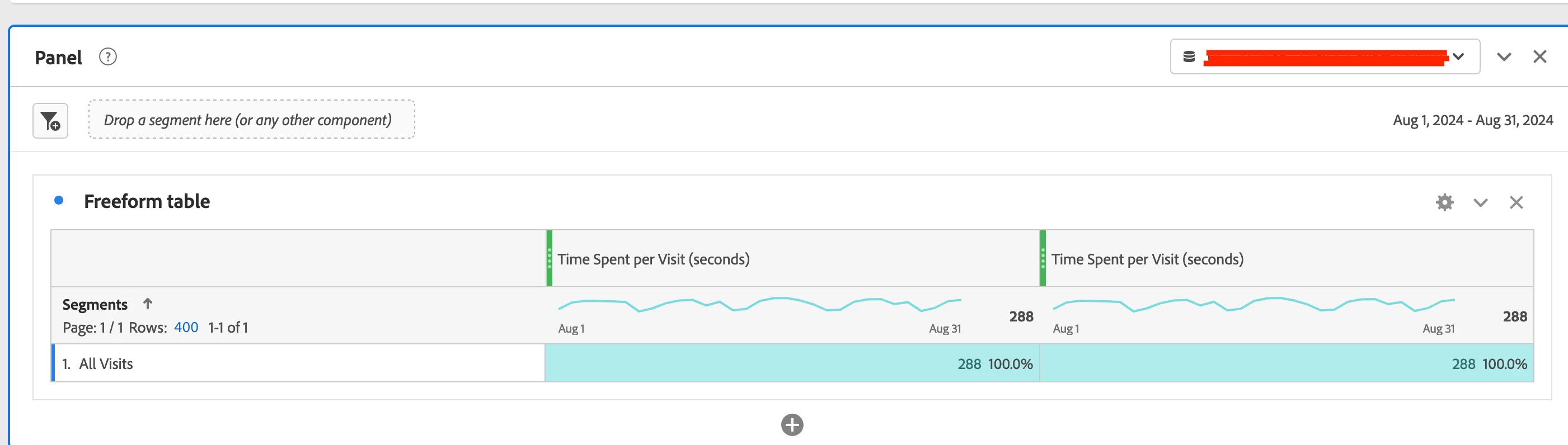
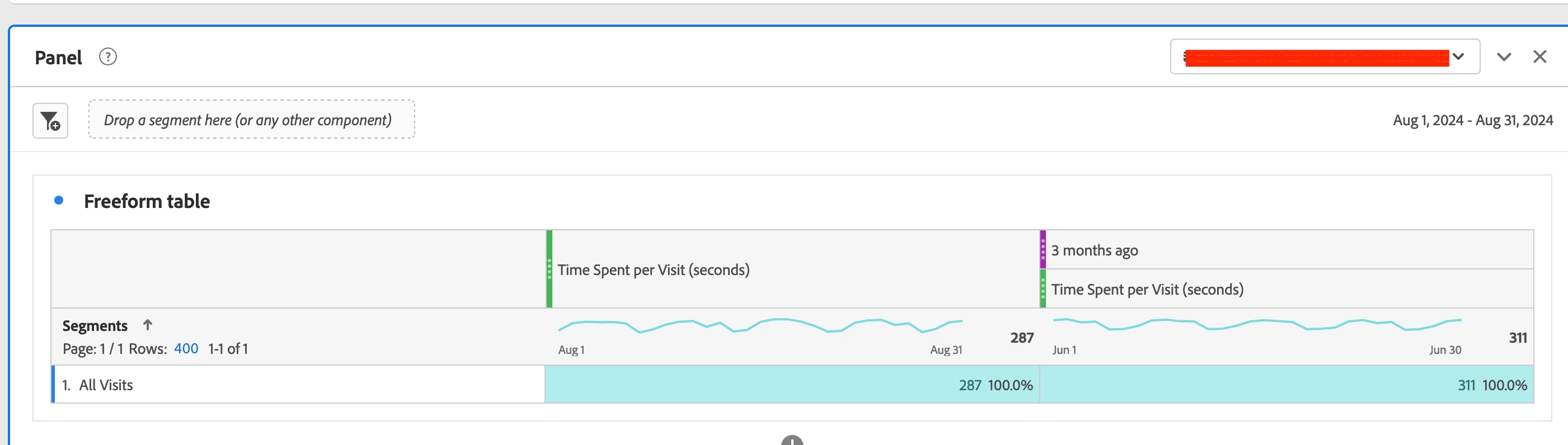
Data in the first column change when I add a date range to the second column [Time Spent per Visit (seconds)]
Hi Adobe Analytics community,
I am looking at the time spend per visit (seconds) metric last month and compare it with two months before. When I add the date range to the next column, the data in the first column change.
Please see first columns of freeform tables I attached. I would expect them to be identical but they are not. That looks quite unusual to me. In case you need it, I am selecting a virtual report suite and my visitors can be in different time zones.
Can anyone help me out? Thanks!