
Data flowing into prop not evar | Community
Skip to main content
V_Sirish_Kaushik1
Level 4
September 19, 2023
Solved

Data flowing into prop not evar

  • September 19, 2023
  • 4 replies
  • 2189 views

While implementing link tracking in mobile sdk, I am passing some contextData which is being mapped to prop and evar in processing rules.

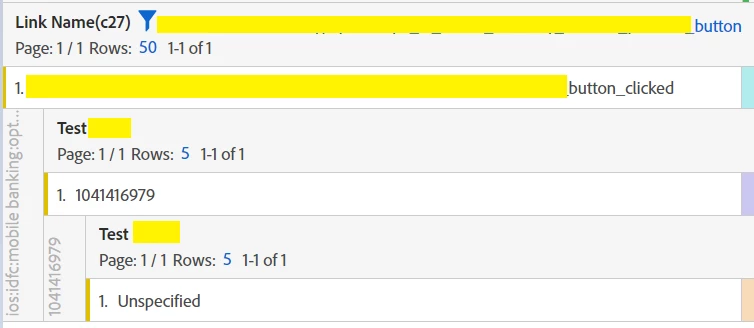
Data is flowing into prop but not evar. 

What could be the possible reason behind this? 


The processing rule is mapped exactly same for both with same context data

 

The prop is enabled

 

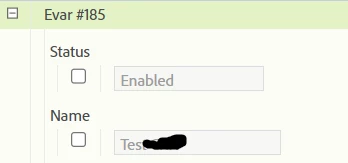
The evar is enabled
 

The data below, first dimension is link Name, then breakdown with prop, then eVar
 

This post is no longer active and is closed to new replies. Need help? Start a new post to ask your question.
Best answer by V_Sirish_Kaushik1

@jennifer_dungan @robertblakeley @yuhuisg 
Its solved people! Thanks for the inputs. 
So turns out, we had a processing rule which was set to fire a custom event with no if condition, apparently that was causing the value of all evars to getting lost. The value was there in data feed, but lost in post_evar column. 

4 replies

Jennifer_Dungan
Community Advisor and Adobe Champion
September 19, 2023

Do you perhaps have your eVar configured as a merchandising eVar? This would prevent sending/setting eVars in the normal way...


Your processing rules look correct (I have never had an issue with anything that looks like that), so I am wondering if there is a mis-config on your actual eVar....

V_Sirish_Kaushik1
Level 4
September 19, 2023

No, its a regular eVar only. 

Jennifer_Dungan
Community Advisor and Adobe Champion
September 19, 2023

Is the eVar newly set up? Some times I have noticed that new eVars don't start showing data for a while... but after a day it should be fine?

RobertBlakeley
Community Advisor
Community Advisor
September 19, 2023

Given Analytics appears to be configured correctly, check if the evar mapped in the sdk schema. If it’s not in the schema it would not show up. You might also check your Tag Manager rules. Like a vista rule, there could be a tag manager rule or rules that clears the value.


You might also check your data feed. If the value is in the feed and not in Workspace, then the value was lost after Adobe received the data (e.g. processing rules, vista rules, etc).

yuhuisg
Community Advisor
Community Advisor
September 20, 2023

If you use a different eVar, do you get the same problem?

V_Sirish_Kaushik1
V_Sirish_Kaushik1AuthorAccepted solution
Level 4
September 22, 2023

@jennifer_dungan @robertblakeley @yuhuisg 
Its solved people! Thanks for the inputs. 
So turns out, we had a processing rule which was set to fire a custom event with no if condition, apparently that was causing the value of all evars to getting lost. The value was there in data feed, but lost in post_evar column. 

Jennifer_Dungan
Community Advisor and Adobe Champion
September 22, 2023

I'm glad you got this sorted out!


I should have asked about additional Processing Rules 🙂