
Customer Journey Analytics - Top Menu missing funcionalities | Community
Skip to main content
Clodo
Adobe Employee
Adobe Employee
January 24, 2022
Solved

Customer Journey Analytics - Top Menu missing funcionalities

  • January 24, 2022
  • 2 replies
  • 1111 views

Hello Community,


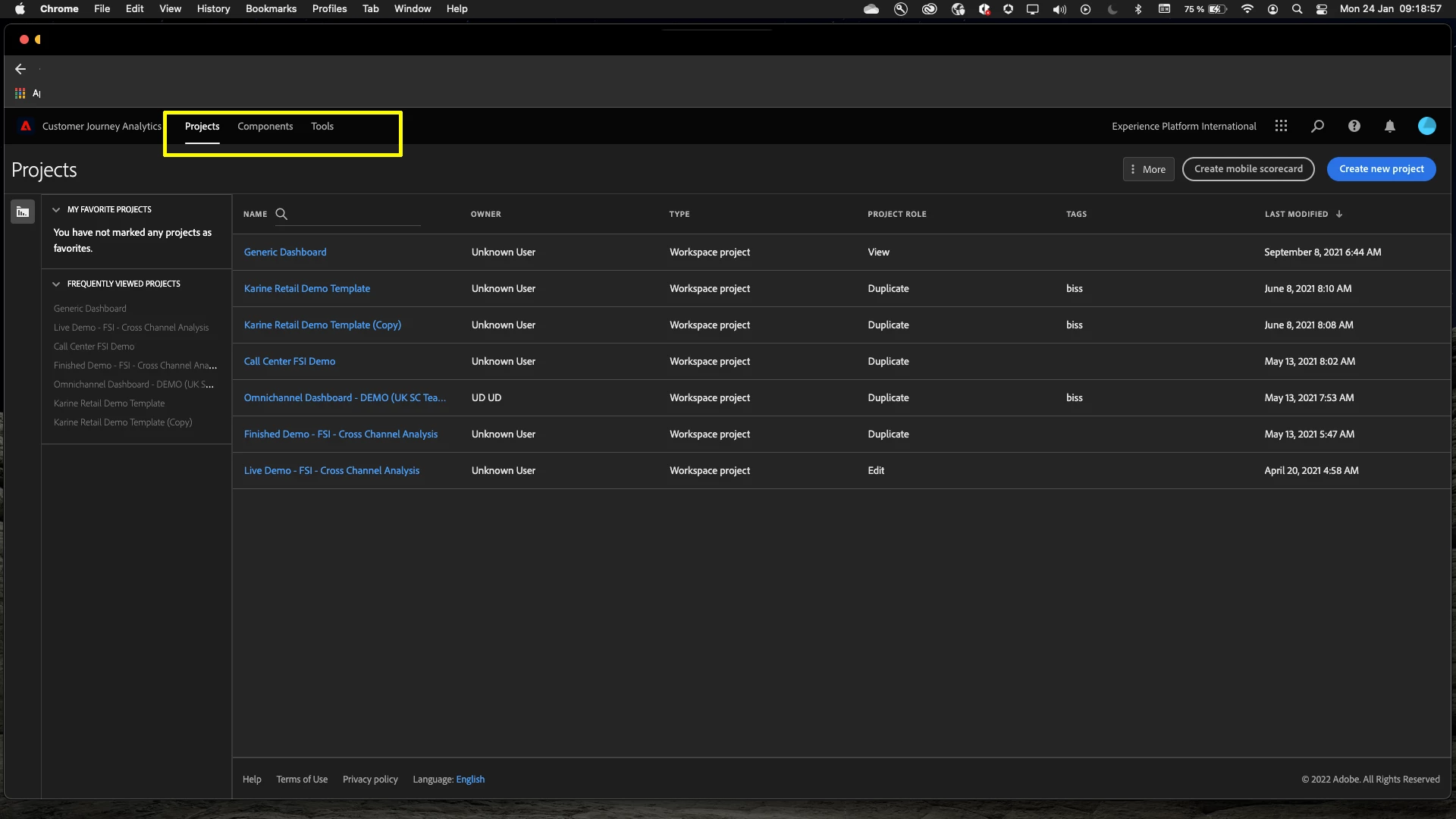
I'd like to know how to enable onto the top menu bar at Customer Journey Analytics the options (Connections and Dataviews)


Note currently I can only see the options (Projects, Components and Tools) onto the top menu bar.


[ Print screen highlighting with a yellow rectangle where I expect to see the options (Connnections and Dataviews)  ]
 

Thank you


This post is no longer active and is closed to new replies. Need help? Start a new post to ask your question.
Best answer by Pankaj_Sabharwal

Hi @clodo 


To access Customer Journey Analytics or make a connection, you will need to be added as an Admin to the Customer Journey Analytics Product in the Admin Console.


This blog can help : 

https://experienceleague.adobe.com/docs/analytics-platform/using/cja-overview/cja-overview.html


Let me know if this helps


Thanks

2 replies

Level 2
January 25, 2022

I assume it could be permission issues. You may need to reach out to Admin for the same.

Clodo
Adobe Employee
ClodoAdobe EmployeeAuthor
Adobe Employee
January 26, 2022

Yeah, I assumed that too, how to I request permissions to the Admin ?

Pankaj_SabharwalAccepted solution
Level 5
January 27, 2022

Hi @clodo 


To access Customer Journey Analytics or make a connection, you will need to be added as an Admin to the Customer Journey Analytics Product in the Admin Console.


This blog can help : 

https://experienceleague.adobe.com/docs/analytics-platform/using/cja-overview/cja-overview.html


Let me know if this helps


Thanks

Clodo
Adobe Employee
ClodoAdobe EmployeeAuthor
Adobe Employee
January 28, 2022

thank you,

will follow the recommendation.