curating product profile metrics and dimensions | Community
Skip to main content
March 7, 2024
Solved

curating product profile metrics and dimensions

  • March 7, 2024
  • 1 reply
  • 931 views

Hi,

We want to teach our less experienced colleagues with Adobe Workspace, but wanted to start with basic. I tried to create a curated workspace environment, where I would allow users to see only a couple of metrics, dimensions, segments, and then continue with more.

I used a test account – took away all previous rights and applied a new product profile with only few items available, to test it.

This is what I allowed:
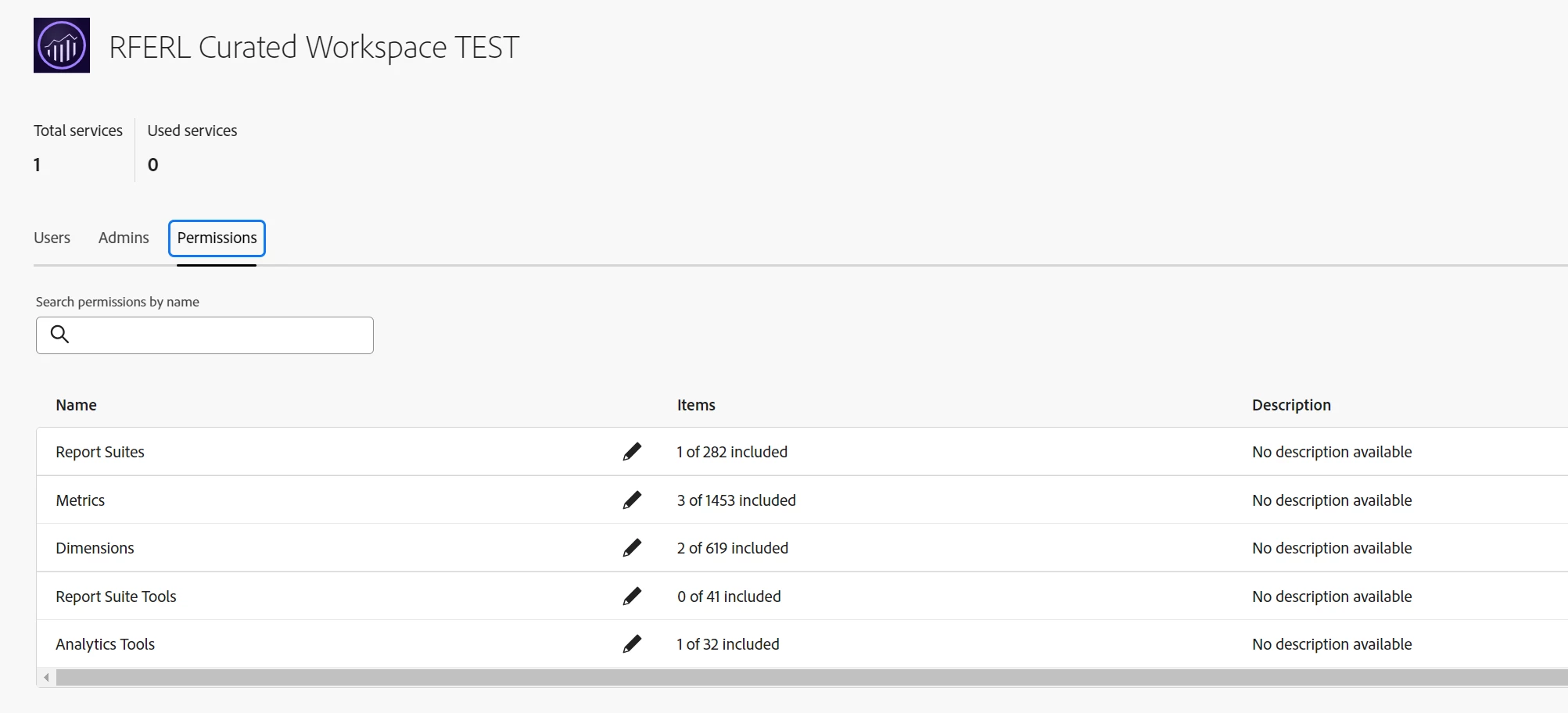


However, when I login as the test user, I still see more dimensions or metrics than I allowed in the profile.
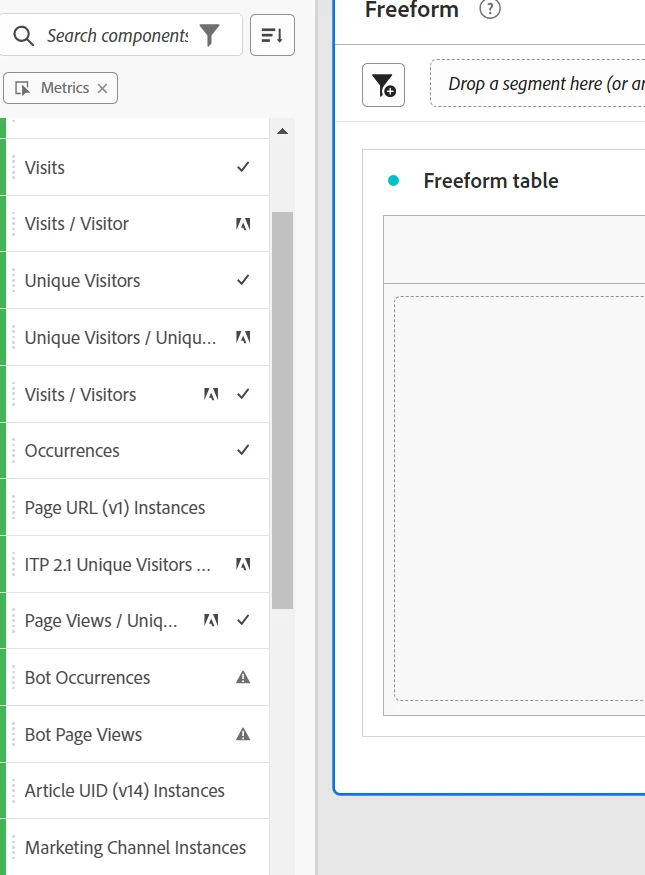


I didn't find out why I see the items I didn't allowed and also didn’t find the way how to remove it. 
The tester is not having rights via any other profile, nor is member of any other group.
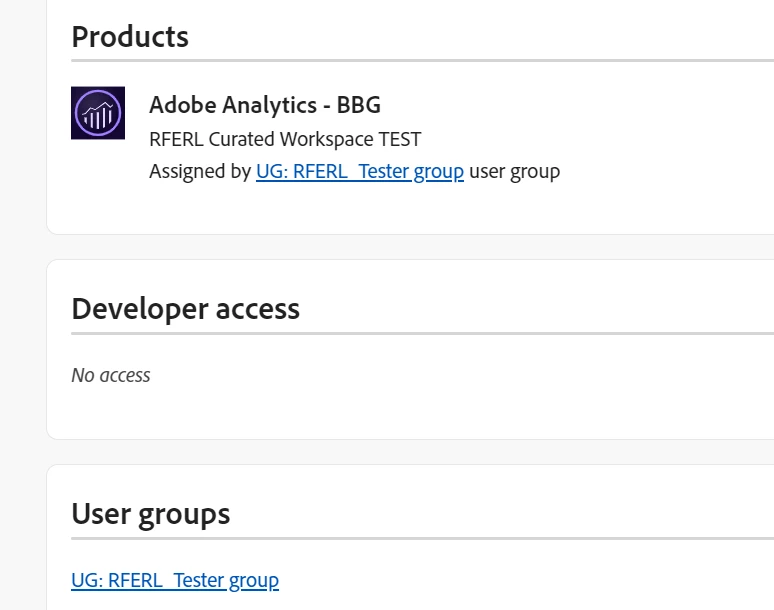


Can you help me find the way to "clean" the workspace for the test user? 


I don't want to use project curation. VRS curation is also not the best solution for our case. 
Creating new users is also not a solution as we have accounts for our colleagues already set.


Thank you

Alena


This post is no longer active and is closed to new replies. Need help? Start a new post to ask your question.
Best answer by kayawalton

I would recommend creating a test VRS specifically just for this test group and adding that VRS to their Product Profile.

In the Components setting of the VRS, only include the metrics (and dimensions and segments) you want them to be able to use (right now I see the others included which is why you are seeing those in the Workspace). The components you exclude in this particular VRS should not affect the source report suite or other folks who have access to other Product Profiles.

1 reply

kayawalton
Community Advisor and Adobe Champion
March 7, 2024

Hi @alenai48070615 -- A lot of those extra components seem to be OOTB or calculated metrics that -- for some reason -- evade the hide settings in Admin Console, and I think it may have something to do with the report suite associated with the Product Profile. If project curation is not an option, creating a VRS for the test group would be the best solution. You should be able to limit the components they can access within Workspace more effectively using that.

March 7, 2024

Hi Kaya, great to talk to you about this! Yes, the VRS curation would do, but we give users rights to different vrs (so we would need to curate all of them - and there are plenty) plus it would limit our own (analytics team) usage of these vrs.
Or did you mean the other way round, remove these "evaded" metrics from all services vrs? Tested it and this vrs curation overrides the product profile setting, so it boomeranged back to above.


Tried to create a test VRS, it was populated with the same metrics, so it is something above

I was thinking that the projects shared to "all" might have made these metrics visible, but it is probably not the case. 

kayawalton
Community Advisor and Adobe Champion
kayawaltonCommunity Advisor and Adobe ChampionAccepted solution
Community Advisor and Adobe Champion
March 7, 2024

I would recommend creating a test VRS specifically just for this test group and adding that VRS to their Product Profile.

In the Components setting of the VRS, only include the metrics (and dimensions and segments) you want them to be able to use (right now I see the others included which is why you are seeing those in the Workspace). The components you exclude in this particular VRS should not affect the source report suite or other folks who have access to other Product Profiles.