CSS Selector for Enters Viewport | Community
Skip to main content
Level 2
August 27, 2025
Question

CSS Selector for Enters Viewport

  • August 27, 2025
  • 1 reply
  • 908 views

Hello Adobe Experts,

I hope everyone is doing well.


I would like to get your insights regarding the usage of Enters Viewport. Currently, it is working perfectly for my implementation, but it turns out that when I go back to the previous CTAs, the rule is no longer firing.


Steps:
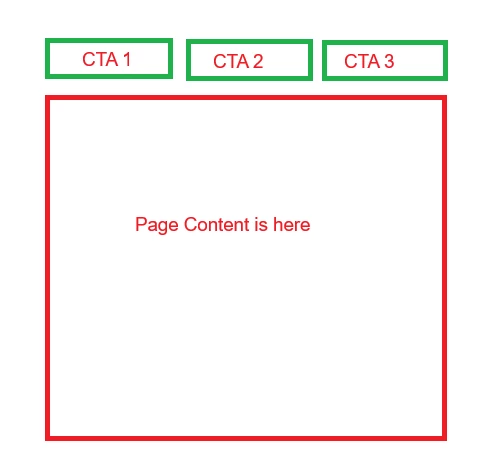
I clicked the CTA 1 and the rule with "Enters Viewport" fires

I clicked the CTA 2 and the rule with "Enters Viewport" fires

I go back to the CTA 1, but the rule is no longer firing.


Sample web appearance:
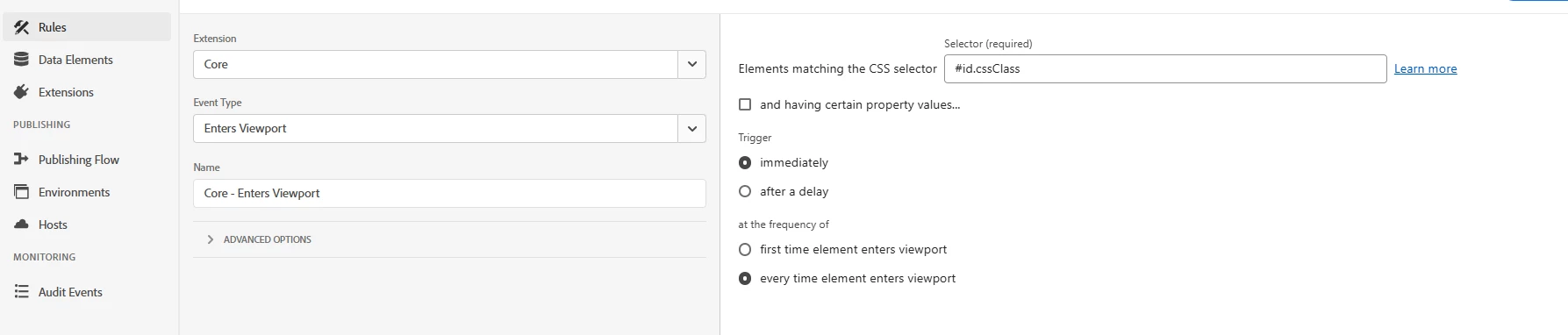
Sample Rule setup:
 

Question:

From this release note, it seems like enter viewport would only trigger once time per page, but I am just wondering if someone has a way to retrigger the rule when I go back to CTA 1?
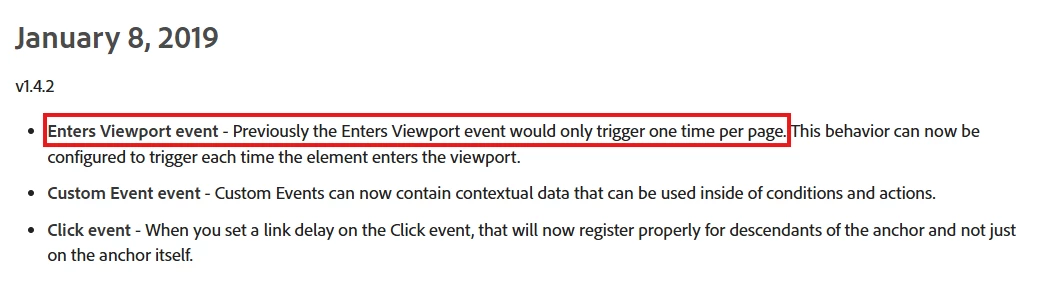
https://experienceleague.adobe.com/en/docs/experience-platform/tags/extensions/client/core/release-notes


Thank you in advance.


1 reply

EurosIMS
Level 3
August 27, 2025

Hi @herder,

You say 'click the CTAs', so is there a reason why you are using Enters Viewport instead of the Click/Mousedown events? 

HerderAuthor
Level 2
August 27, 2025

Hello @eurosims,

Thanks for your reply.


Basically, the page is a single page application (SPA), so every time the user clicks the CTA, the content of the page is changing which should be considered as pageView.


Currently, the Enter Viewports gave us 1 pageview across all views, but if we go back to the previously selected CTA, the rule is no longer firing, but thank you for the Click/Mousedown events, but it seems like that won't work for us, because when the user tries to spam the CTA, click events will gave us multiple beacons instead of 1, and using max frequency to limit the results won't work on the page.


Thank you for your insights, appreciate it.


HerderAuthor
Level 2
September 1, 2025

This is why I wanted to see the website.. is the URL changing, what is happening in the HTML, etc.


Normally, in an SPA, content would be unloaded and new content loaded, but it's not always the case... you are right, it might just be hidden, and thus not triggered the viewport.


Some SPAs don't change the URL (those sites should be abolished honestly, I have had to deal with a few of them, and they suck).


Sometimes triggering on the click means the new page's info hasn't yet loaded and can cause tracking issues... in that case, you can trigger a rule that has a delay, then that rule calls another rule to trigger the tracking (so that the content should be available).


Sometimes you have to get creative with your solutions.


Hello @jennifer_dungan and @yuhuisg,

Thank you for your help.


We dropped the usage of Enter Viewports due to its limitation. Instead, we used the Direct Call event. Appreciate your insights and you're all awesome.


Have a great day.