Conditions in Launch | Community
Skip to main content
JyotiSharmaV
Community Advisor
Community Advisor
May 25, 2023
Solved

Conditions in Launch

  • May 25, 2023
  • 1 reply
  • 6973 views

Do the logical conditions in Launch Regular or Exception allows DOM ready rules to exclude subdomains from main domain for rule firing?


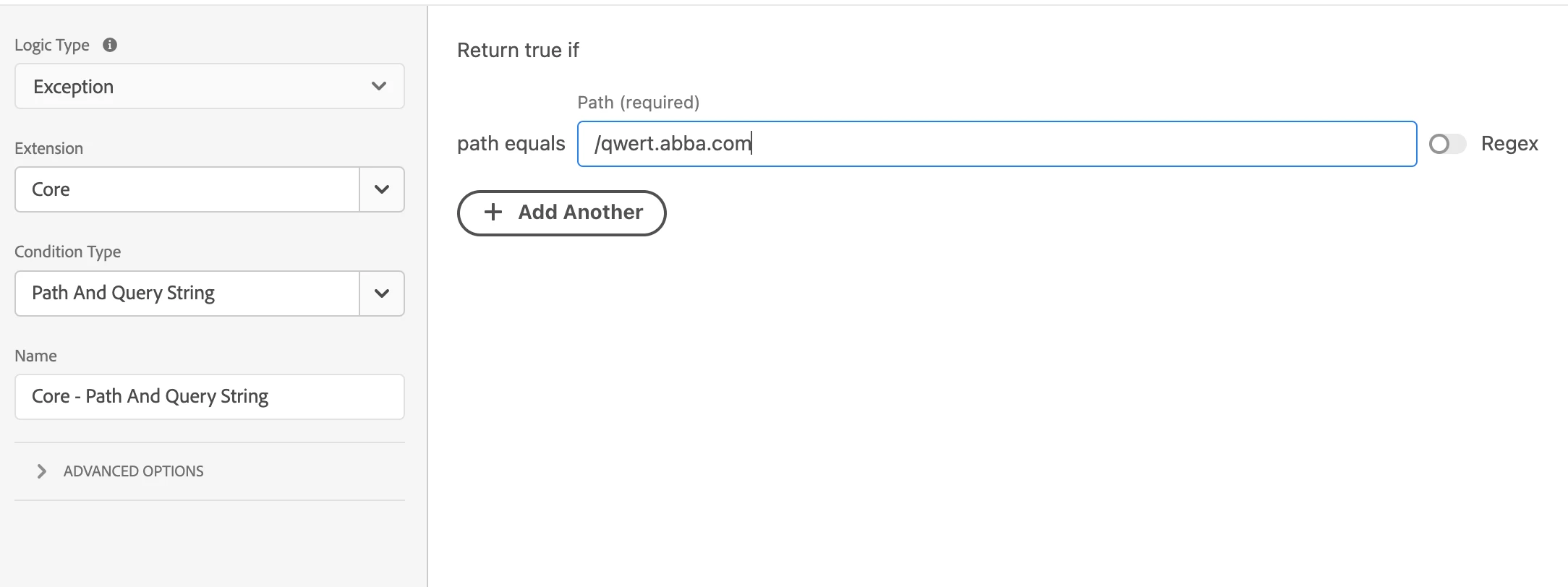
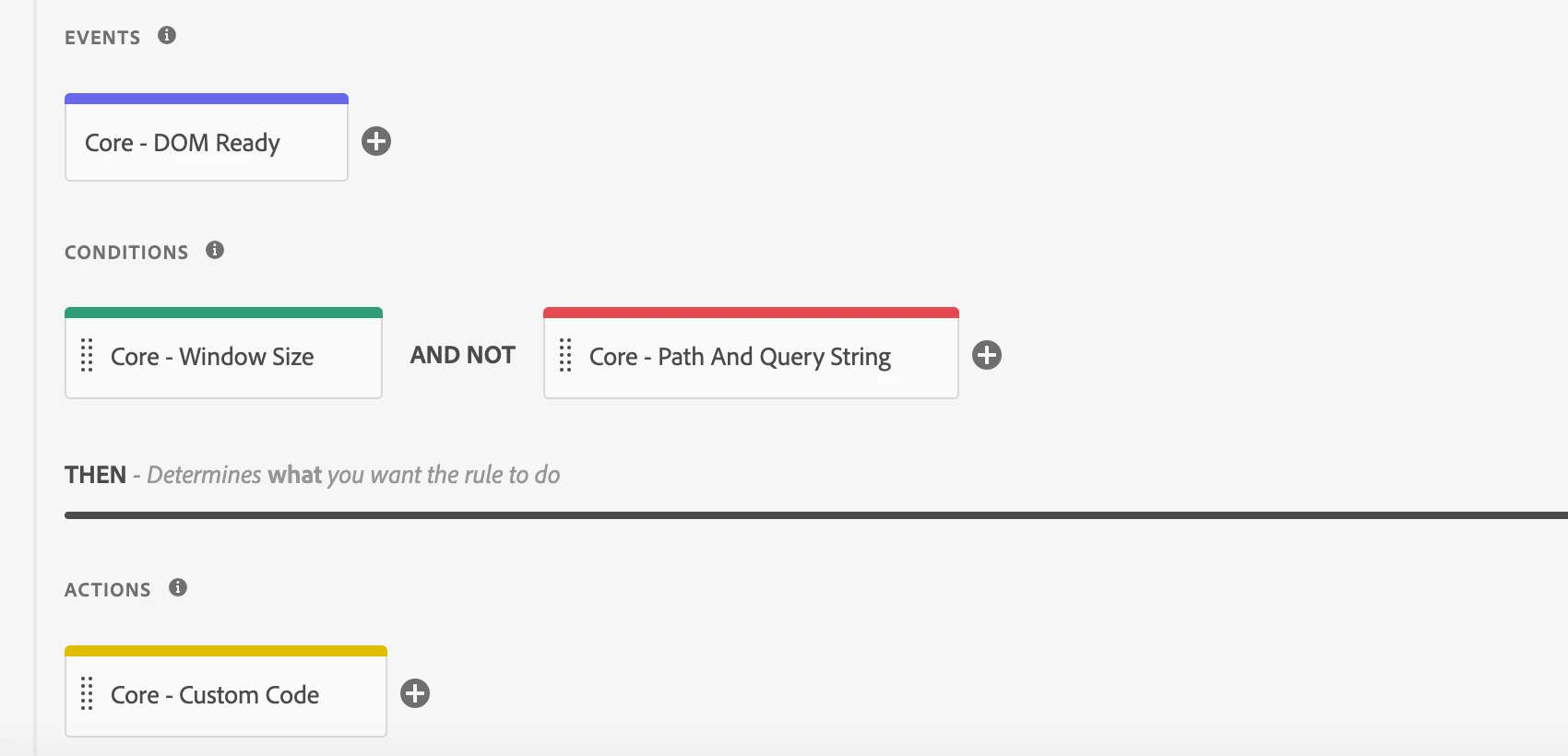
for example, my domain and subdomain have the same Adobe Launch environment code. And, I have one DOM-ready rule that I want to fire only for the main domain https://www.abba.com .. Can I exclude this DOM rule from firing on my subdomain https://qwert.abba.com like below (considering both domain and sub-domain has the same Adobe launch code on them): 
 Thanks
This post is no longer active and is closed to new replies. Need help? Start a new post to ask your question.
Best answer by Jennifer_Dungan

Domain isn't part of the path... so that rule as you posted won't work... 


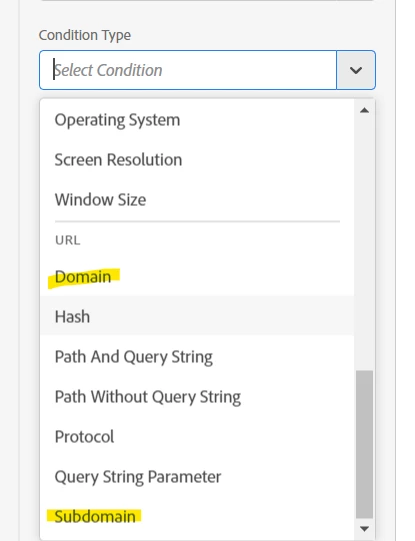
There are however rules for Domain and Subdomain:


Domain uses the domains that have been added to the Launch property configurations... 


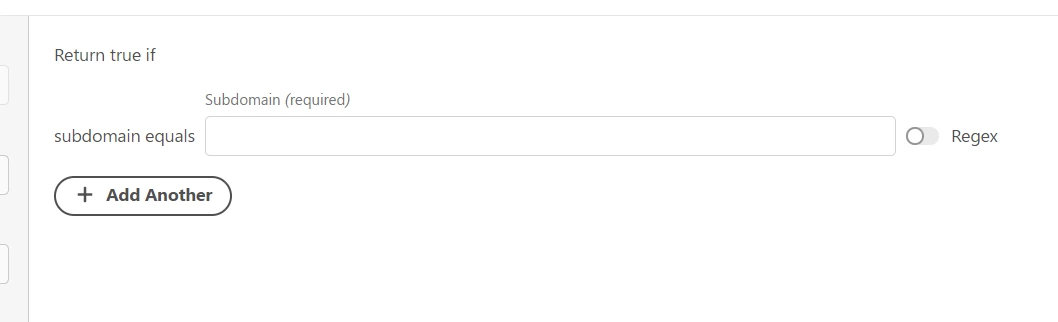
Subdomain allows you to enter the subdomain you are trying to match:


I have not used Subdomain myself, so if you have qwer.abba.com I don't know if you if you need to enter "qwer.abba.com" or just "qwer".... I suspect the first, but you should be able to test this condition quickly and make adjustments if it doesn't work the first time.


FYI, testing this can be made easier by enabling the Satellite Debug Mode... if you are familiar at all with using your browser's console, you can turn on and off debug mode with:

// Turn it on _satellite.setDebug(true) // Turn it off _satellite.setDebug(false)


When enabled, you will get all the logs from Launch, telling you which rules fired, and which rules didn't fire based on conditions not being met... 


Good luck.

1 reply

Jennifer_Dungan
Community Advisor and Adobe Champion
Jennifer_DunganCommunity Advisor and Adobe ChampionAccepted solution
Community Advisor and Adobe Champion
May 26, 2023

Domain isn't part of the path... so that rule as you posted won't work... 


There are however rules for Domain and Subdomain:


Domain uses the domains that have been added to the Launch property configurations... 


Subdomain allows you to enter the subdomain you are trying to match:


I have not used Subdomain myself, so if you have qwer.abba.com I don't know if you if you need to enter "qwer.abba.com" or just "qwer".... I suspect the first, but you should be able to test this condition quickly and make adjustments if it doesn't work the first time.


FYI, testing this can be made easier by enabling the Satellite Debug Mode... if you are familiar at all with using your browser's console, you can turn on and off debug mode with:

// Turn it on _satellite.setDebug(true) // Turn it off _satellite.setDebug(false)


When enabled, you will get all the logs from Launch, telling you which rules fired, and which rules didn't fire based on conditions not being met... 


Good luck.

leocwlau
Community Advisor and Adobe Champion
May 29, 2023

@jennifer_dungan wrote:


I have not used Subdomain myself, so if you have qwer.abba.com I don't know if you if you need to enter "qwer.abba.com" or just "qwer".... I suspect the first, but you should be able to test this condition quickly and make adjustments if it doesn't work the first time.


My bet is just "qwer" and not trying myself either 😏. When I want to do the same, I usually use custom code condition and write JavaScript to check for window.location.hostname