Classification Rule Builder leading to undefined values | Community
Skip to main content
Level 2
December 6, 2024
Question

Classification Rule Builder leading to undefined values

  • December 6, 2024
  • 2 replies
  • 1971 views

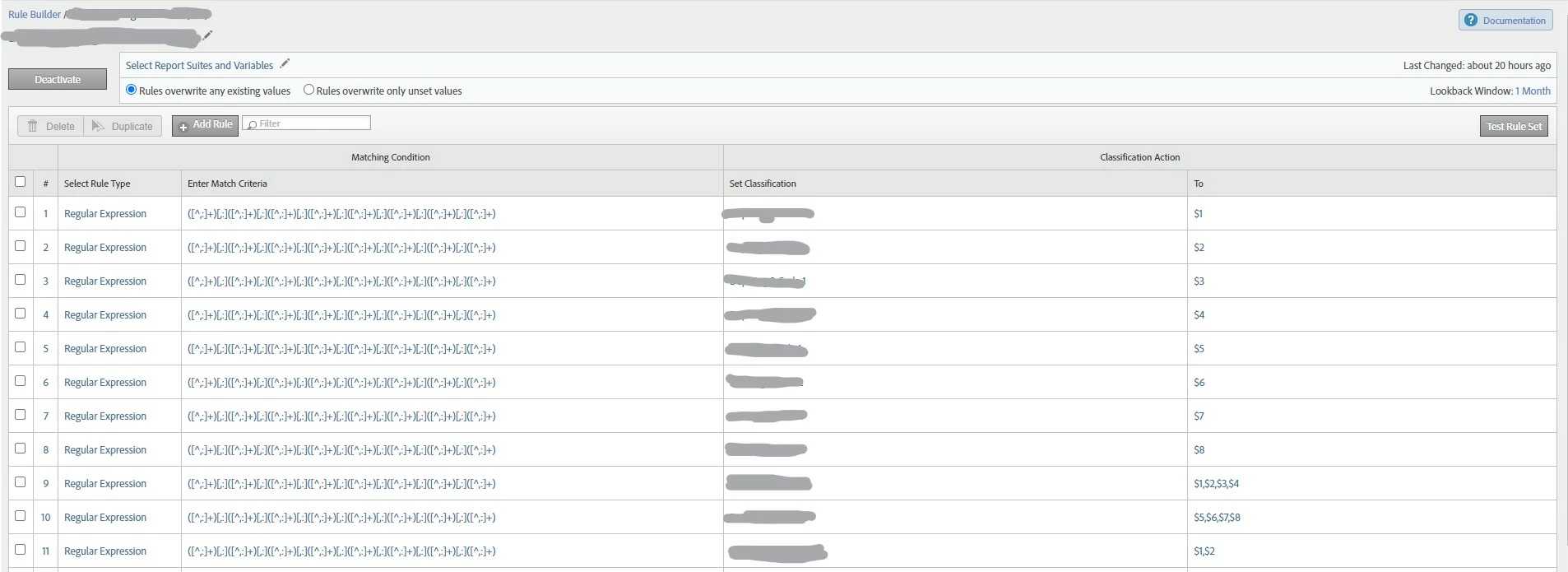
Hi all, I'm building a classification in rule builder using REGEX, I have my evar set up for classifications correctly under report suites > conversion classifications. When I test my rules using values that the evar has already collected, I'm seeing my rules classifying the values correctly with no issues. However it's now been 48 hours since first activating the classification, and I'm still only seeing undefined values in Adobe Analytics. Has anyone encountered this and has any tips for troubleshooting?

 

2 replies

Jennifer_Dungan
Community Advisor and Adobe Champion
December 6, 2024

Did you run a test on your ruleset with some real data to see if your rules are properly matching your content?


Unspecified usually means that content didn't match any rules, or its newer content that hasn't yet been processed (Classification rules run every 4-6 hours, after the initial backfill that is).


If it's been 48 hours, and nothing has yet shown up, and nothing new has been processed, I suspect that your rules aren't actually working...


I see that you have hidden a bunch of values for privacy, I get that... would you be willing to send me your Regex (something I can copy and paste), and a few samples of data to test?


In the meantime, the best thing you can do is get a table of your original values, copy a bunch of examples from there, and use the "Test Rule Set" to see how that information is processing.

farzaanhAuthor
Level 2
December 6, 2024

Hey, thanks for the response. I ran a test on my ruleset using the 'Test Rule Set' function within Adobe, and everything classified correctly there. Yeah for sure, here is my Regex: ([^,:]+)[,:]([^,:]+)[,:]([^,:]+)[,:]([^,:]+)[,:]([^,:]+)[,:]([^,:]+)[,:]([^,:]+)[,:]([^,:]+)


And here are some test values:

AAAAEEEEEE,NA:DDDDCCCCCC,FFFAEEEEE:NAN,NAN:NAN,NAN
CNT1,CNT2:CNT3,CNT4:CNT5,CNT6:CNT7,CNT8

1NA,2NA:3NA,4NA:5NA,6NA:7NA,8NA

farzaanhAuthor
Level 2
December 6, 2024

If it helps, this is what the Test Rule Set screen looks like when I tested my real values, it's showing 0 unmatched keys

bjoern__koth
Community Advisor and Adobe Champion
December 9, 2024

Hi @farzaanh 

quick question: what do you see if you break down the Unspecified by the eVar you are trying to classify?

Are we talking about all eVar values not classified or only some?


If you don't mind, would you share some of those values with me (you can send them as DM)?

Cheers from Switzerland!
farzaanhAuthor
Level 2
December 9, 2024

Hi @bjoern__koth 


When I breakdown the Unspecified by the eVar I was trying to classify, I see all values of that eVar that have fired. At the time, it was all eVar values not classified. Now that the classification has run over the weekend, I'm starting to see some of the classifications have values under them, so it's possible Adobe just needed extra time to process the classifications.


I provided some example values above to Jennifer, along with my REGEX, if that works!


Thanks!

farzaanhAuthor
Level 2
December 9, 2024

OK, that's good to know.. yes, if this is new, then 1 month should be fine....  


One suggestion I have seen when it comes to Classification Rules, is to set up one "catchall" at the end, and set that value to something like "none" or "unknown"...


That way you can see what hasn't been processed at all (unspecified) and what has been processed, but wasn't caught by your rules (none / unknown / etc).


This might help diagnose what is happening in your rules... but you will have to re-process the lot again (add a new rule will deactivate the current rules, then activate and wait for all the rules to reprocess)


That's a good idea, thanks for the suggestion. I may have to add additional rules anyways, so will look to add that as well.