Block Russia Data in AA | Community
Skip to main content
Level 2
October 21, 2024
Question

Block Russia Data in AA

  • October 21, 2024
  • 2 replies
  • 1513 views

Hi -  How do you block Russian data in Adobe analytics? We don't have a Russian server set up to collect data, so the direction is to disable tracking for all Russian IPs. 

We're using OneTrust to determine user location based on IP and have set up a rule in Launch to disable tracking when the user location value is "RU." We've tested this and confirmed it works as expected. However, Adobe Analytics reports are still showing "Russian Federation" values under the out-of-the-box dimension "Countries." We are utilizing global report suites for our reporting and not capturing any IP address (as per our data privacy regulation).

What further steps can we take to ensure that Russian data is fully blocked from our reports?

This post is no longer active and is closed to new replies. Need help? Start a new post to ask your question.

2 replies

bjoern__koth
Community Advisor and Adobe Champion
October 21, 2024

Hi @rayhla 

do you mean website traffic from Russia? If your stakeholder does not want Russian traffic altogether, maybe the website stack should not deliver content in the first place.


On Analytics, there is no built-in functionality that can drop traffic based on GeoIP country information.

Depending on your cookie consent tool, it could support GeoIP lookup information that is used to display different banner versions. I know of OneTrust CookiePro which API you can tap into to retrieve country information.

Can you specify what exactly you are trying to achieve?


Cheers from Switzerland!
rayhlaAuthor
Level 2
October 21, 2024

Hi @bjoern__koth thanks for your response. 

We’ve disabled our geo-site in Russia, but users there can still access the other geo-sites, so we want to ensure we’re not tracking them.

We’re using OneTrust to identify user locations based on IP and disable analytics tracking. However, we’re still seeing data from the "Russian Federation" in the reports under the OOB dimension "Countries." This is likely due to the different third-party tool (DigitalElement) being used by Adobe to identify user IPs, which we believe is why we’re still receiving this data.

rayhlaAuthor
Level 2
October 22, 2024

1% of the typical Russian traffic or overall traffic, just out of curiosity.

again, geoips are never 100% correct when getting close to the border. I saw the same in Switzerland where 20km into Switzerland visitors were identified as coming from France.


1% of the overall traffic.

Amruthesh_AG
Community Advisor
Community Advisor
October 21, 2024

@rayhla In case if you are having Russian region IP addresses you can exclude by creating the IP filter.

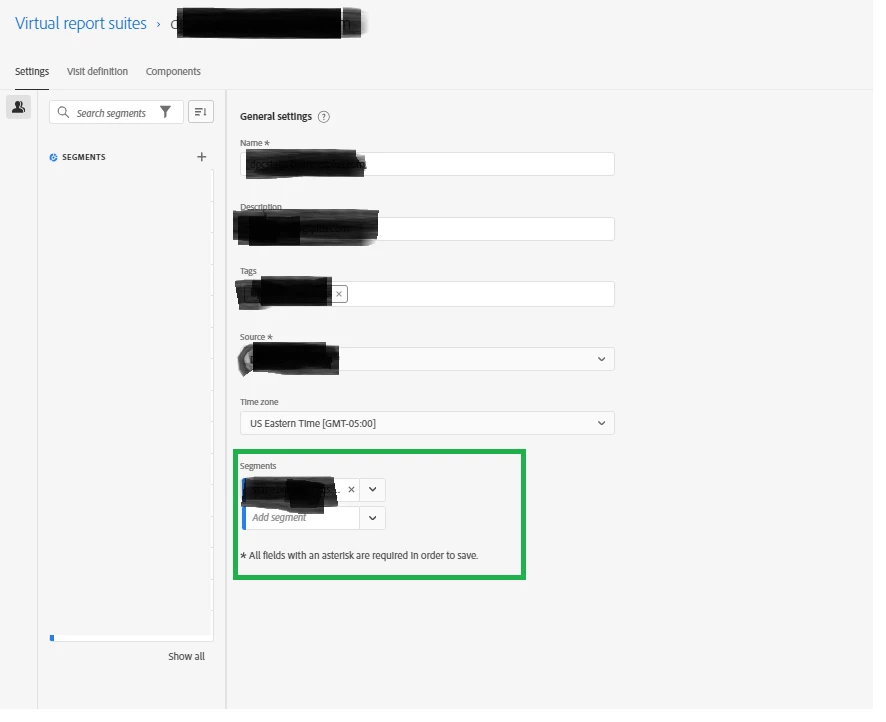
In case if you are using Virtual Report Suites follow below steps.
Create a segment which will exclude Russian traffic data ex: Country equals Russian.


Go to Admin > Virtual Report Suites.

Select the suite where you want to block data.

In the segment definition, set a rule excluding traffic from Russian Geo-location (country).

Save and apply this segment to your report suite. attached screenshot.


If it solve your question Accept this solution.

rayhlaAuthor
Level 2
October 21, 2024

Hi @amruthesh_ag - Thank you for your response.

We are not capturing IP as part of the Data Privacy regulation, and we are also not using a virtual report suite in this case.