Hi @jennifer_dungan,
So it sounds like I can do the breakdown by position at a wider scale, but I would still have to apply each break down to each month in advance. It wouldn't be able to automatically apply it going forward?
Yes, this is what "Breakdown by position" will do...
So let's look at an example:
I've started by creating a panel for "Last 3 Full Months", and done a simple Month breakdown:
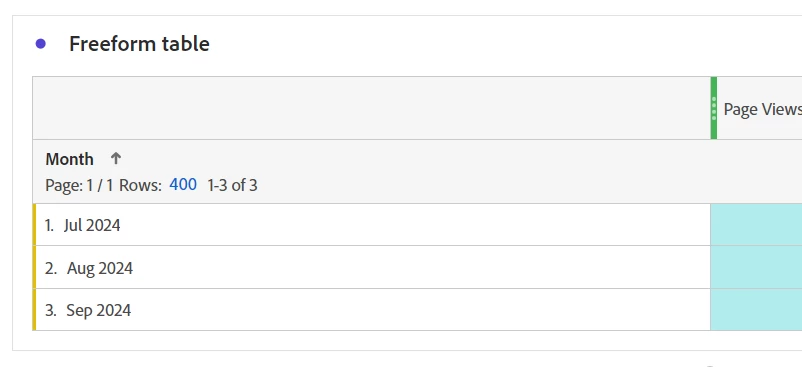
Now, you can do the next two steps in either order
I will create a breakdown on those 3 months by selecting all three, and breaking them down by Device Type for example:
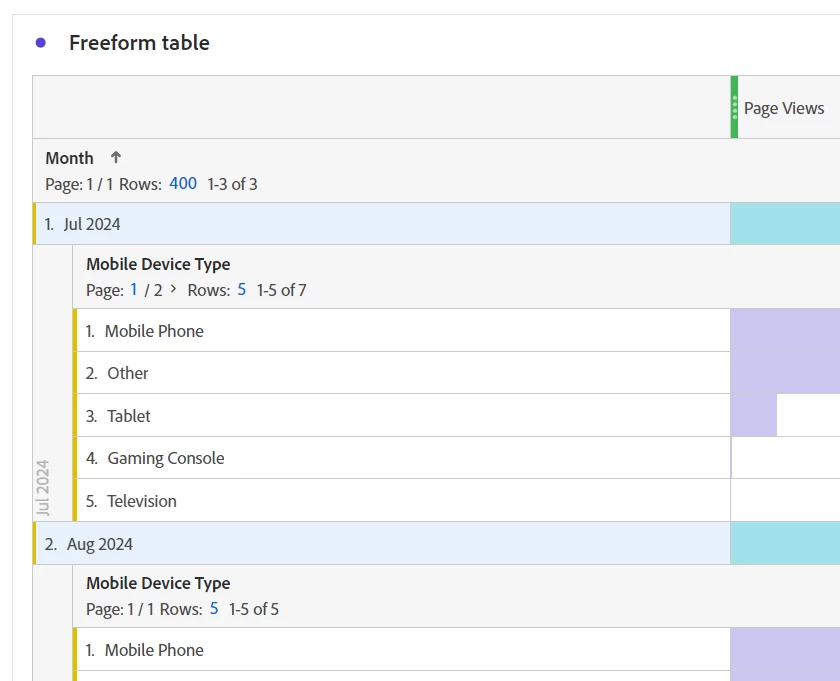
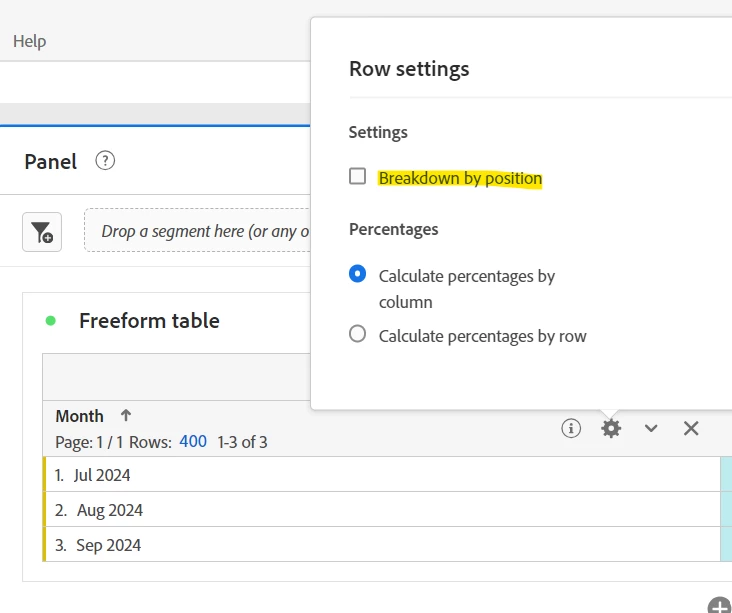
Now, I will go into the settings on the Month dimension in the table, and change it to "breakdown by position"
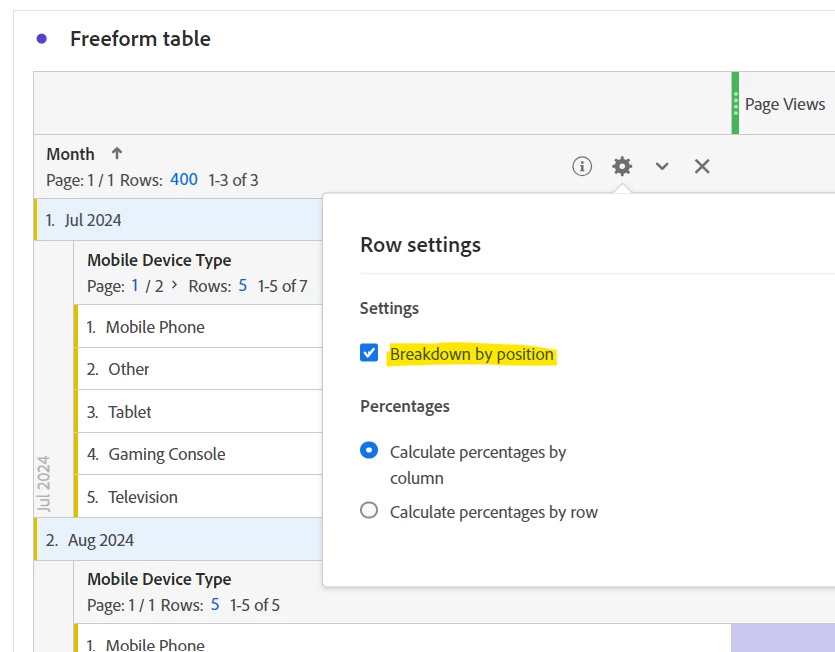
(which means that instead of "Jul 2024", "Aug 2024" and "Sep 2024" being specifically broken down, whatever month is in position 1, 2 and 3 in my table will get the breakdown, so let me change the date range on my panel to Jan, Feb, March:
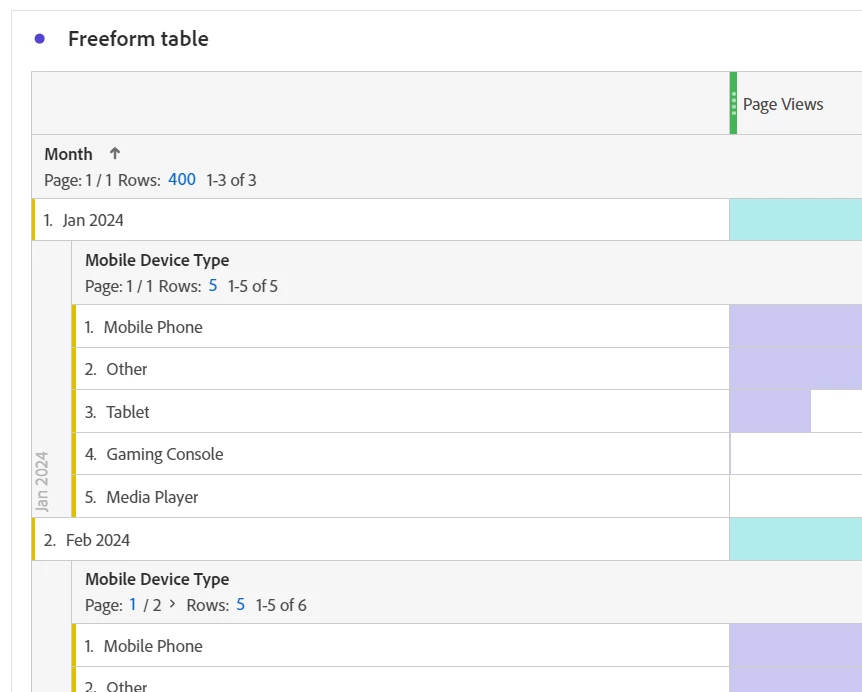
The breakdown remains.
Now, what I was saying about this above, IF user might change the date range to more than 3 months, you will have an issue (I will now change the date range to Jan - June):
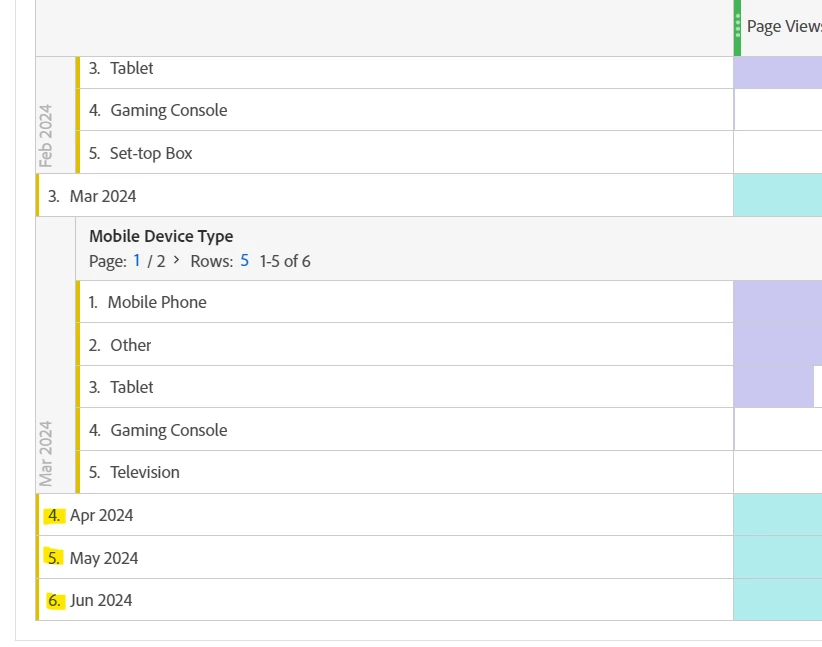
Positions 4, 5 and 6 don't have breakdowns... because I only applied breakdowns to the first 3 positions....
So to get around that, I would actually build my table by extending the panel temporarily all the way back to Jan 2021 (which I don't even have data that old); but that will give me 45 rows to work with (if I were using something as the initial dimension breakdown that could have more rows, I will extend the date to try and get the max 400 rows available in Workspace to show).
I will apply my breakdowns to all 45 (or 400 rows, etc). Then I will go back to my initial 3 months... so later, if someone decides to look at This Year, or Last Year, or go back all the way to se our data retention period, I am covered.
If you need to break the second level down (if the values could be changing, you will have to set each of those to "breakdown by position" too:
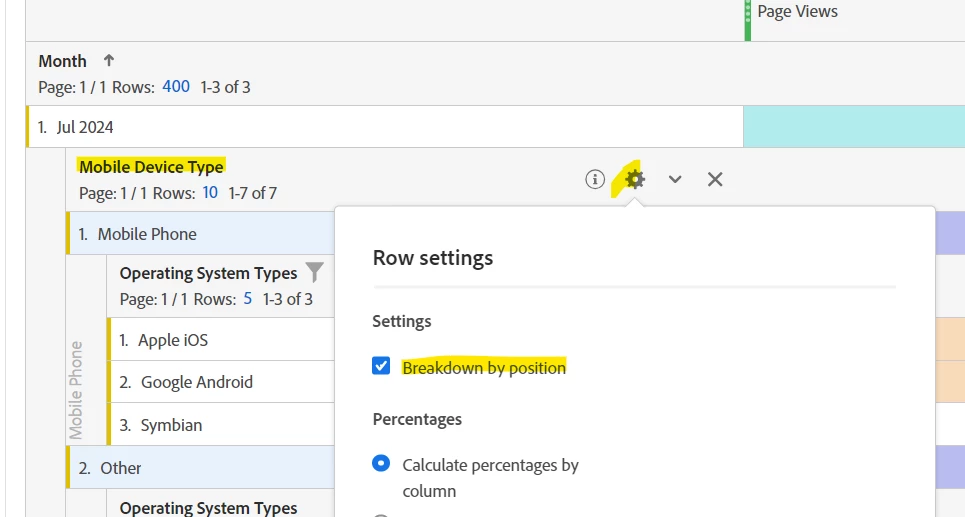
You should also configure the number of visible rows on each sub-breakdown (sadly this has to be done one by one).