Annotations not showing up in Workspace for me after granted access by Administrator. Why????? | Community
Skip to main content
Level 2
December 14, 2022
Question

Annotations not showing up in Workspace for me after granted access by Administrator. Why?????

  • December 14, 2022
  • 2 replies
  • 1090 views

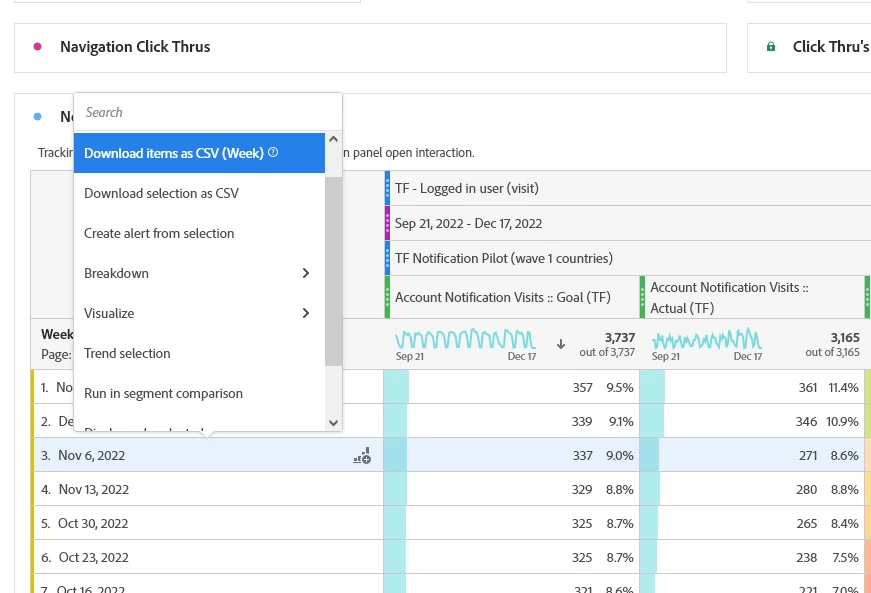
My Adobe Analytics Admin recently granted me access to Annotations but when I login and right click to create relative to a visualization or free form table, it does not show up in my list.

Does anyone have any idears why?
 

This post is no longer active and is closed to new replies. Need help? Start a new post to ask your question.

2 replies

Jennifer_Dungan
Community Advisor and Adobe Champion
December 14, 2022

Not sure it it's just your screenshot, but did you scroll the context menu all the way down (I can only see mid-scroll in your screenshot)?


Annotations shows up near the end - second last (under "Display only selected rows"):


There is also the possibility that there is some strange stacking of overlapping permissions on your account? With the ability to add permission to the user, to the user group, to the product profile, etc... (not sure how your admin panel is organized) it's possible that the permissions could be over-written by a conflicting rule?


If you have multiple profiles, each of those is tied to specific suites... it's possible the permissions were added to a profile that contains suite A, B, C ... but you need it for D?


I think you need to go back to your admin and tell them you still don't have access... they know best how the admin console is organized.

Adobe Employee
December 20, 2022

@gbolanis - If you have access to a product profile with the "Annotations Creation" Analytics tool permission in the Admin Console, you should be able to create annotation. In case you can't create even after having the above permission, you can submit a case to the Customer Care for further investigation and to get it fixed.