Adobe rules are firing but the data is not coming into the Platform Debugger | Community
Skip to main content
Level 3
September 21, 2023
Solved

Adobe rules are firing but the data is not coming into the Platform Debugger

  • September 21, 2023
  • 2 replies
  • 2718 views

As the title states, there are two specific Adobe rules (one is triggered via custom event and the other is triggered by a CSS entering viewport) that are firing but the data is not getting into the debugger. 


In the browser's network tab, I see that all the variables are being captured. 
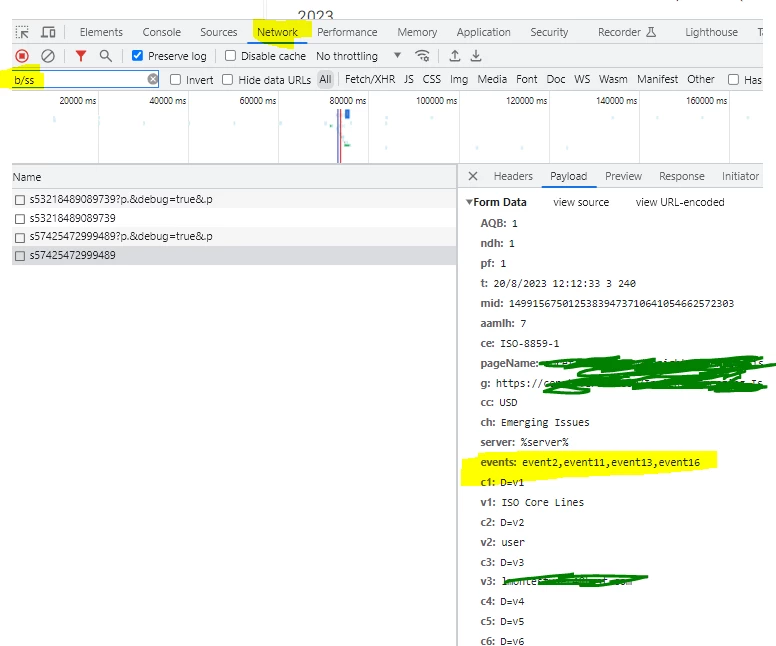
 

However, the timing tab indicates that this is being "stalled" when I compared it to the server call of a rule that is getting captured. 
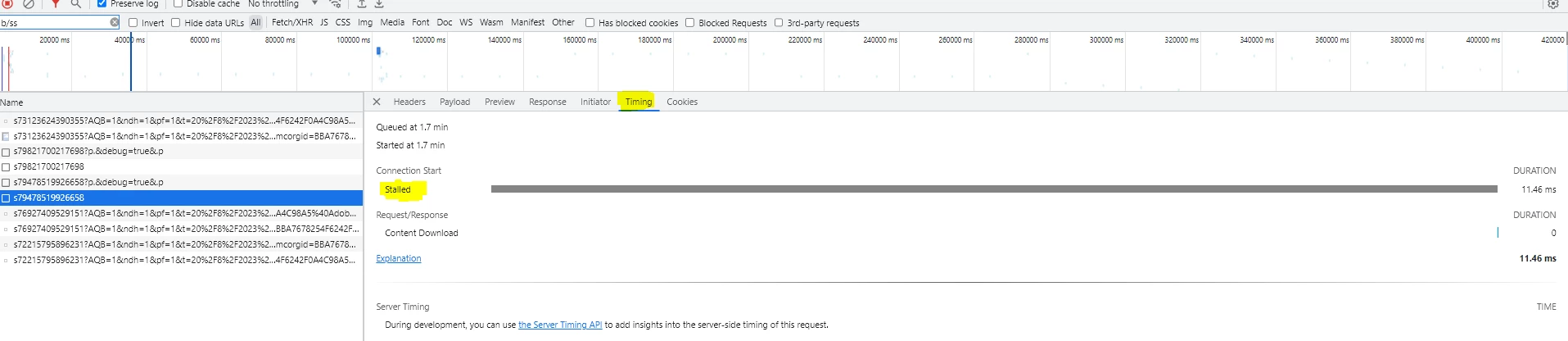
I have checked Chrome's definitions of what that means - but I am not able to pin anything down. 


This post is no longer active and is closed to new replies. Need help? Start a new post to ask your question.
Best answer by Jennifer_Dungan

Hmm, I've not seen this... have you checked that the actual server you are sending the requests to is responding?


I can't see that in your screenshots, so I don't know if you are using one of the default Adobe third party servers, or if you have set up a custom first party tracking server:


i.e. your site is www.domain.com  and your tracking server is s.domain.com


If you try to load your tracking server directly (either by typing in s.domain.com, or if you copy the actual tracking request and try to load it directly does it complete?


If it doesn't you may need to reach out to Client Care (if using the Adobe default server, make sure that there isn't an issue... if using your own server, confirm with them that the server has properly been configured)


If this is a very new implementation, maybe the DNS hasn't yet propagated.

2 replies

Jennifer_Dungan
Community Advisor and Adobe Champion
Jennifer_DunganCommunity Advisor and Adobe ChampionAccepted solution
Community Advisor and Adobe Champion
September 21, 2023

Hmm, I've not seen this... have you checked that the actual server you are sending the requests to is responding?


I can't see that in your screenshots, so I don't know if you are using one of the default Adobe third party servers, or if you have set up a custom first party tracking server:


i.e. your site is www.domain.com  and your tracking server is s.domain.com


If you try to load your tracking server directly (either by typing in s.domain.com, or if you copy the actual tracking request and try to load it directly does it complete?


If it doesn't you may need to reach out to Client Care (if using the Adobe default server, make sure that there isn't an issue... if using your own server, confirm with them that the server has properly been configured)


If this is a very new implementation, maybe the DNS hasn't yet propagated.

Level 3
September 21, 2023

Thank you for your response. 


We can rule a few things out based on what you asked to confirm.


1) There are other rules that are based on the same custom events that are tracked and the data is flowing to the debugger without issues. 

2) All the server domains are the same so if one is working the other should* work as well. 

leocwlau
Community Advisor and Adobe Champion
September 21, 2023

What's the response to that network call, do you have a "200"?

Level 3
September 21, 2023

The status are all 200. 


Jennifer_Dungan
Community Advisor and Adobe Champion
September 23, 2023

What is off-putting to me is that other rules that have a similar setup are firing and the debugger is working for those. Its only these two rules that are causing this issue. 


The debugger is only capturing some Adobe default attributes. The debugger is clearly showing that there is a hit but the values are not flowing through. I am dowing some additional QA right now to see if the values are flowing to the report suite. 


OK... this is the issue I am having too... it seems to be a bug in the tool... not an issue with the analytics... I am not the only one in my org having this issue, and you have confirmed that it's not just our site...


I haven't yet reported the issue to Client Care (but I am not sure if trying to contact the direct team for the tool would be better)...