Adobe DTM event based rule on CSS selectors
Hi all.
I am pretty new to this side of Adobe Analytics so please be gentle as I might be saying or doing most things completely wrong.
I am currently trying to fire an event through an event based rule. Since I was unable to do it by myself I have been searching the web and this forum in search for a working solution. On this very forum, I bumped accross a lovely post by @SarahEOwen (Track clicks on button using DTM ) which I have followed to the letter to no avail. I even followed the validation part of Sarah's post and believe it or not I did manage to get the prompt alert to fire on the console but I was never able to get the success event to fire hence me creating this post!
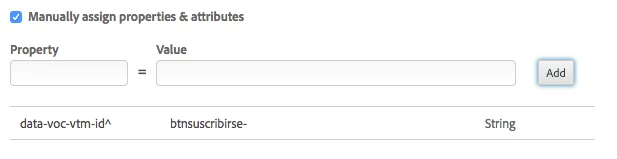
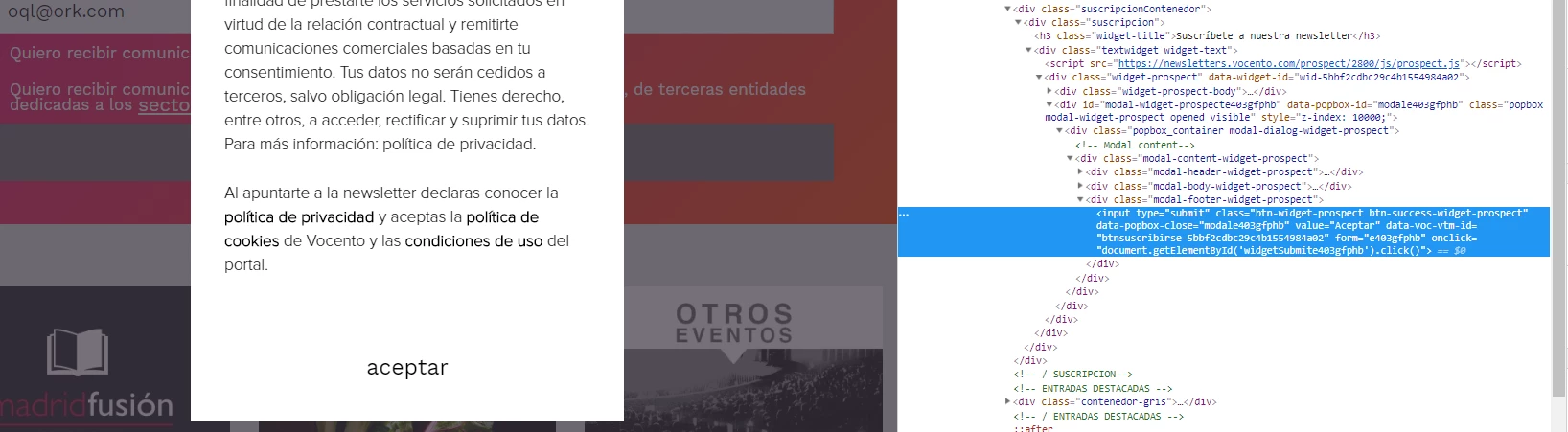
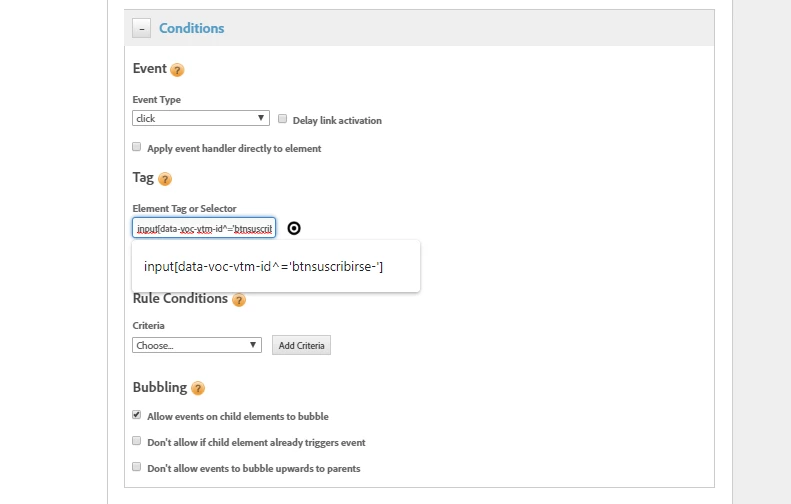
I am trying to get the event to fire on this site https://www.madridfusion.net/en/ on the SUBSCRIBE TO OUR NEWSLETTER module. Here is the tricky bit (at least it is for me  ) Once you placed a bogus email (sort of oiaho@iogjh.com) in the email field you get a modal layer with a second clickable element. The first element is a button, the second one is type submit. Both of them have got an attribute by the name of data-voc-vtm-id so tried to get it to fire the rule using [data-voc-vtm-id^='btnsuscribirse-'] as shown below.
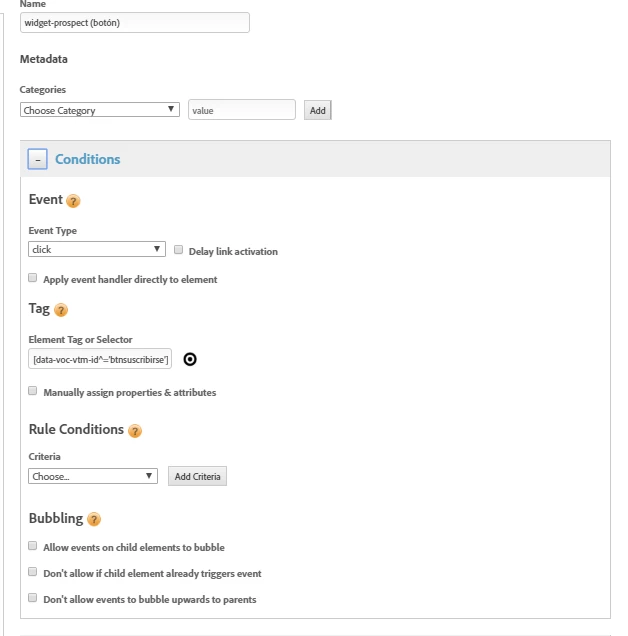
I also tried duplicating the rules one for click one for submit to no avail. Last thing I'd like to point out is that when using jQuery("[data-voc-vtm-id^='btnsuscribirse-']") on the console does indeed gets me back some results.
Anything that makes us go forward will be greatly appreciated.
Best regards.
 :
:


 .
.