Adobe Credential Manager Temporary Error (External Web Site) | Community
Skip to main content
JoeMo1
June 23, 2024
Solved

Adobe Credential Manager Temporary Error (External Web Site)

  • June 23, 2024
  • 2 replies
  • 1165 views

When I attempted to schedule an exam for the AD0-E212 Adobe Analytics Business Practitioner Professional by clicking the link, I received this message. Does anybody know why this page has popped up, and does anyone have any ideas on how not to get this page?


This post is no longer active and is closed to new replies. Need help? Start a new post to ask your question.
Best answer by bjoern__koth

Well I guess if it is temproary, it should soon be back online. Sometimes they have release windows and need to temporary suspend some systems.


Have you checked whether it is back up again by now? Else, I would suggest retrying it tomorrow / Monday

2 replies

bjoern__koth
Community Advisor and Adobe Champion
bjoern__kothCommunity Advisor and Adobe ChampionAccepted solution
Community Advisor and Adobe Champion
June 23, 2024

Well I guess if it is temproary, it should soon be back online. Sometimes they have release windows and need to temporary suspend some systems.


Have you checked whether it is back up again by now? Else, I would suggest retrying it tomorrow / Monday

Cheers from Switzerland!
Jennifer_Dungan
Community Advisor and Adobe Champion
June 24, 2024

I agree, check back tomorrow once people are back in the office... if this was a real issue there will be more engineers available to solve it, and if it was a maintenance window then it will likely be fixed.

bjoern__koth
Community Advisor and Adobe Champion
June 24, 2024

Hi @joemo1 

have you retried yet?

Cheers from Switzerland!
JoeMo1
JoeMo1Author
June 24, 2024

I have tried again and still get the same screen. I have emailed Adobe Certificates on this issue. 

JoeMo1
JoeMo1Author
June 27, 2024

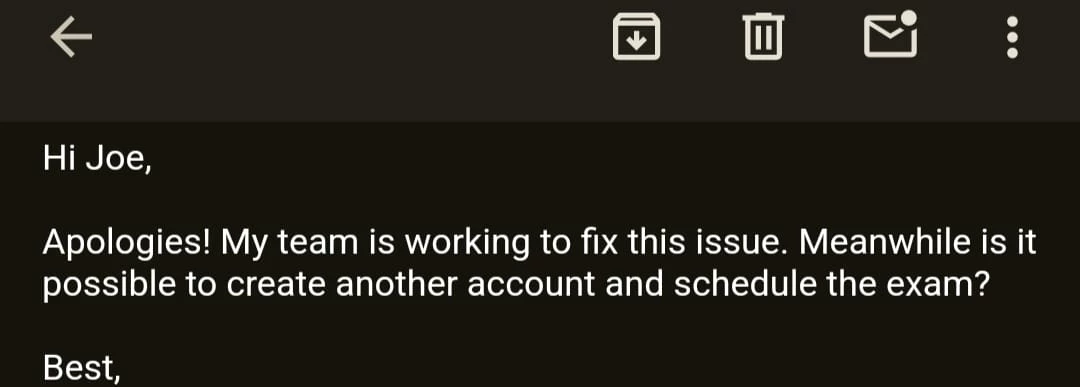
I received an email from the Adobe Certificates team regarding this issue, and they said they are working to solve the problem. I will keep this thread updated on any further news on this subject.