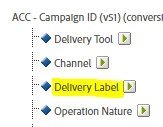
You will need to check your own implementation to find out how eVar51 is being populated. It could be one of the following:
- If you're using AEP Tags as your tag manager, then check that Rules that set eVar51 are doing so properly.
- If you've implemented AppMeasurement.js directly in your pages instead of using a tag manager, then check your implementation that eVar51 is set properly.
- Check your report suite's Processing Rules for any rule that sets eVar51 and verify that valid values are being used there.
- Verify in ACC that the integration has been setup properly. See https://experienceleague.adobe.com/docs/campaign/campaign-v8/connect/ac-aa.html?lang=en#external-account-ac
I think that's as far as anyone here can help you to troubleshoot this. The actual solution will depend on your own setup, and you (or someone at your organisation) would be the best person to fix it.