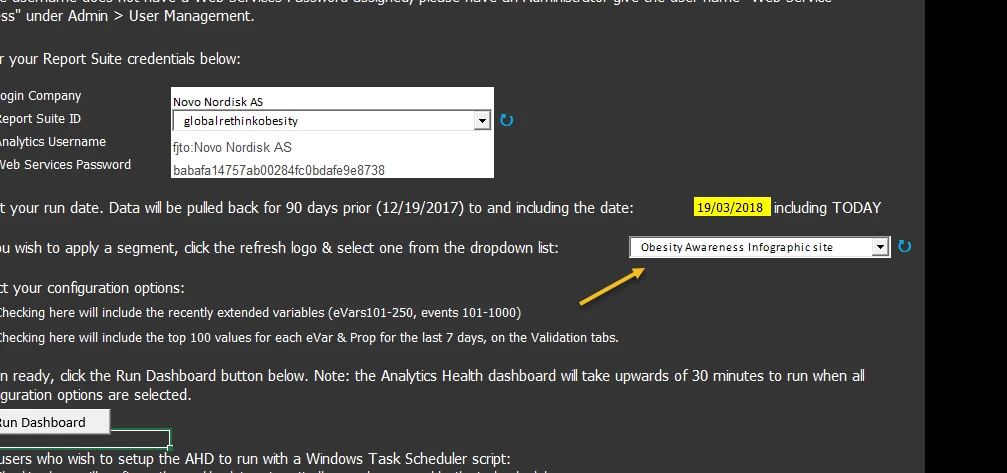
Adobe Analytics Health Dashboard issues - Excel Macro-enabled spreadsheet with API connectors, VBA for Windows Task scheduler
Has anybody used this health dashboard- as it is for testing your implementation and your data governance, auditing and QA efforts as well as all variables, success events/metrics hits/instances for the whole suite. It is very helpful because it has some kind of anamoly detection built in it with confidence interval testing for custom success events extending past 100 as well as the evars and props. It also populates an email screenshot and uses outlook via a macro from the trigger of a button for creating an alerts email. I love this doc but it takes about 15-20 mins to run and we have about 20 different sites/report suites and it is not ideal for all of them.
A couple problems here:
1) it seems to freeze or break at any point when it is running after you click "run dashboard" to audit your report suite. I can't or dont know how to debug this to see where it is occuring - if it is some kind of setup/configuration I have (bc I haven't manipulated much of it other than the checkboxes to extend the variable auditing) and can't tell if its the API/server and the reporting Que backed up causing the freeze/stop or if it is something on my computer as it uses a significant amount of ram.
2) since our sites aren't identical in the implementations due to the features we have on our sites that are setup for tracking- we can't use the global report to see if any anomalies are detected unfortunately or else I would be using the global roll-up to then isolate and see where the breaks/anomalies are present and which site to go and dig deeper to fix any inconsistencies found- so I have to run all 18 of these dashboards.
3) Because of the lag/freezes- when I set it up with a vbs script to run and windows task scheduler, it then stops on one report and any other reports that i have scheduled to run later in the day don't run because of that one report that froze because it doesn't close it out so another can continue forward to run later in the day. So this freeze problem that happens within the sheet when it seems to break is causing all of the headaches I have. I'm wondering if there is a known issue and way to fix this but also if not- if theres another way to simply audit all sites implementations - that is all inclusive and as detailed as this report as it is very helpful and i prefer it as I can find a way to get the automated email alerts setup with some other scripts to email me accordingly. I want to get it all automated at some point but this one problem is holding up a lot of progress I've been trying to gain traction on.
Any help would be greatly apprecaited. Really all I have done is tried a few troublshooting steps - I just open the doc- enter my client id and secret and check all three checkboxes and hit run report and clear out the old report- right after that is when it freezes after I "run dashboard" macro by clicking the button. I've tried loading report builder before because it seemed to run better I noticed if you login to report builder add-on first in excel, and I've attempted to see if a self-signed certificate would help but nothing. And to note- it happens in both manual and automated operations so really there isn't much to go with on it or any detailed instructions as to what I can do to make it run more efficiently and not freeze or any FAQs on it in particular. Most of the instructions just show how to set it up and then run it and that's it. I had to figure out the vbs script to open it and run the macros myself with task scheduler. Thanks in advance. I'll try and attach the zip file I got with the report template and insructions if anyone would like to see it but I'll need to check with adobe I think as to the permissions and sharing it with the community as I'm not sure if it is allowed yet. Thanks!