Add a static number using a calculated metric | Community
Skip to main content
Level 3
December 10, 2020
Solved

Add a static number using a calculated metric

  • December 10, 2020
  • 2 replies
  • 3470 views

Hello,


I want to create a calculated metric that is a static number. For example, say the site has a fixed sales target for the year. I can create a graph in workspace to show cumulative sales as the year progresses using a calculated metric, but would like to be able to add an additional "target line" to the graph so I can easily see progress relative to the target. What I'm looking to replicate is something similar in look to the server call usage graph in the Admin console, where the annual limit is a flat line on the graph and the cumulative metric creeps towards it.

Is there a simple way to do this?
This post is no longer active and is closed to new replies. Need help? Start a new post to ask your question.
Best answer by Andrey_Osadchuk

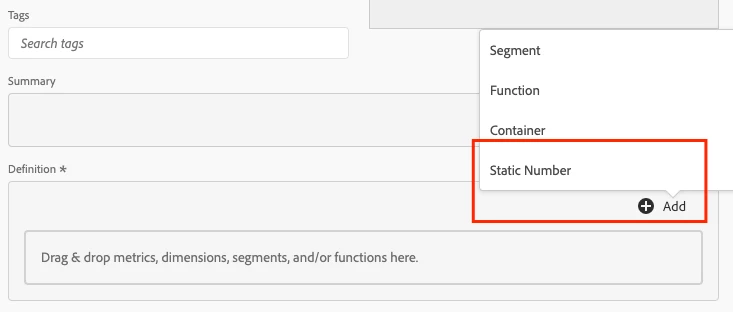
@tcrewes1 , it's already supported by the metric builder:


2 replies

Andrey_Osadchuk
Andrey_OsadchukAccepted solution
Level 10
December 10, 2020

@tcrewes1 , it's already supported by the metric builder:


January 18, 2024

Hi Andrey, I tried looking for this earlier but I saw that it was removed. Any idea how I can see the static number now?


tcrewes1Author
Level 3
January 18, 2024

Hi NelsonLim, are you looking to the calculated metric builder or the segment builder?

I may be wrong, but it looks like your screen shot is from segment builder, I believe the Static number functionality lives in the calculated metric builder.

David_Jerome
Level 6
December 10, 2020

Hi there,


Hopefully this is what you are after (based on a target of 120K orders) with 4 custom metrics:


Cumulative Orders: