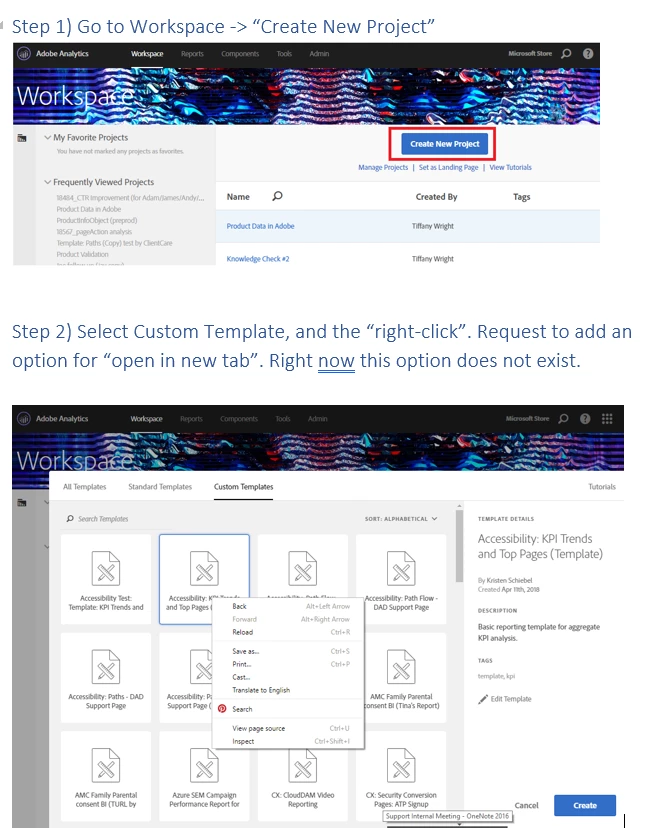
Workspace: Right click to "open in new window" custom Workspace templates
Users are currently limited to only opening one template at a time from the "templates/standard templates/custom templates" window. We cannot right-click and open custom template in a new tab or window, making it difficult for users to easily open multiple templates at a time.
We DO have the ability to right-click and open projects in new window from the "manage projects" view. I'd like this option to right-click & open templates in a new window to be extended to the templates view. .
FEATURE REQUEST:
1) Go to Workspace
2) Create new project -> "custom templates"
3) Add feature that allows users to "right click" on template, and open template in a new window.
BENEFIT:
This will improve UI functionality so that users can easily access and open multiple templates
Please see attached word doc for more details on this feature request.