How to set up paid search and nature search using gclid? | Community
Skip to main content
Level 2
January 17, 2019

How to set up paid search and nature search using gclid?

  • January 17, 2019
  • 1 reply
  • 7384 views

Hi everyone,

I am working on a project using the existing UTM parameter to set up marketing channels in Adobe Analytics.

The UTM code are like below

I set up the marketing channels in AA admin console-marketing channel processing rules. However, looks like the the paid search and nature search channels don't pick up traffic (only less than 10% of PS and NS traffic, comparing with data in Google Analytics). Can anyone help me to figure out what went wrong? PS. I am using Adobe Launch as the tag system. Is there anything I need to set up in Launch?
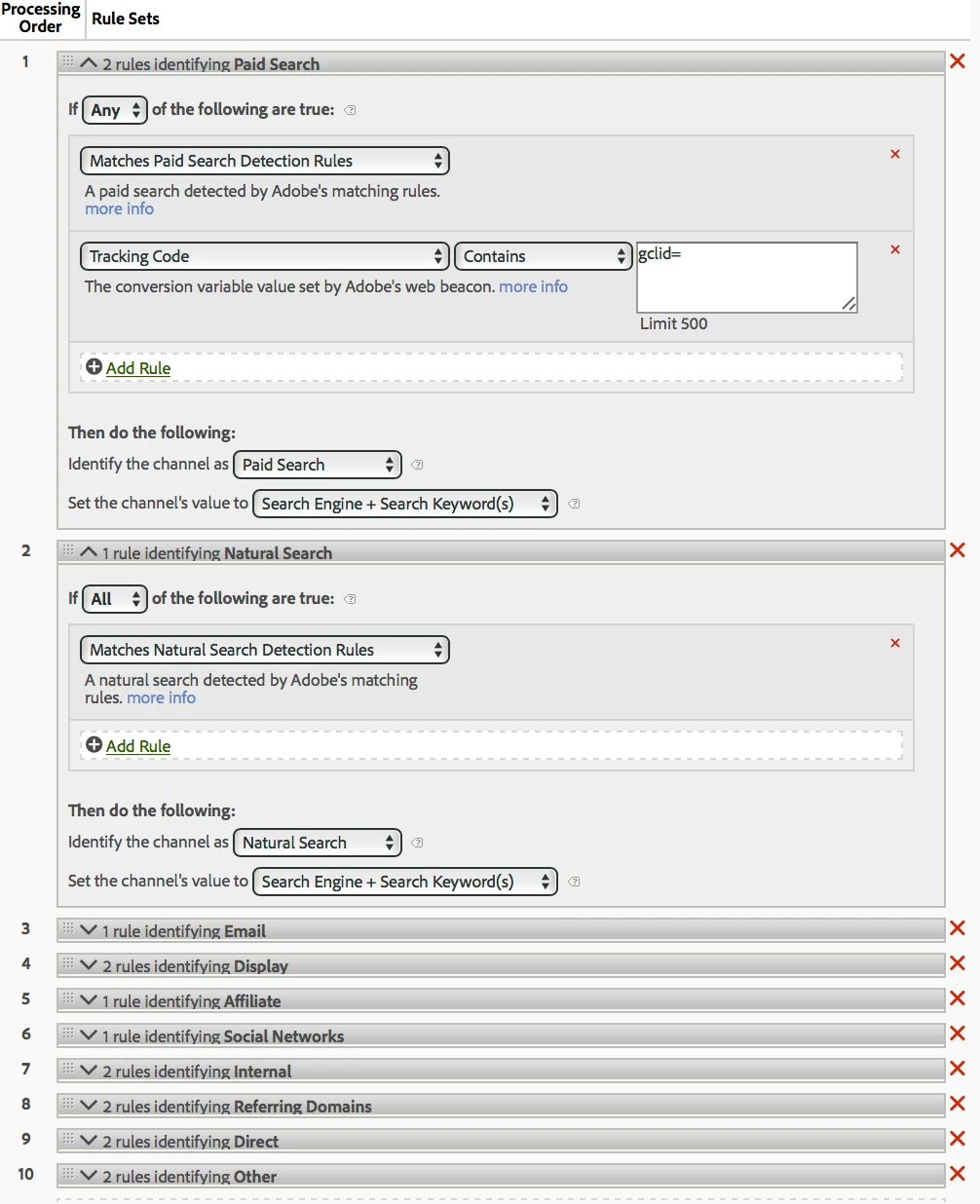

Thank you very much!

SC

This post is no longer active and is closed to new replies. Need help? Start a new post to ask your question.

1 reply

Andrey_Osadchuk
Level 10
January 18, 2019

Hi siyanc97701441,

Update paid search detection in the report suite settings by adding "gclid=". This will make the Paid Search tracking accurate. Then update the Paid Search marketing channel processing rule by deleting the condition with tracking code.

Let me know if that helps.

Level 2
January 21, 2019

Unfortunately, it is not working

Level 2
January 21, 2019

Could you provide more details explaining why it does not look to be working? Have you conducted any testing that proved that Paid Search was not reported accurately after the report suite update?


Yes. For the past weekend, AA only showing 26 visits to the PS channel, while GA is showing over 15,000 visits. And we are pretty sure that the total visits to the PS channel is close to what GA is showing.