
Use Tokens in Smart Campaigns - How to find instances of that token you need to delete
Hi guys
I came across a method today of how to locate tokens used in Smart Campaigns which I know a few people have asked how to do it.
We had over 150+ tokens we use at a top level for things such as Business Units and Products.
Every year the values get updated so we have to create new tokens and/or update the values in the old tokens too (for existing campaigns).
The issue after awhile (as above) is you have hundreds of tokens - most are now redundant but you can't delete them because they are being used in an inactive campaign somewhere.
We had always struggled to find them until now.
Here's a quick guide how to find them 
Go to Marketing Activities / Campaign Inspector.

Select the Filter you require
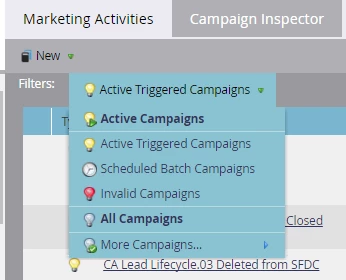
Type in the name of the token you want to locate in the search box at the bottom and click on the search icon.

Marketo will then show you the programs, flow actions and what step is using the token

The easiest way here is to open the offending program in a new tab (Right Click - Open Link in New Tab).
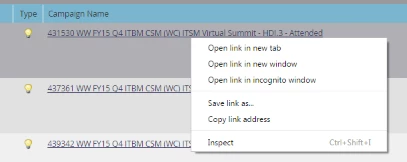
We want a new tab so you can keep your window with all the offending tokens (useful if you have more than one).
Now go into your campaign and adjust or remove the token depending on your requirements.
Click on the refresh icon at the bottom after you've finished.
Hope this helps someone out there