Move Progressive Profiling field on Marketo form | Community
Skip to main content
June 16, 2017
Question

Move Progressive Profiling field on Marketo form

  • June 16, 2017
  • 2 replies
  • 3814 views

Within the Marketo form I can create a progressive profiling window that defaults to a position right above the Submit button.  Within the Progressive Profiling window I can drop multiple fields that will show to the customer (whether I want 1, 2 or 3 at a time) if they are empty to gather more info. 

After I add in a subscription box it looks like this:
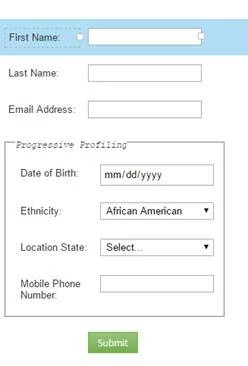
And I want the progressive profiling (in this case the date of birth field) to be right under the email address.
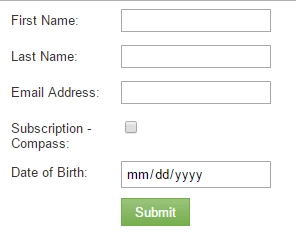
Does anyone know coding I could use and where/how to insert it to move it?

Thanks!

This post is no longer active and is closed to new replies. Need help? Start a new post to ask your question.

2 replies

SanfordWhiteman
Level 10
June 16, 2017

Please move the question to Products. This space is for questions about the Champs incentive program, not support.

Molly_Cousins
Level 2
June 20, 2017

Hey Robert - this thread may help! Progressive profiling fields above required fields?

We use the JS method on our landing pages (shout out to the fab @Jenn DiMaria​ for getting it set up for us).