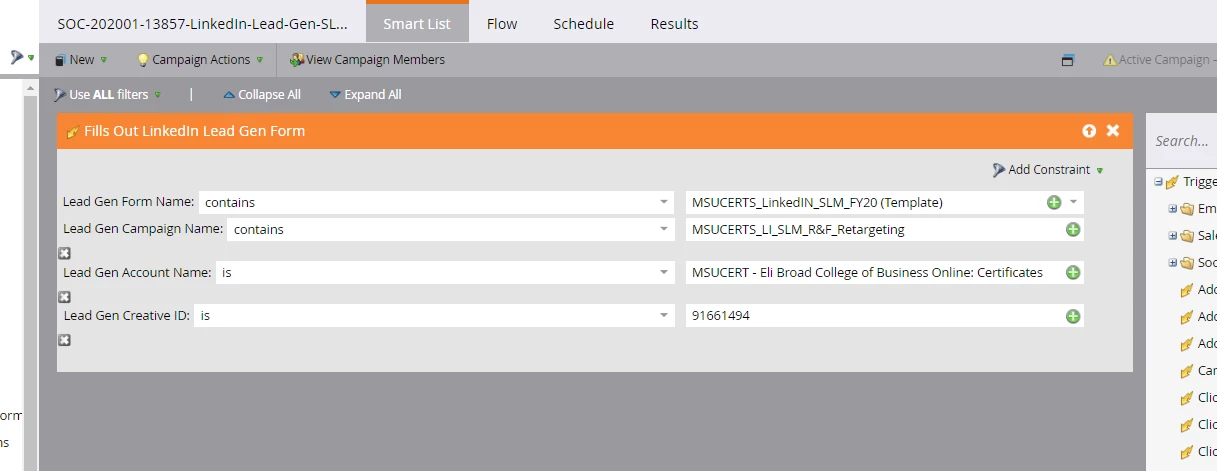
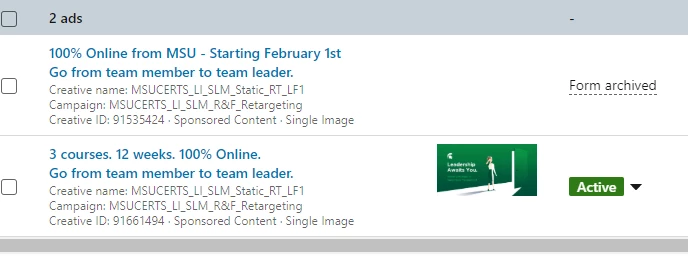
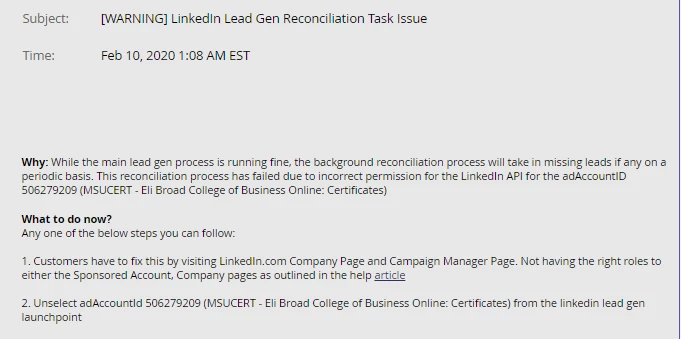
Thanks for clarifying! I have filled out the form with a test lead and the lead is not syncing to the database at all. Isn't it the case that with the constraints or not, it should at least be syncing into the Marketo database, and maybe just not into that particular program? This is the error message I am getting:
I think it is an issue on the LinkedIn side for this reason because all the permissions are set up to be receiving LinkedIn activity on the Marketo side. But you say the LinkedIn form should be filled out with a lead BEFORE turning on the smart campaigns? Do you know if there is anything on the LinkedIn side that is needed to be done in order to connect the form? We have the form active and I thought connecting it with constraits of the creative id and campaign would sync them through to Marketo. Thanks for all your suggestions! We do have a call set up with our LinkedIn rep to discuss this.
You're right: in a working environment, the leads should at least be created or updated in Marketo (again: assuming the LinkedIn account you're using to connect via LaunchPoint has the appropriate permissions as far as the LinkedIn page and ad account are concerned, and assuming the form and fields are connected/mapped appropriately).
Beyond that, your LinkedIn rep should be able to help (I'd also open a Marketo ticket, if you haven't already).
If you want something to try in the meantime, I would disconnect the account from LaunchPoint and re-authenticate. It may also be worth verifying the correct account permissions on the LinkedIn side (probably via the help article referenced in your screenshot).
Out of curiosity, is that error message from Marketo or from LinkedIn? I've not seen that specific wording before.