Using Email Content in Tracking URL configuration (Web Analytics) | Community
Skip to main content
sharma_nik
Level 2
January 30, 2024
Solved

Using Email Content in Tracking URL configuration (Web Analytics)

  • January 30, 2024
  • 1 reply
  • 762 views

Hello

I want to use email content in web analytics connector for tracking URL in Brand configuration ACS. 
Idea is to put some data (lets say tracking code) into the email content so that this can be used as a parameter value in creating tracking URL. Is there someway I can bring the data/content in an email to be used as a parameter value in Tracking URL configuration (Web Analytics).

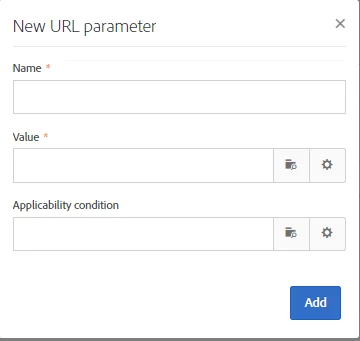
The data/tracking code in the email content needs to be put in a parameter here:



Thanks In Advance!

This post is no longer active and is closed to new replies. Need help? Start a new post to ask your question.
Best answer by SatheeskannaK

@sharma_nik, You won't be able to use the content that you're putting in the email as a parameter. Maybe you could setup some of these parameters passed by workflow (using enrichment activity) then you can use them within the email template.

Documentation on how the branding section URL parameters part can be configured, https://experienceleague.adobe.com/docs/campaign-standard/using/administrating/application-settings/branding.html?lang=en

1 reply

SatheeskannaK
Community Advisor
SatheeskannaKCommunity AdvisorAccepted solution
Community Advisor
January 30, 2024

@sharma_nik, You won't be able to use the content that you're putting in the email as a parameter. Maybe you could setup some of these parameters passed by workflow (using enrichment activity) then you can use them within the email template.

Documentation on how the branding section URL parameters part can be configured, https://experienceleague.adobe.com/docs/campaign-standard/using/administrating/application-settings/branding.html?lang=en

Thanks, Sathees