Using a function in a reconciliation node | Community
Skip to main content
Level 3
September 19, 2024
Solved

Using a function in a reconciliation node

  • September 19, 2024
  • 2 replies
  • 1031 views

Hi,


We are creating a workflow and need to use a reconciliation node between a temporary table and a field of a resource. The problem we have is that in the resource field we need to take only the first 15 characters and the reconciliation node does not allow us to use functions, only the fields directly, how can we do it?


Thanks


Luis

This post is no longer active and is closed to new replies. Need help? Start a new post to ask your question.
Best answer by SatheeskannaK

@lar1985 You can use the enrichment activity to define the primary set and target set then use reconciliation within the enrichment activity to apply the function on both the temporary table and a field of a resource.

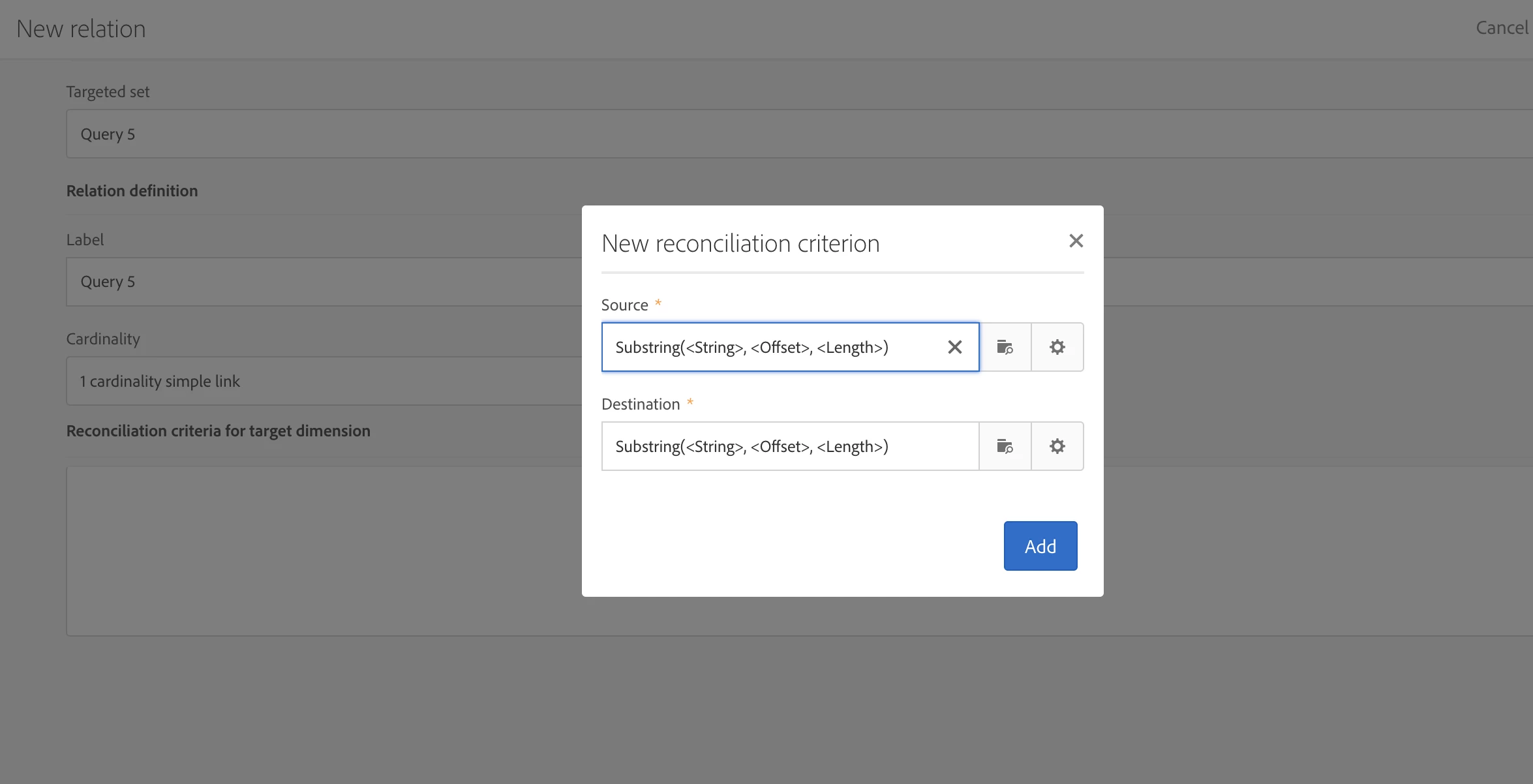
Example screenshot where you can have a function on both source and destination that uses the advanced functions.


2 replies

ccg1706
Community Advisor
Community Advisor
September 21, 2024

Hi @lar1985,


A good way it might be to use and enrichment where you create and additional field in which you sabe the first 15 characters using the substring function.

Afterwards, use this calculated field in the reconciliation node to make it match with the other table or resource.


¡Hope this helps!


Regards, 

Celia

SatheeskannaK
Community Advisor
SatheeskannaKCommunity AdvisorAccepted solution
Community Advisor
September 24, 2024

@lar1985 You can use the enrichment activity to define the primary set and target set then use reconciliation within the enrichment activity to apply the function on both the temporary table and a field of a resource.

Example screenshot where you can have a function on both source and destination that uses the advanced functions.


Thanks, Sathees