Uploading images locally in a content template | Community
Skip to main content
samuels13039122
January 4, 2018

Uploading images locally in a content template

  • January 4, 2018
  • 1 reply
  • 1430 views

We are currently trying to find ways to upload local images directly in a content template (see screenshot). The upload has been successful but the image does not seem to appear when proofed to an inbox. Additionally no link is created once we view the html code. It simply shows the local file path. Any idea why this happening? or is my interpretation of the desired outcome wrong?
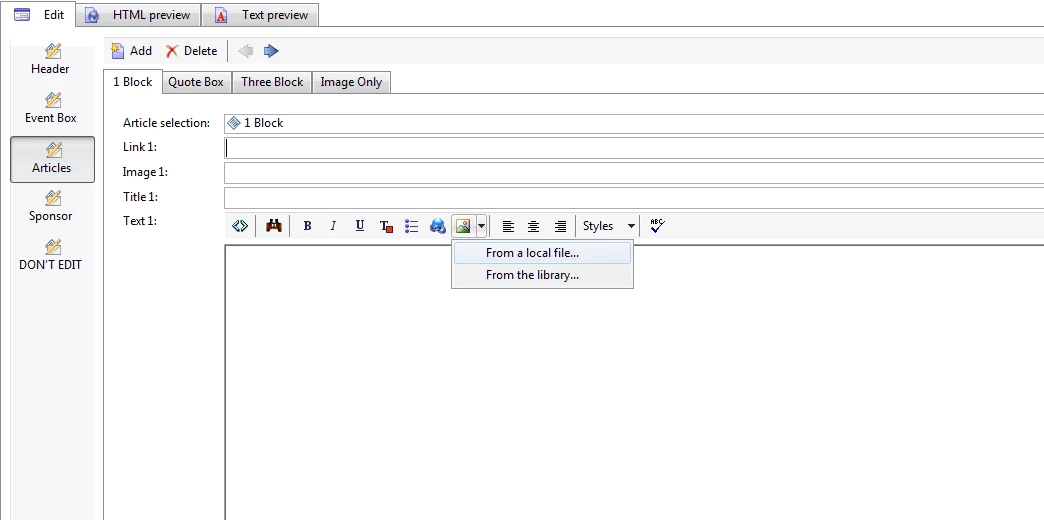
Desired method of upload

Is it possible to upload a local file directly inside the 'Image only' section/block rather than copying and pasting a link? (see below screenshot). This would greatly reduce steps for those who want to simply focus on content rather than the intricacies of image uploading in Adobe Campaign

This post is no longer active and is closed to new replies. Need help? Start a new post to ask your question.

1 reply

florentlb
Level 10
January 8, 2018

Hi,

The 2 first things that come to my mind:

  • Usually when uploading a file from a local machine, there should be a message asking to upload the image on the server first (with an option to do so). See Defining the content  and Image display issues.
  • It seems to me that some parts of your screenshots show some customization of the default layout, so I'm not sure I can help you for the second part of your message.

Florent