Update Data step - "key for matching records" not loading enumeration as dropdown | Community
Skip to main content
kanwalAdobe
July 13, 2017
Solved

Update Data step - "key for matching records" not loading enumeration as dropdown

  • July 13, 2017
  • 2 replies
  • 1254 views

Hi,

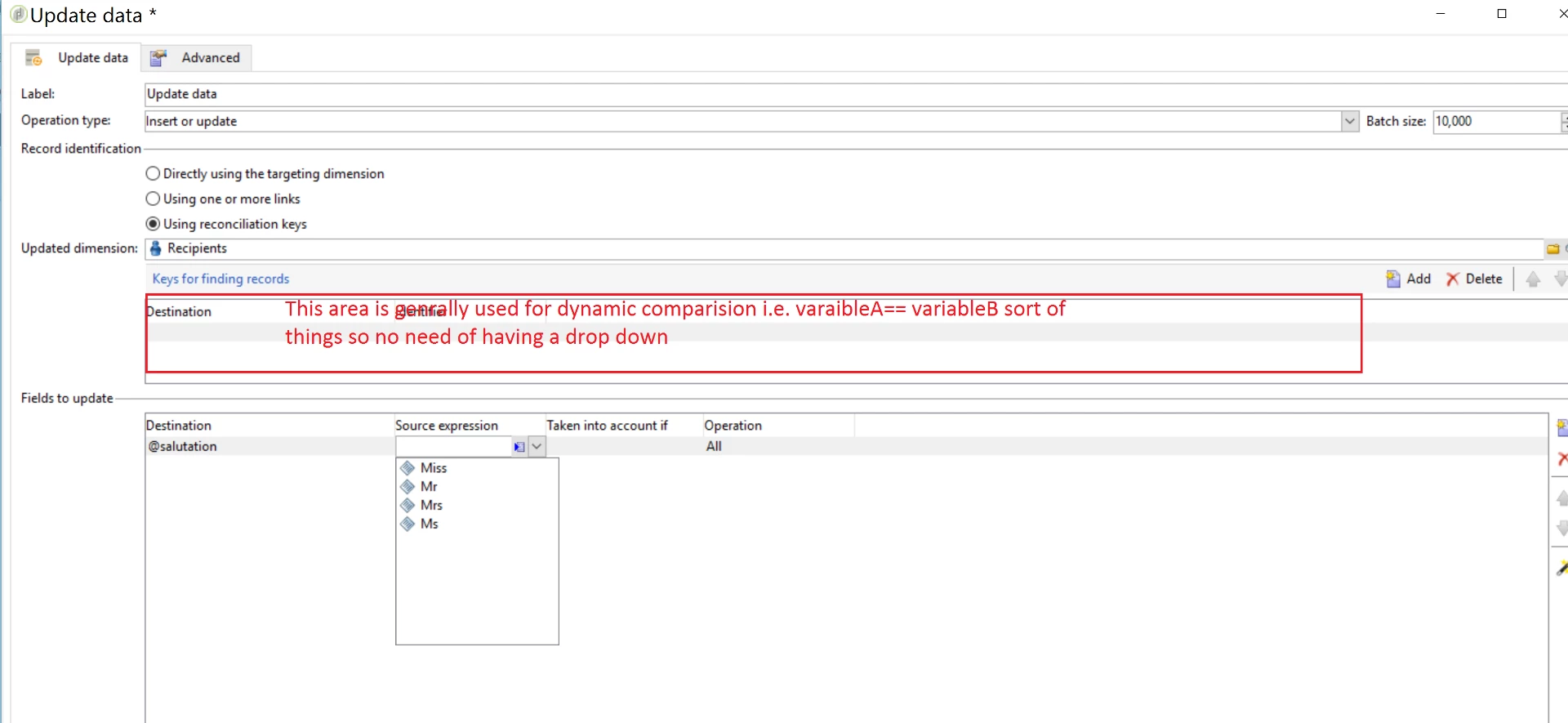
I have an update Data step that need to update specific records. and I am providing the columns that need to be matched on. When I try to provide a column /field which is an enumeration, the values which are configured for this column/field in the schema are not coming as a drop down.

P.S. - The drop down is working fine in Fields to update

Has anyone seen this issue or knows a work around for this ?

We want to avoid any manual typing in order to avoid typo error, so it is important to be able to avoid any manual entry

/Regards

Kanwal

This post is no longer active and is closed to new replies. Need help? Start a new post to ask your question.
Best answer by Amit_Kumar

Hi Kanwal,

Update activity,

Highlighted area is used for reconciliation for dynamic values if you want to update values for a particular type of records you can use the other activity in which you can use drop down.

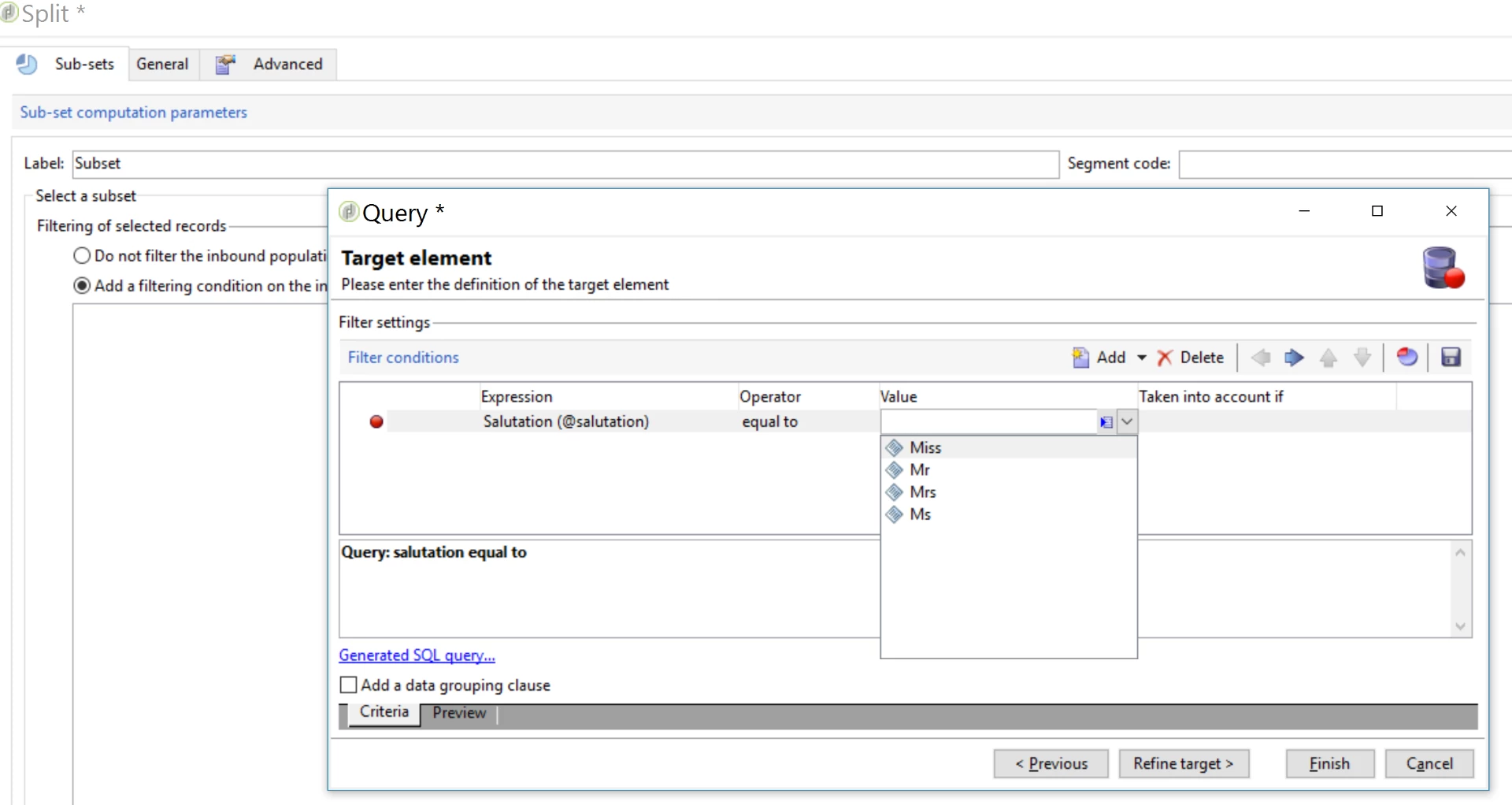
Use split or other activities to apply a filter which will give you this flexibility to use drop down like below screen shot.

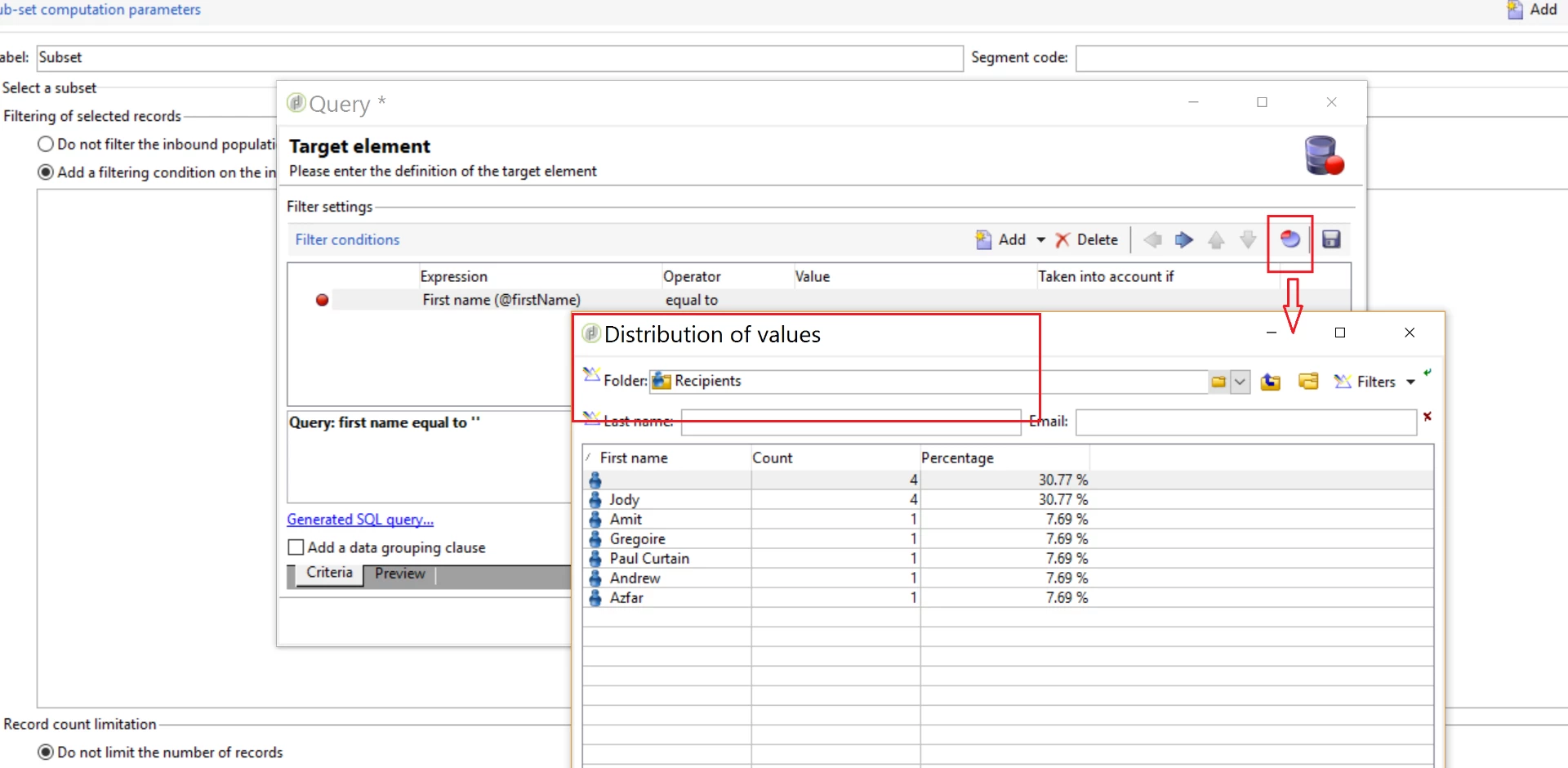
you can also rely on distribution values in some scenarios like below:

Some time distribution values are beneficial in workflows to select correct options from the data base.

All you have to do is refine your workflow a bit.

Regards,

Amit

2 replies

Amit_Kumar
Amit_KumarAccepted solution
Level 10
July 13, 2017

Hi Kanwal,

Update activity,

Highlighted area is used for reconciliation for dynamic values if you want to update values for a particular type of records you can use the other activity in which you can use drop down.

Use split or other activities to apply a filter which will give you this flexibility to use drop down like below screen shot.

you can also rely on distribution values in some scenarios like below:

Some time distribution values are beneficial in workflows to select correct options from the data base.

All you have to do is refine your workflow a bit.

Regards,

Amit

kanwalAdobe
July 13, 2017

Hi Amit,

The idea is to give this to marketeers in a template, so that when they use this to build their own campaigns, they don't have to manually type anything. 

The challenge is that any manual entry they will have to do can potentially end into a typo and the whole thing can go for a toss !

Thanks any ways.

/Regards

Kanwal