Solved
Syntax for merge-tags using Movable Ink
Hi,
I'm currently trying to create some dynamic content with Movable Ink and execute through Adobe Campaign Standard.
A part of this involves setting up a merge tag in Movable Ink which queries the parameter that is read in Adobe.
However, the personalisation doesn't appear to be working and I assume it's down to me using the incorrect syntax and coding for the tag itself. Example below.
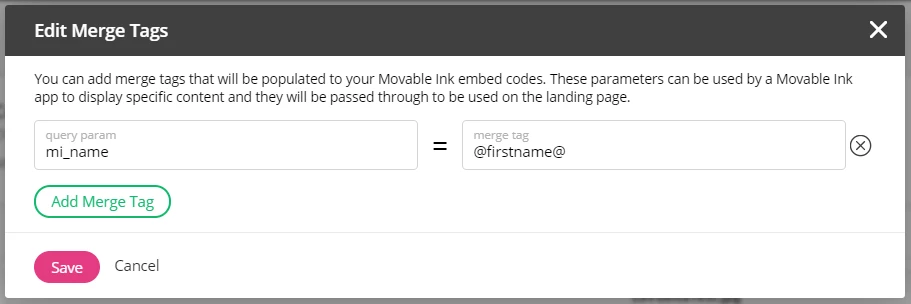
I've tried using *firstName* , @firstName@ , %firstName%......the list goes on.
Has anyone else successful managed to use movable ink with Adobe Campaign Standard.
Or can anyone tell me what the correct syntax is that I should be using.
Many thanks
Rich