Substring function | Community
Skip to main content
Level 3
September 18, 2017
Solved

Substring function

  • September 18, 2017
  • 7 replies
  • 8681 views

Can anyone point me in the right direction to create from the advanced SQL list of functions:
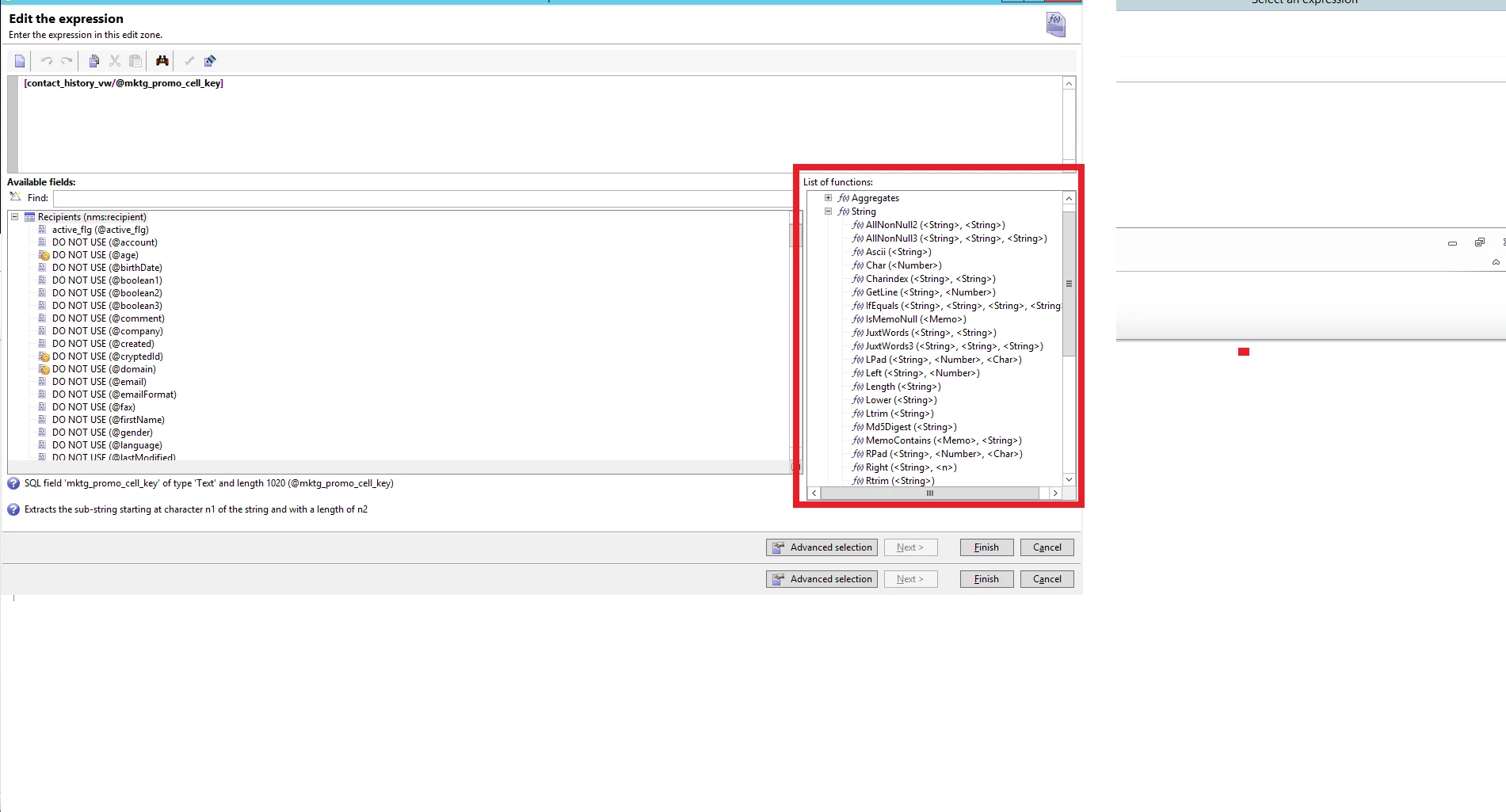
...a substring of  Substr(MKTG_PROMO_CELL_KEY) from character 13 to 6 as "source_id" (field)?

So the function formula is "Substring (<String>, <Offset>, <Length>)", how can I select from the above field ("MKTG_PROMO_CELL_KEY") the characters 13 to 6 within that field (to create a new field ,"source_id")?

Thanks.

Finally, can anyone point me to a good online resource that teaches or lists all of these SQL functions. They're are a lot of SQL sites that lists SQL functions, but anyone know a good site that lists all of them found in Adobe Campaign?

Thanks.

This post is no longer active and is closed to new replies. Need help? Start a new post to ask your question.
Best answer by Jean-Serge_Biro

Hi Jael,

The only documentation is:

https://docs.campaign.adobe.com/doc/AC/en/PTF_Creating_queries_Methodology.html


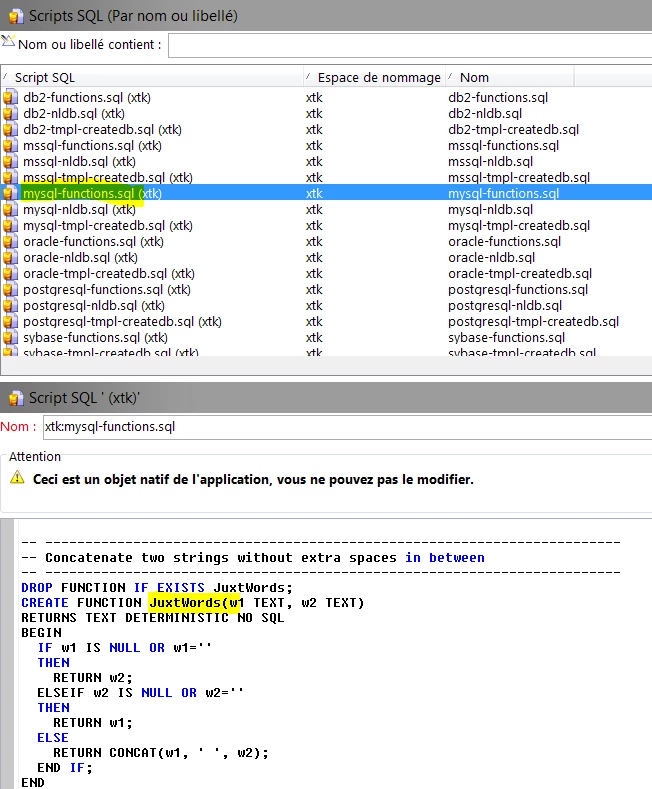
These SQL functions are written in the database underlying language code, and you can find them all in the Adobe Campaign folder node:

Administration>Settings>SQL Script.

Select your own Database system (mySql, Postgres, SQL Server, Oracle, etc) to see how the functions listed are written in the underlying DB engine language (T-SQL for SQL Server, PL/SQL for Oracle, etc).

And one very efficient way to learn quickly is to display the generated SQL query (SQL query link, at the bottom of the form) when you define the Query through the UI, especially for date manipulation, it is easier.

Regards.
Jean-Serge

7 replies

Jean-Serge_Biro
Jean-Serge_BiroAccepted solution
Level 10
September 19, 2017

Hi Jael,

The only documentation is:

https://docs.campaign.adobe.com/doc/AC/en/PTF_Creating_queries_Methodology.html


These SQL functions are written in the database underlying language code, and you can find them all in the Adobe Campaign folder node:

Administration>Settings>SQL Script.

Select your own Database system (mySql, Postgres, SQL Server, Oracle, etc) to see how the functions listed are written in the underlying DB engine language (T-SQL for SQL Server, PL/SQL for Oracle, etc).

And one very efficient way to learn quickly is to display the generated SQL query (SQL query link, at the bottom of the form) when you define the Query through the UI, especially for date manipulation, it is easier.

Regards.
Jean-Serge

Amit_Kumar
Level 10
September 22, 2017

Hi, Jael,

Please don't ask the same question in multiple threads, use one thread and If you need something urgent tag one of us(florentlb, Jean-Serge Biron Adhiyan Vipul Raghav david_garcia ) but please don't create duplicate threads.

florentlb, Can you close/merge the duplicate threads in one, similar to this question?

You can follow the instructions given above and extend xtk:funcList schema, Use this custom schema to enable your namespace in the default function list. The default supported names space are 'xtk','nl','nms','ncm', 'crm' and you can extend this list for your use case.

regards,

Amit

Level 3
October 3, 2017

Hi Amit,

Sorry for the duplicate post, I believe it was in error as I must of clicked on post it twice.

Sorry and thank you and the forum moderators for your continual help!

Sincerely,

Jae

florentlb
Level 10
October 10, 2017

Hi Jae

Could you get through your issue following Jean-Serge's suggestions?

(I've locked the duplicate thread)

Thanks,

Florent

Level 3
October 10, 2017

Yes, thank you so much and sorry for the dup.

Jae

rng8
February 27, 2019

Hi Jean-Serge,

Is there a new url?

https://docs.campaign.adobe.com/doc/AC/en/PTF_Creating_queries_Methodology.html

404 not found error message:

The requested URL /doc/AC/en/PTF_Creating_queries_Methodology.html was not found on this server.

Thanks.

florentlb
Level 10
February 28, 2019

Hi,

Looks like the link changed. It's probably that URL now: Steps to create a query

You can also use the search here: Browse Collection

Florent