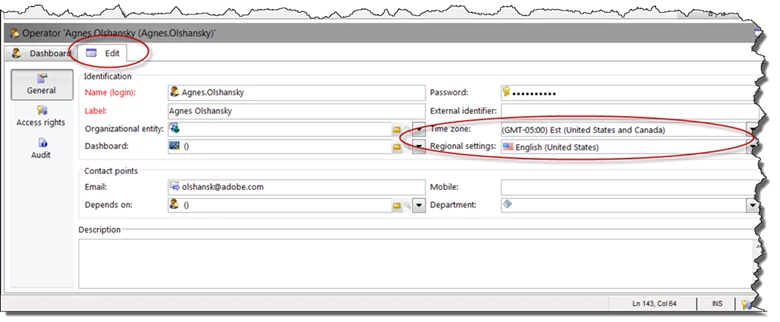
How to change date format and time zone from the client.
In order to change time zone, you need to go Administration-> Access Management (Step 1), and select your name on the right (Step 2).
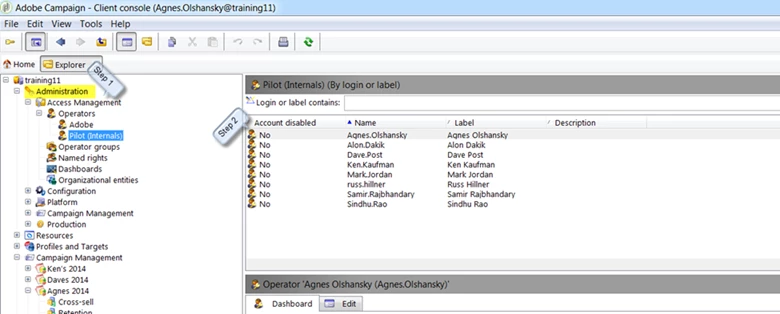
Then select Edit tab at the bottom of the screen, and change both Time Zone and Regional Setting.