How to accept Accent characters from incoming data into ACS | Adobe Higher Education
Skip to main content
Level 2
December 29, 2020
Resuelto

How to accept Accent characters from incoming data into ACS

  • December 29, 2020
  • 2 respuestas
  • 2472 visualizaciones

Hi,

I have issue displaying the incoming data in ACS. We are passing some location names in to the workflow with Accent characters like München and after loading the file( Load file Activity) in to ACS it is getting displayed as München. Is there a way to handle this in column properties of load file activity? 

 
Can some one help me in addressing this issue?
Thank you so much!
 
 
Este tema ha sido cerrado para respuestas.
Mejor respuesta de DavidKangni

Hi @dsomya,


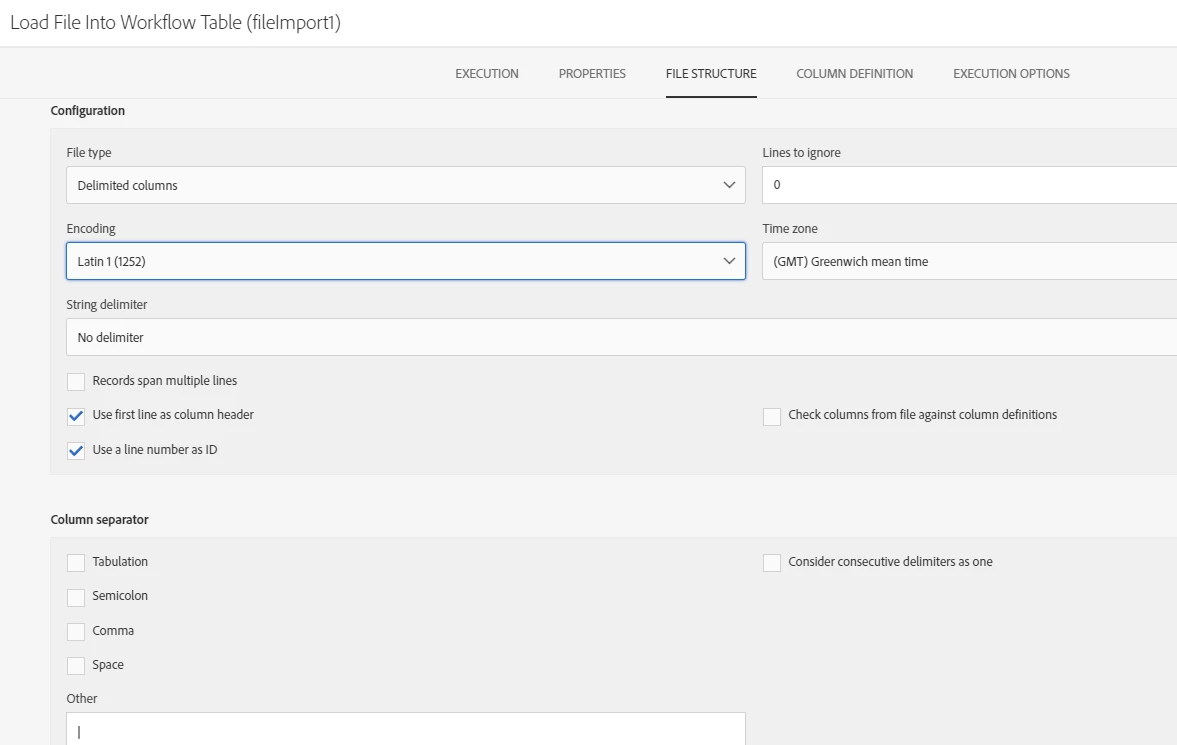
In file import activity, got to file structure tab and change the encoding to UTF-8

Thanks,

David

2 respuestas

Level 2
December 30, 2020

HI,


Inside load file activity, go to column definition and correct the label & id. 

dsomyaAutor
Level 2
December 30, 2020
@sumitp11734535 the issue is with the incoming data. I didn't understand the approach you suggested on changing the label and Id. Can you please explain in detail.
DavidKangni
Community Advisor
DavidKangniCommunity AdvisorRespuesta
Community Advisor
December 30, 2020

Hi @dsomya,


In file import activity, got to file structure tab and change the encoding to UTF-8

Thanks,

David

David Kangni
dsomyaAutor
Level 2
December 30, 2020
Thanks David, It worked