Exporting Data from a List - Adobe Campaign Standard
Hello,
I'm trying to export a simple list to my local machine. Based on all that I've been reading, this can't be done. I created a Query and pull my target list with additional elements I would like to output.
I created a Extract File, however if I'm correct that file goes to a export folder on Adobe's server. So, I would need to do a File Transfer from Adobe to a External Account that I'm hosting, correct?
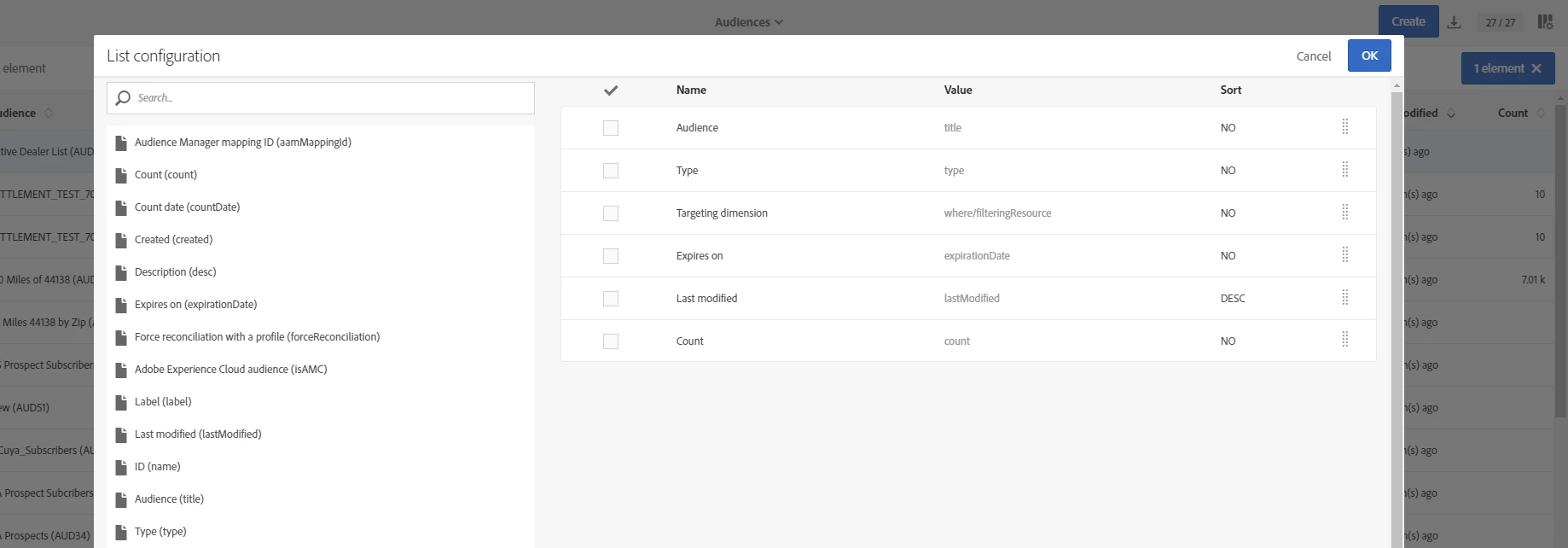
Is this the easiest method? One of my issue when I just tried to export from the Audience tab is the List Configuration does not contain any of the values I would need to export, and I can't seem to get these missing element on the list for me to even select. Why am I only seeing a select list of elements from the Audience Lists. However, when I open the list I need, I see all the elements I'm trying to export? Is my answer as simple as I just can't download a list from ACS to my local machine? I know I can in Campaign Classic (Display Target > Export). So why so difficult here?