Export personalization block? | Community
Skip to main content
Adobe Employee
January 8, 2018
Solved

Export personalization block?

  • January 8, 2018
  • 1 reply
  • 1696 views

Hi,

Is there a way to export the P-Blocks for reference to the local machine? Or is the only way to copy the html from the pblock into a notepad and save them in the machine separately?

Any guidance in this is highly appreciated.

Thanks,

Vignesh

This post is no longer active and is closed to new replies. Need help? Start a new post to ask your question.
Best answer by james_icf

In the explorer view, you can right-click on the list of blocks. When the menu comes up there is an export option. If you are trying to export the source code of the blocks, then you will need to add it to the configuration. Then just choose the type of file and the location to save the file to in the remaining steps.
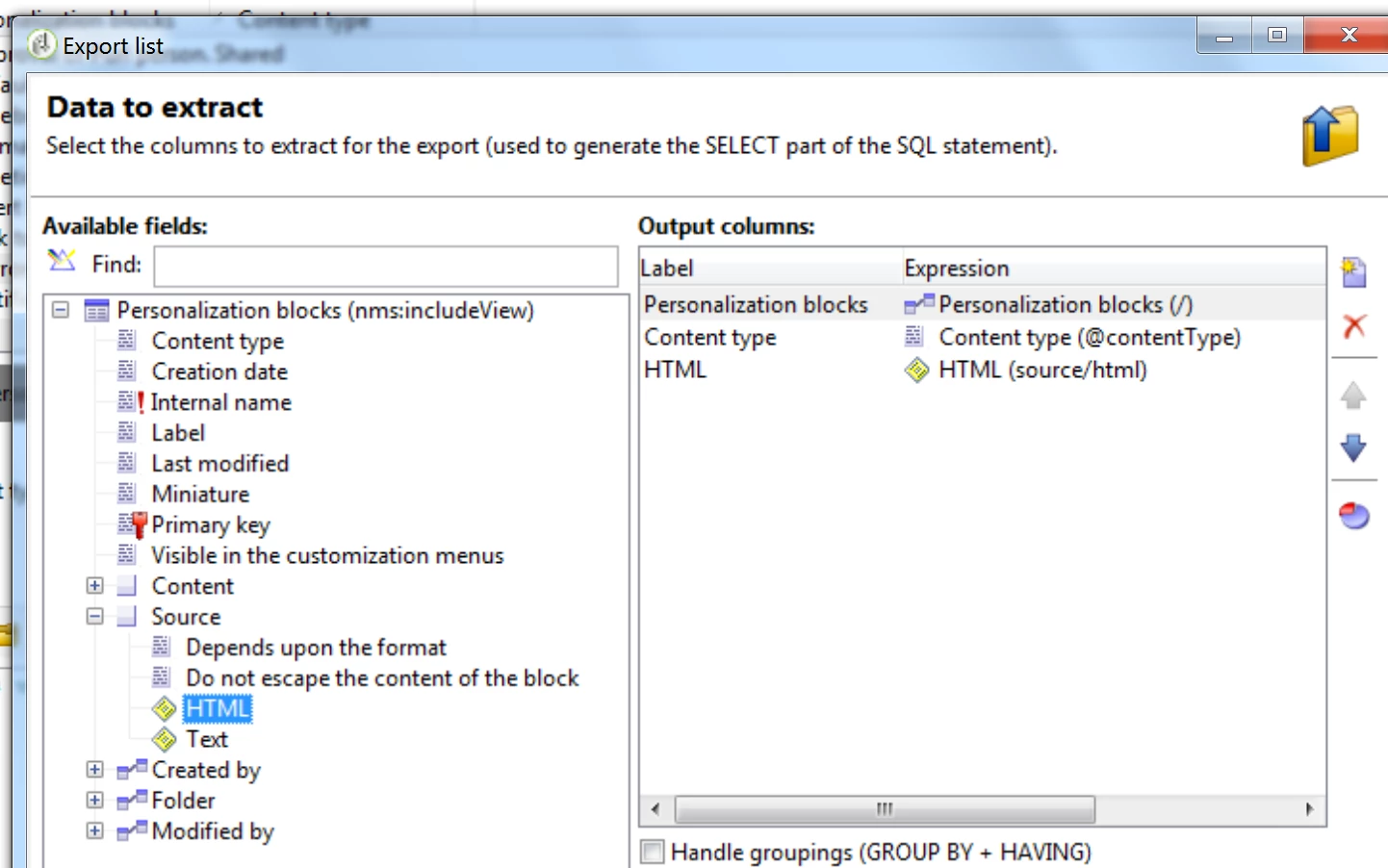
If you know specifically which code you want - open that block. Right above the source code, there is a ribbon. On the left side of that ribbon is a new, open, and save button. If you click the save button (The floppy disk) then you can save the code you are viewing to your local machine.

1 reply

james_icf
james_icfAccepted solution
Level 2
January 8, 2018

In the explorer view, you can right-click on the list of blocks. When the menu comes up there is an export option. If you are trying to export the source code of the blocks, then you will need to add it to the configuration. Then just choose the type of file and the location to save the file to in the remaining steps.

If you know specifically which code you want - open that block. Right above the source code, there is a ribbon. On the left side of that ribbon is a new, open, and save button. If you click the save button (The floppy disk) then you can save the code you are viewing to your local machine.