Error in SoapUI for my transactional messaging | Community
Skip to main content
thibaultb473199
Level 4
April 5, 2018
Solved

Error in SoapUI for my transactional messaging

  • April 5, 2018
  • 3 replies
  • 2194 views

Hello everyone,

i'm working on a transactional messaging and I want to make some tests to get use to SoapUI (first time using it).

I first make a request to have a sessionToken that works fine with the ID and password of my instance of Adobe Campaign.

So I try now to link an event with a template I make on AC but I got a weird error when trying to link that.

I also check the documentation on how to link those 2 but I don't understand well how to use it.
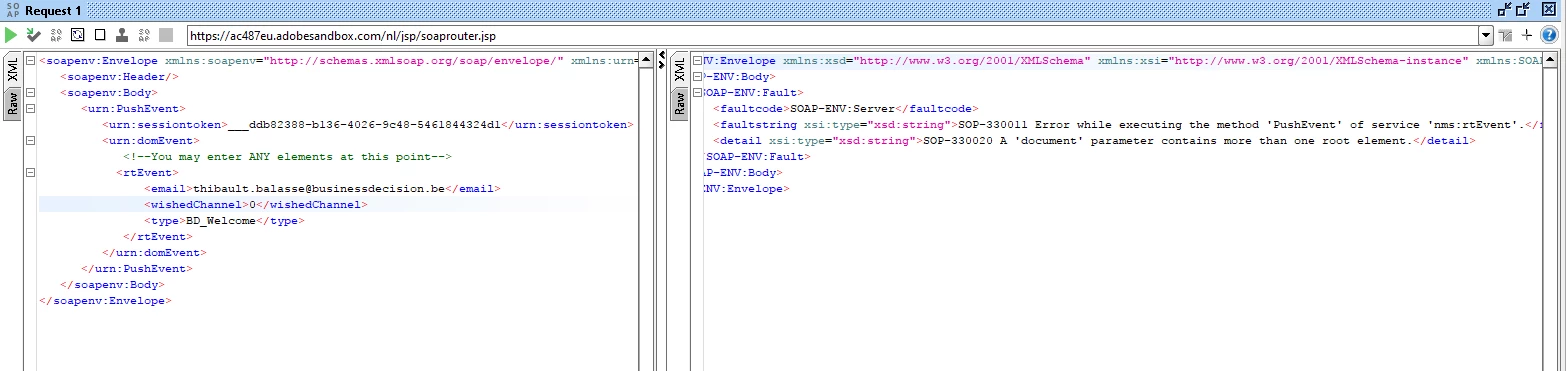
I also try to make the rtEvent in only one lign but it failed also with the same error.

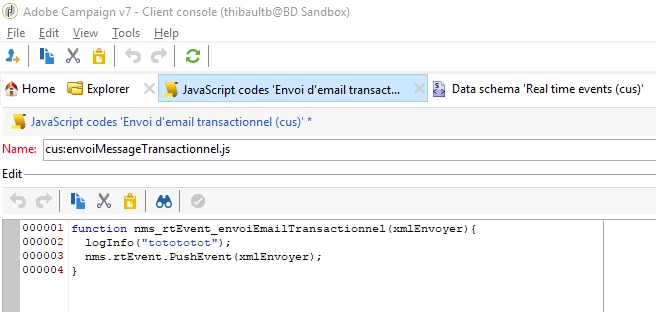
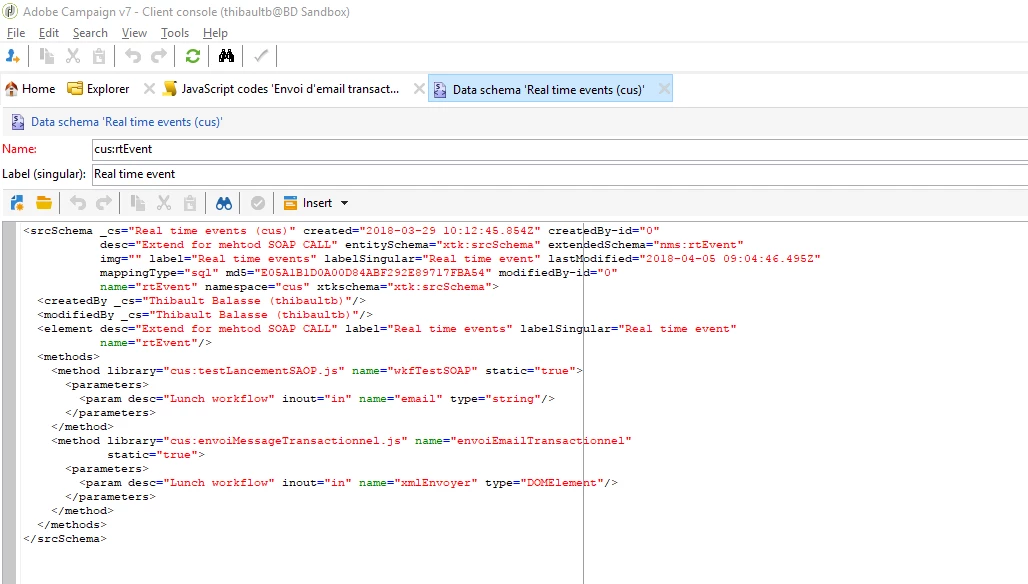
Those are the dataSchema and Javascript I make for this to work.

<rtEvent =" wishedChannel="0" email="thibault.balasse@businessdecision.be" type="BD_Welcome">
Do you have any idea on how to resolve the issue ?

Thank you for your help.

Thibault

UPDATE :

I got this type of error now :

Any ideas ?

This post is no longer active and is closed to new replies. Need help? Start a new post to ask your question.
Best answer by ShrawanSaxena-1

Hi Thibault,

Could you please replace your existing rt event block with below one and test again to see if it helps

<rtEvent type="BD_Welcome"  email="thibault.balasse@businessdecision.be" wishedChannel="0" >

</rtEvent>

3 replies

ShrawanSaxena-1
Adobe Employee
ShrawanSaxena-1Adobe EmployeeAccepted solution
Adobe Employee
April 5, 2018

Hi Thibault,

Could you please replace your existing rt event block with below one and test again to see if it helps

<rtEvent type="BD_Welcome"  email="thibault.balasse@businessdecision.be" wishedChannel="0" >

</rtEvent>

thibaultb473199
Level 4
April 6, 2018

It seems to work thank you, it's weird because i try to do that way either and didn't work the first time.

I will check what I can do with the ID I receive, if any tips on the progress are welcome

Thibault

ShrawanSaxena-1
Adobe Employee
Adobe Employee
April 6, 2018

Adobe Campaign generates a unique return ID when it receives an event,. This is the ID of the archived version of the event.

If the value of the return identifier is strictly greater than zero, this means the event has been successfully archived in Adobe Campaign.

However, if the event fails to be processed, the method returns an error message or a value equal to zero.

You can uniquely identified event and view the event details using this id

You can find more details about this on below link

Event description