sqwgglz
Level 3
February 28, 2018
Solved

Enrichment Help

Hey everyone,

Hope someone can help.
I'm trying to enrich an email with some custom date fields which will act as the validity dates for the customer - I've added these in an enrichment.

Here's my workflow - you might be able to workout that it's a birthday trigger email.
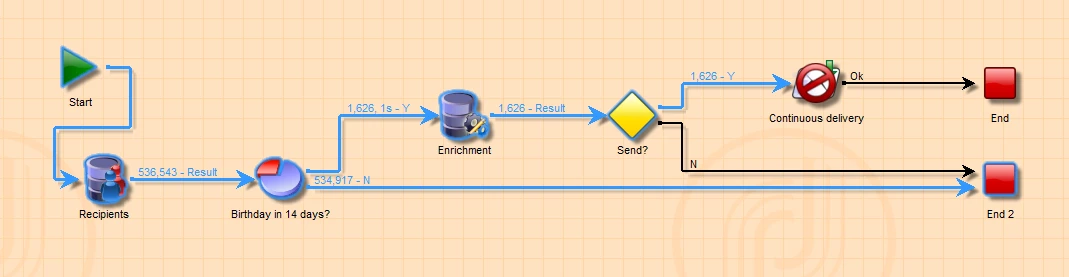
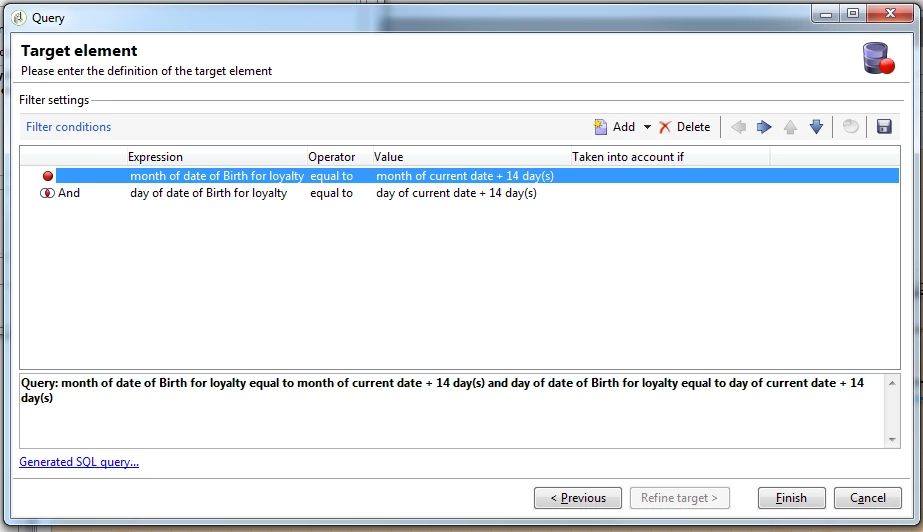
You'll see inside my split is nothing insane:
And here's my Enrichment:
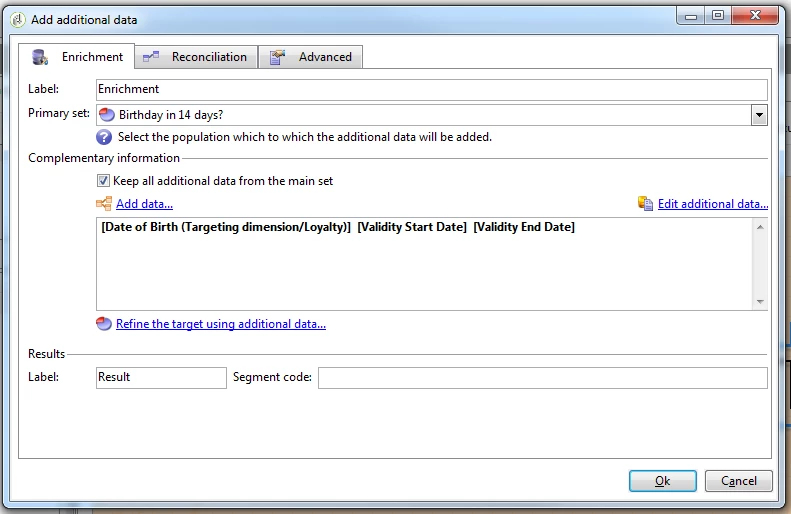
When I hit "Edit Additional data.."
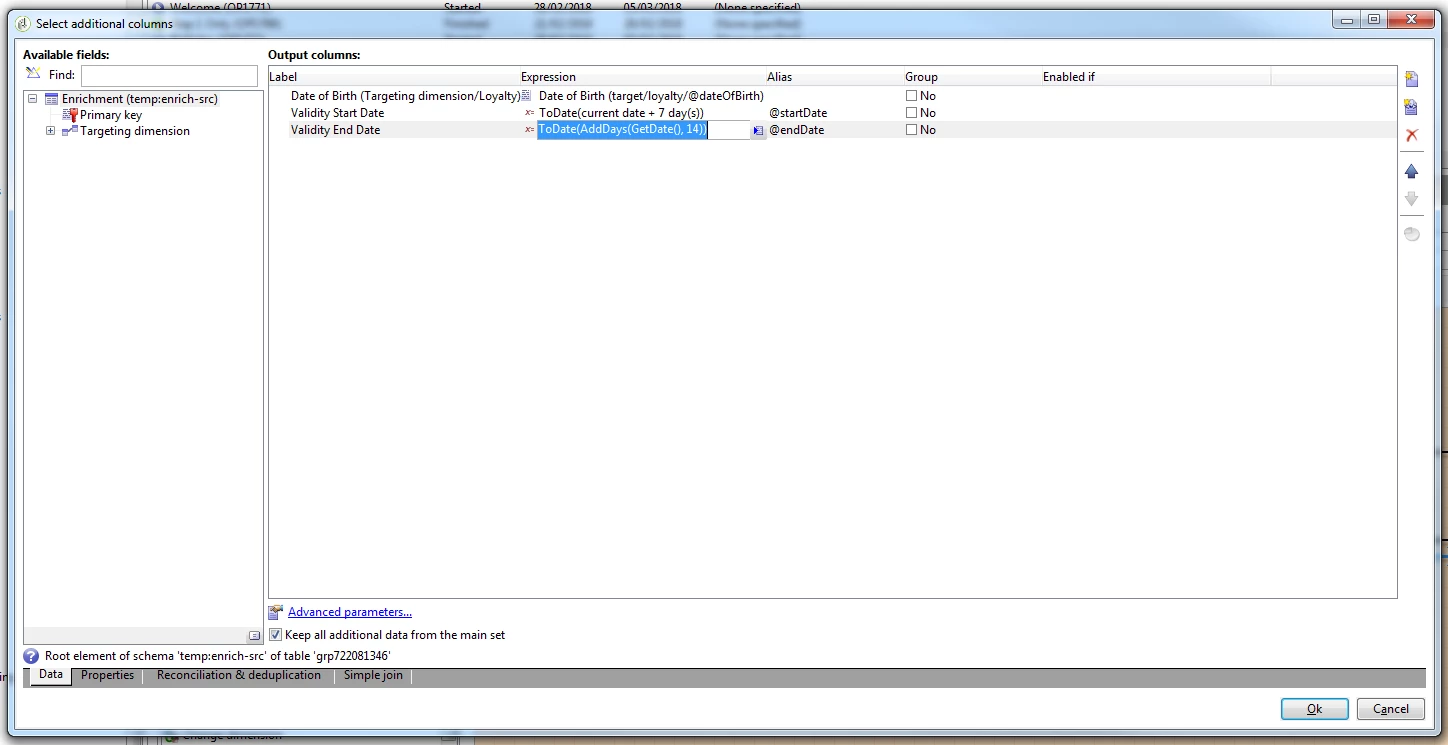
And going back to the Reconciliation table:
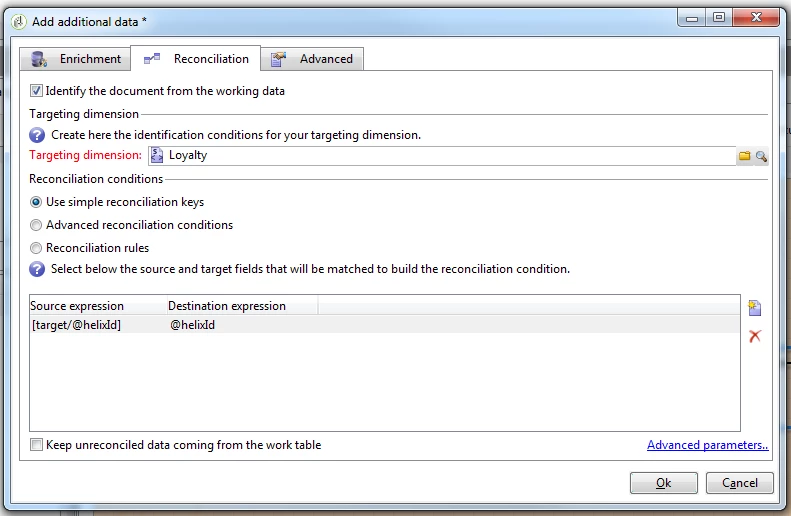
Note: I wasn't sure if this was necessary or not but hey ho!

Anyway, when I add these fields into a recurring delivery:
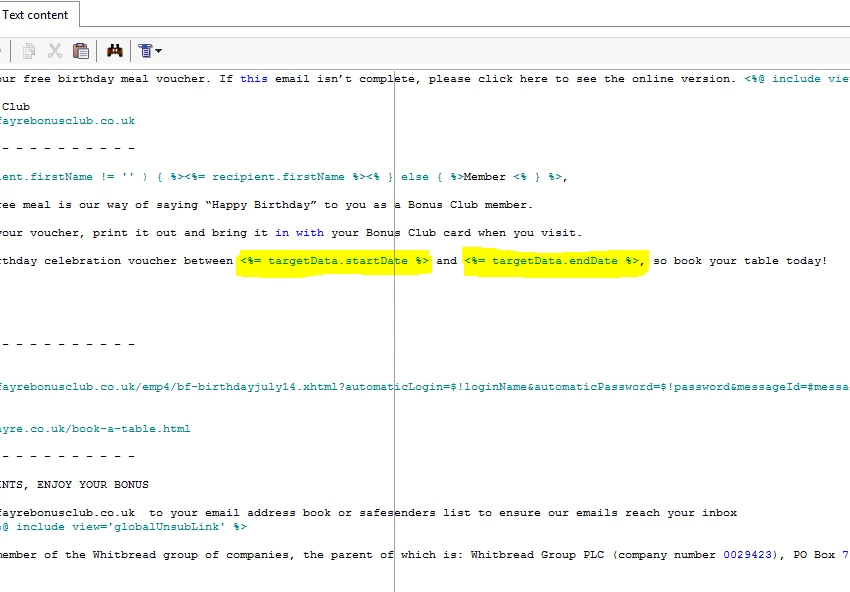
And when I preview... I get this:
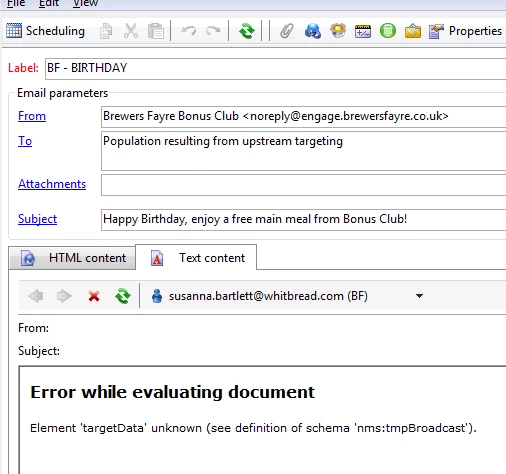
...and in a continuous delivery I get this:
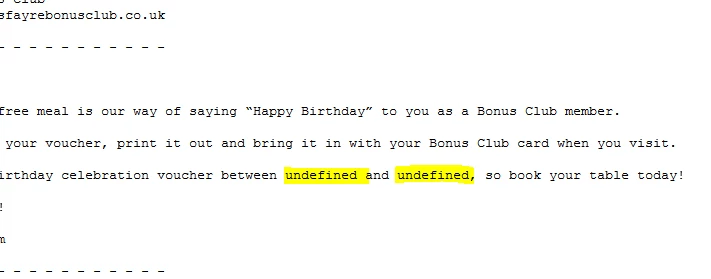
Any help?

This post is no longer active and is closed to new replies. Need help? Start a new post to ask your question.
Amit_Kumar
Amit_KumarAccepted solution
Level 10
March 5, 2018

Hi Kevin,

You should use a formatDate function to format your dates in deliveries.

in your case you have two options:

Options 1: efficient solution( if a developer is involved while preparing deliveries.)

add this script in the top of your delivery

<%

var currentDate = new Date();

var startDate = new Date();

var endDate = new Date();

// add a day

startDate.setDate(currentDate.getDate() + 7);

endDate.setDate(currentDate.getDate() +14);

%>

Use below syntax for adding these to your content wherever applicable

<%= formatDate(startDate, "%2D/%2M/%4Y") %>

<%= formatDate(endDate, "%2D/%2M/%4Y") %>

Options 2:

remove all extra formatting apart from adding days to current date and do not use toDate or any other function in your enrichment i.e use only AddDays(GetDate(),7 ) and then Use below option to include your dates.

<%= formatDate(targetData.startDate, "%2D/%2M/%4Y") %>

<%= formatDate(targetData.endDate, "%2D/%2M/%4Y") %>

Regards,

Amit

16 replies

sqwgglz
sqwgglzAuthor
Level 3
March 5, 2018

Note: I was expecting dates like this:

Translate
jyotiyadav3
Level 2
March 5, 2018

Hi Kevin,

When you are saving dates in the variable,  save them as :

DateOnly(ToDate(xxx))

You will get only date parameter,  no timestamp.

Thanks,

Jyoti

Translate
sqwgglz
sqwgglzAuthor
Level 3
March 5, 2018

Hi Jyoti,

Thanks for reply so quickly.

I added DateOnly() to the enrichment..

but all it did is set the time as 00:00:00.

. I was thinking of using formatdate() in the delivery but it will only work with system date... any other suggestions?

Thanks

Kevin

Translate
jyotiyadav3
Level 2
March 5, 2018

Hi Kevin,

Try with this:

Left( ToDate(xxx),12)

This will truncate the time part and stores only initial 12 characters of the string.

Thanks,

Jyoti

Translate
Amit_Kumar
Amit_KumarAccepted solution
Level 10
March 5, 2018

Hi Kevin,

You should use a formatDate function to format your dates in deliveries.

in your case you have two options:

Options 1: efficient solution( if a developer is involved while preparing deliveries.)

add this script in the top of your delivery

<%

var currentDate = new Date();

var startDate = new Date();

var endDate = new Date();

// add a day

startDate.setDate(currentDate.getDate() + 7);

endDate.setDate(currentDate.getDate() +14);

%>

Use below syntax for adding these to your content wherever applicable

<%= formatDate(startDate, "%2D/%2M/%4Y") %>

<%= formatDate(endDate, "%2D/%2M/%4Y") %>

Options 2:

remove all extra formatting apart from adding days to current date and do not use toDate or any other function in your enrichment i.e use only AddDays(GetDate(),7 ) and then Use below option to include your dates.

<%= formatDate(targetData.startDate, "%2D/%2M/%4Y") %>

<%= formatDate(targetData.endDate, "%2D/%2M/%4Y") %>

Regards,

Amit

Translate
sqwgglz
sqwgglzAuthor
Level 3
March 6, 2018

Thanks Amit,

Option 2 worked for me perfectly.

Thanks

Kevin

Translate