Dynamic report with dynamic selectbox | Community
Skip to main content
Level 2
April 19, 2018
Solved

Dynamic report with dynamic selectbox

  • April 19, 2018
  • 4 replies
  • 2696 views

I am trying to build my first dynamic report.   I have a variable [formName] and my final reporting page will adjust dynamically based on the default value I pass in.  
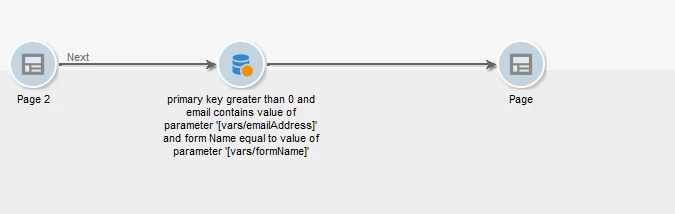
I have also been able to create an initial page with a text box allowing me to pass in a dynamic [formName] that is entered by the user.
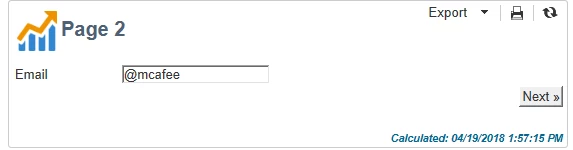
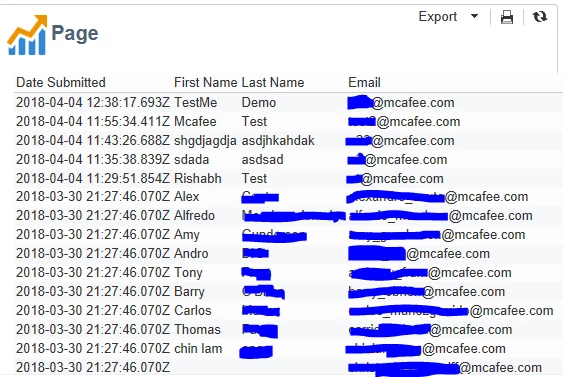
What I really need is a way to have a drop down box populated with a list of options which are coming from a table because the options are changing over time as new forms are created with new "Form Names". 

Can anyone tell me what the process is to have a Combo Box on a page that is pulling its values from a table or list and passing which passes that value to my variable [formName]? 

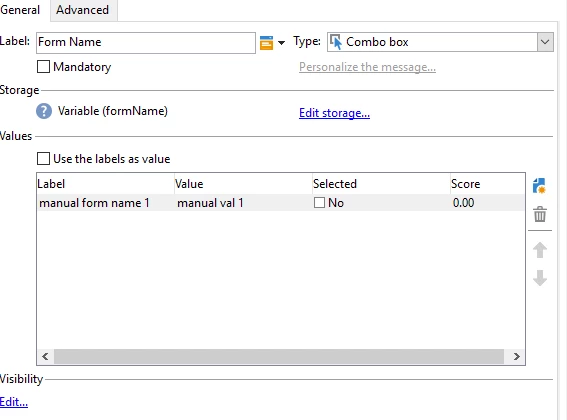
The only option I see is to create a select box but then you have to manually enter each possible option.
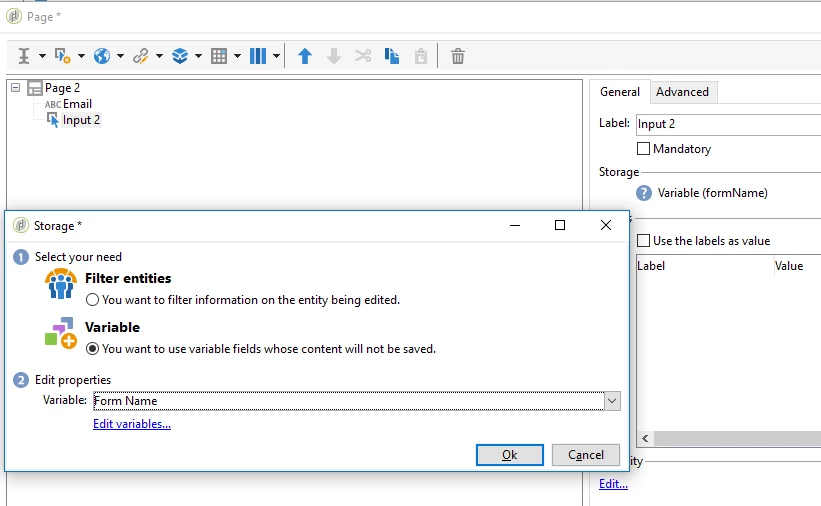
The problem at this point is that the only option to get values into the combo box is to manually enter them.

This post is no longer active and is closed to new replies. Need help? Start a new post to ask your question.
Best answer by Jean-Serge_Biro

Hello Christopher,

Regarding report with a dynamic list box values, there is no mention of the possibility below in Reporting documentation, but it is used in some factory reports.

So, as I described it already past year in this post below, you must fill the 3 XPath fields in the Advanced tab being positioned on your Listbox element, in the Page activity of your report; and of course set the Context initialisation field with the value "From the context" :

Re: Reports : How to pass parameter captured in page to query activity

Regards
J-Serge

4 replies

richac96395021
Level 4
April 20, 2018

Hi christopherc30123643 ,

you can use the 'link editor' instead of Combo box to get dynamic values from a column of a table.

with regards,

Richa Chaubey

Jean-Serge_Biro
Jean-Serge_BiroAccepted solution
Level 10
April 20, 2018

Hello Christopher,

Regarding report with a dynamic list box values, there is no mention of the possibility below in Reporting documentation, but it is used in some factory reports.

So, as I described it already past year in this post below, you must fill the 3 XPath fields in the Advanced tab being positioned on your Listbox element, in the Page activity of your report; and of course set the Context initialisation field with the value "From the context" :

Re: Reports : How to pass parameter captured in page to query activity

Regards
J-Serge

Level 2
April 20, 2018

Thanks so much for your help!  I had found these advanced options yesterday, but wasn't sure how to use the "Options" box.  I was trying to put the full xpath to the parameter in the label and value and had left the options section blank.   Thank you for you help.

So now what I'm getting is a blank drop down list, which I expect means my xpath is just wrong.  From what you had crossed out in your post I can't quite figure out how to solve the problem.   Maybe you would be willing to take a look and help further?

What I did was connect a query on the report canvas to my page with the drop down list:

Next I looked at the Preview in debug mode to get the XML output:

Here is what I have in my xpaths in the advanced setting for by drop down list:

Options XPath:  ctx/query2/latestSubmittedExternalResponse/

Labels XPath: @email

Values XPath: @email

I have tried all kinds of variances on the Options XPath, but must be missing something obvious.   Any adivce would get GREATLY appreciate.

Level 2
April 20, 2018

I got it fixed.   The options XPath was supposed to be just starting with Query2 rather than ctx.    THANKS FOR THE HELP!