[Data Import failure] Data Loading File Activity error | Community
Skip to main content
manovinayaka757
Level 3
November 8, 2017
Solved

[Data Import failure] Data Loading File Activity error

  • November 8, 2017
  • 4 replies
  • 5393 views

Hi All,

Environment:

Adobe Campaign V6.1

Build Number: 8861

DB: MSSQL Server

I was working on this exercise:

Implementing a Data Feed: Uploading a File in Adobe Campaign v6 |

Enriching Data in Adobe Campaign v6 |

But I am unable to load the data.

Data file data with 1 record:

First Name,Last Name,Email,Account#

Stanely,jobs,stanep@gmail.com,1234

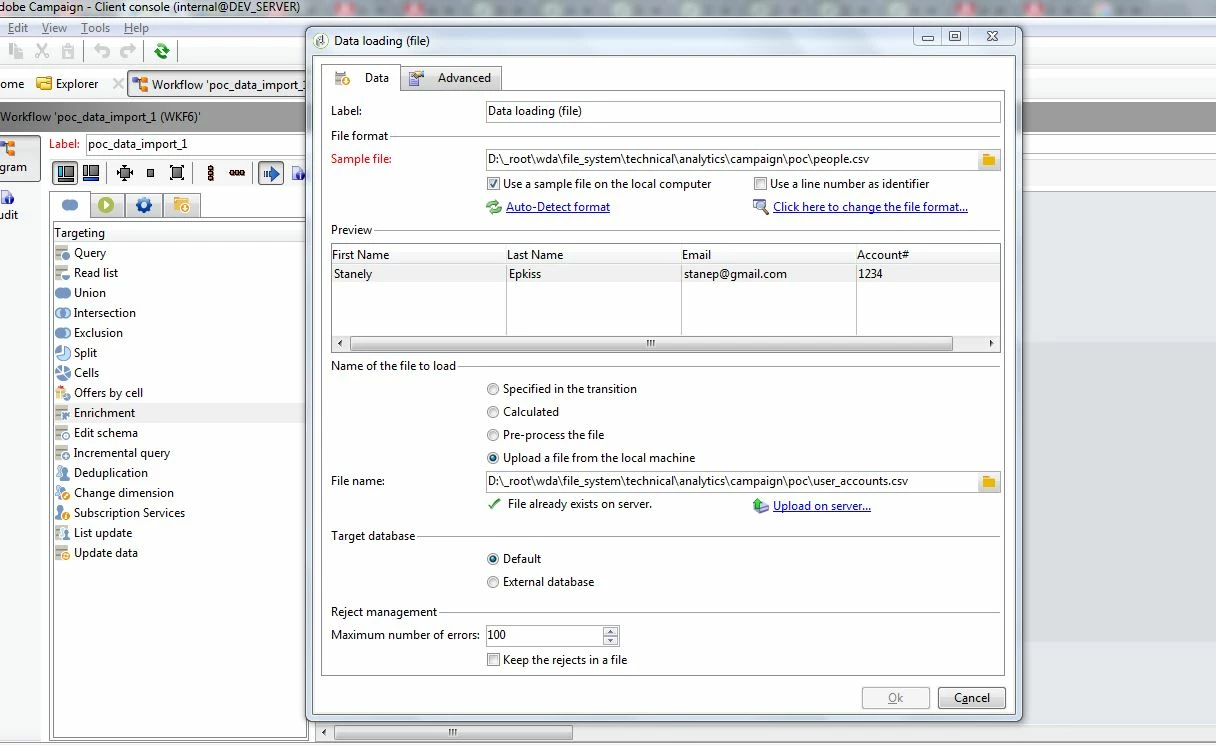
Data Loading file activity loads data from file user_accounts.csv with the sample template file people.csv.

While Loading data the following error happens and enrichment activity is not executed.

Please share your knowledge on the SQL Error that is hapenning.
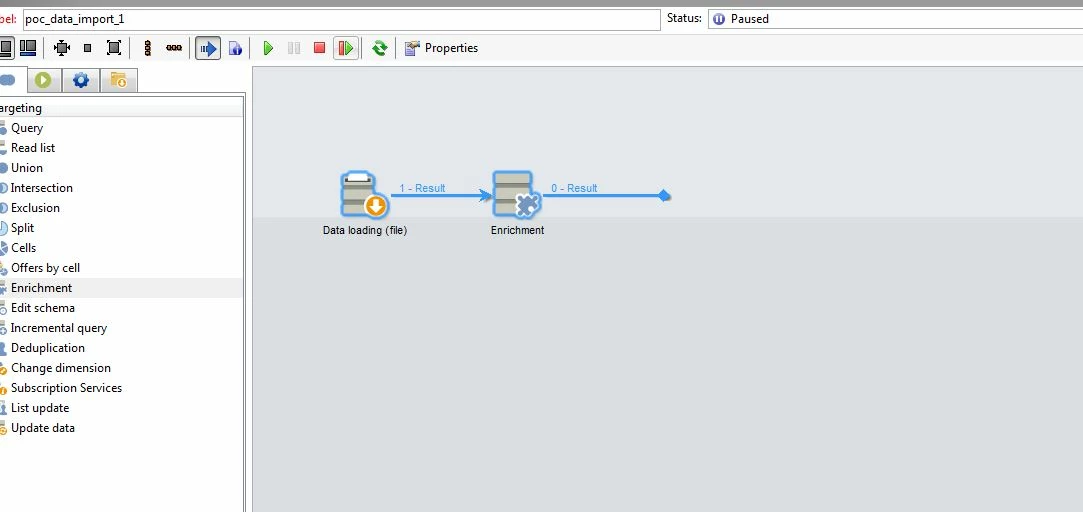
Detail of Errors during data loading:

----------------------------------------

ODB-240000 ODBC error: [Microsoft][SQL Server Native Client 11.0][SQL Server]Invalid object name 'wkf104351_1'. SQLState: S0002

ODB-240000 ODBC error: [Microsoft][SQL Server Native Client 11.0][SQL Server]Statement(s) could not be prepared. SQLState: 37000

WDB-200001 SQL statement 'SELECT  top 200 W0.sFirst_Name, W0.sLast_Name, W0.sEmail, W0.sAccount_ FROM wkf104351_1 W0' could not be executed.

BAS-010003 Unable to complete operation in current status.

Server Logs:

--------------------------------------------------------------------------------------------------

15:05:59 >>> ODB-240000 ODBC error: [Microsoft][SQL Server Native Client 11.0][SQL Server]Invalid object name 'wkf104351

_1'. SQLState: S0002 (iRc=-2006)

15:05:59 >>> ODB-240000 ODBC error: [Microsoft][SQL Server Native Client 11.0][SQL Server]Statement(s) could not be prep

ared. SQLState: 37000 (iRc=-2006)

15:05:59 >>> WDB-200001 SQL statement 'SELECT  top 200 W0.sFirst_Name, W0.sLast_Name, W0.sEmail, W0.sAccount_ FROM wkf10

4351_1 W0' could not be executed. (iRc=-2006)

This post is no longer active and is closed to new replies. Need help? Start a new post to ask your question.
Best answer by manovinayaka757

Hi Vipul,

Thanks for taking time to analyse my problem.

I got the answer from neolane support yesterday.

As "enrichment" activity can only be used for updating a record which is already present in the "Recipient" table, the data that I was importing does not exists in the "Recipient" table. So I should be using "Update data" activity.

Hope my understanding is correct on this.

Regards,

Mano

4 replies

vraghav
Adobe Employee
Adobe Employee
November 9, 2017

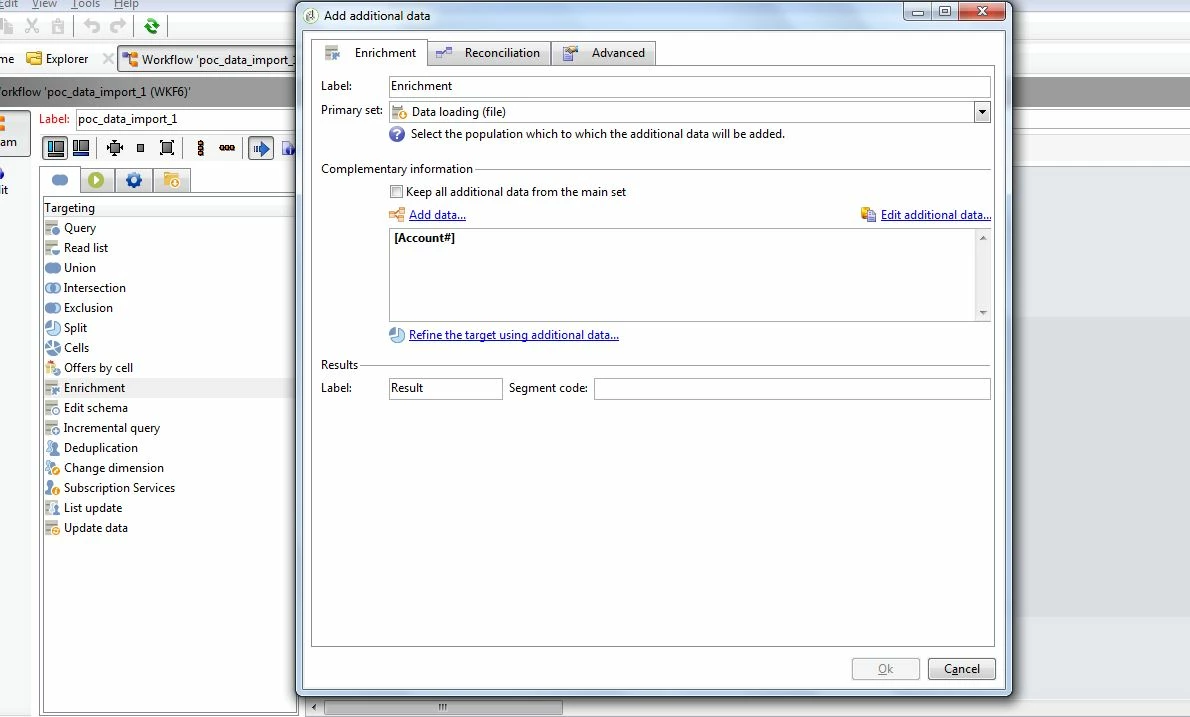
Can you please click on the "​Edit additional data​" link inside your Enrichment and show to us the setting there?

manovinayaka757
Level 3
November 9, 2017

Hi Vipul,

Thanks for replying!!

Below is the snapshot

The properties, Reconcilation & deduplication and simple join tabs are empty.

vraghav
Adobe Employee
Adobe Employee
November 9, 2017

Please enable the option "Keep all additional data from the main set. It should work

manovinayaka757
manovinayaka757AuthorAccepted solution
Level 3
November 10, 2017

Hi Vipul,

Thanks for taking time to analyse my problem.

I got the answer from neolane support yesterday.

As "enrichment" activity can only be used for updating a record which is already present in the "Recipient" table, the data that I was importing does not exists in the "Recipient" table. So I should be using "Update data" activity.

Hope my understanding is correct on this.

Regards,

Mano